 Dani K Daniel

Overscan Render
Maya/Arnold-style overscan for Blender, embedded in your EXR files
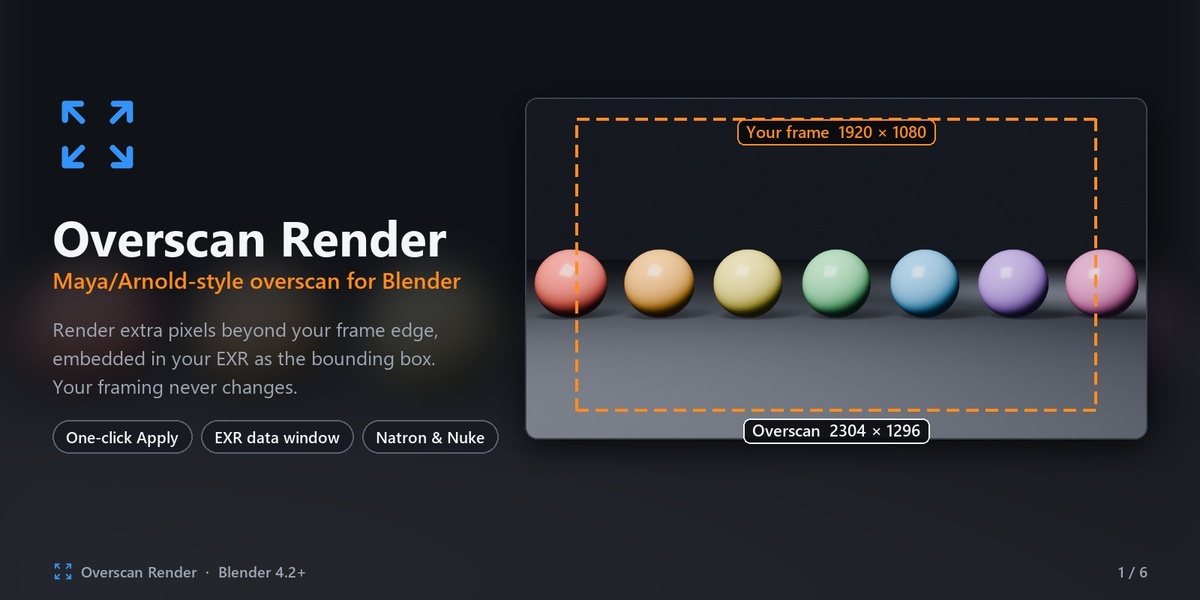
Render extra pixels beyond your frame edge so compositing has room to work, without changing your framing.
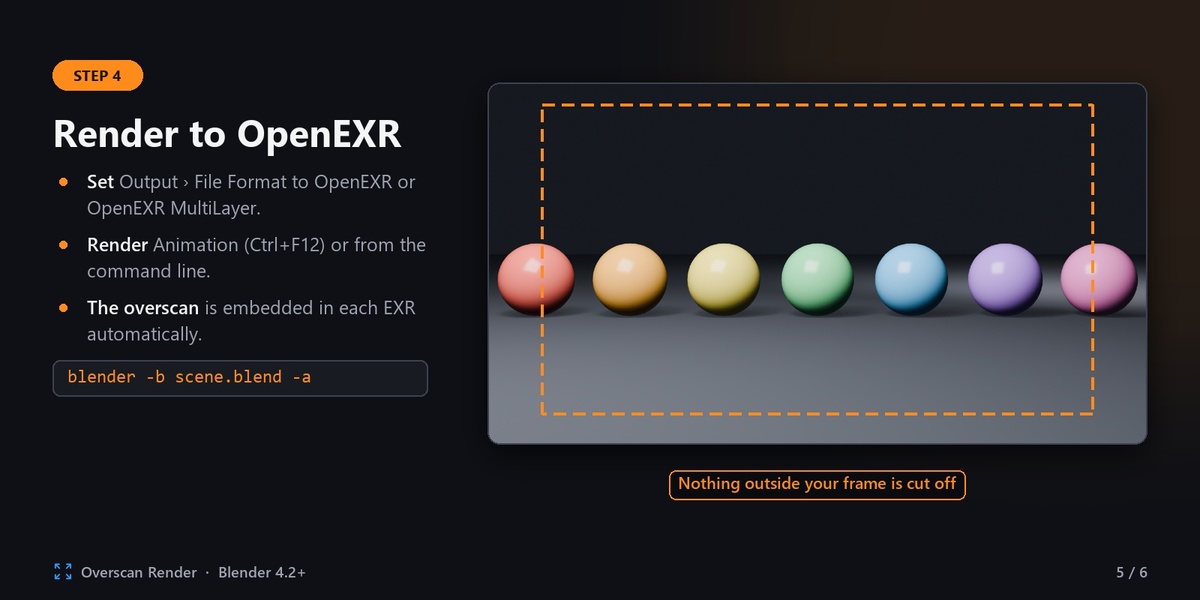
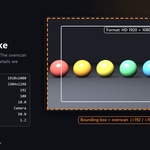
Stabilisation, camera shake, lens distortion and reframing all need image data outside the frame. Overscan Render gives you that in one click. Your EXR still opens as your normal delivery format (for example 1920×1080), and the extra pixels sit outside it as the bounding box, the same way Arnold handles overscan.
How it works
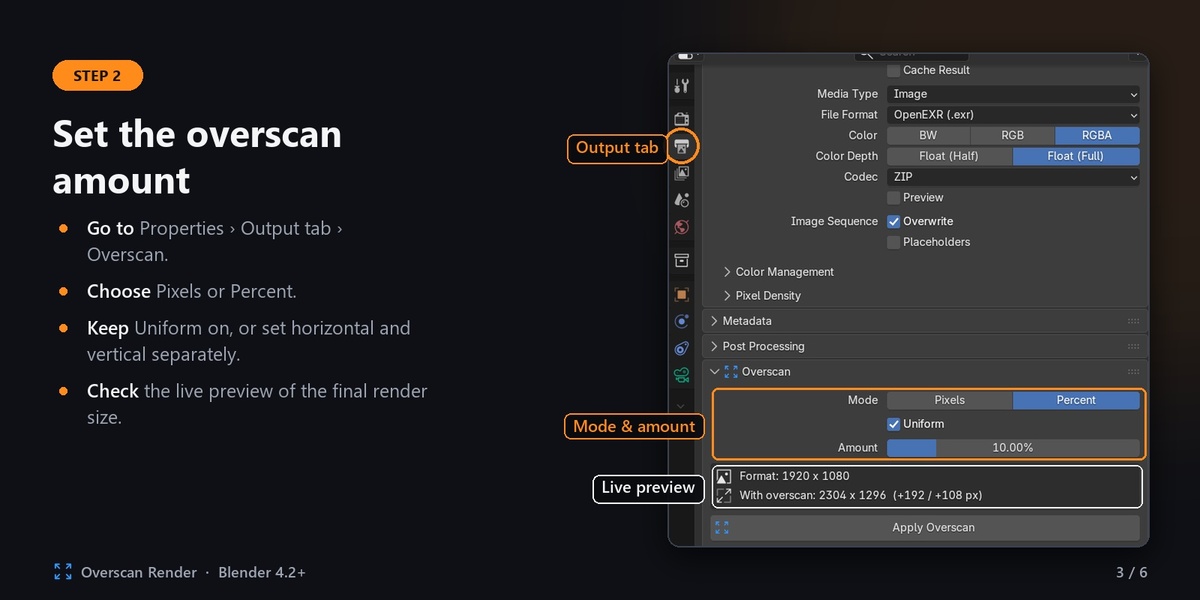
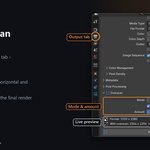
- Set the amount in Properties › Output › Overscan, in pixels or as a percentage.
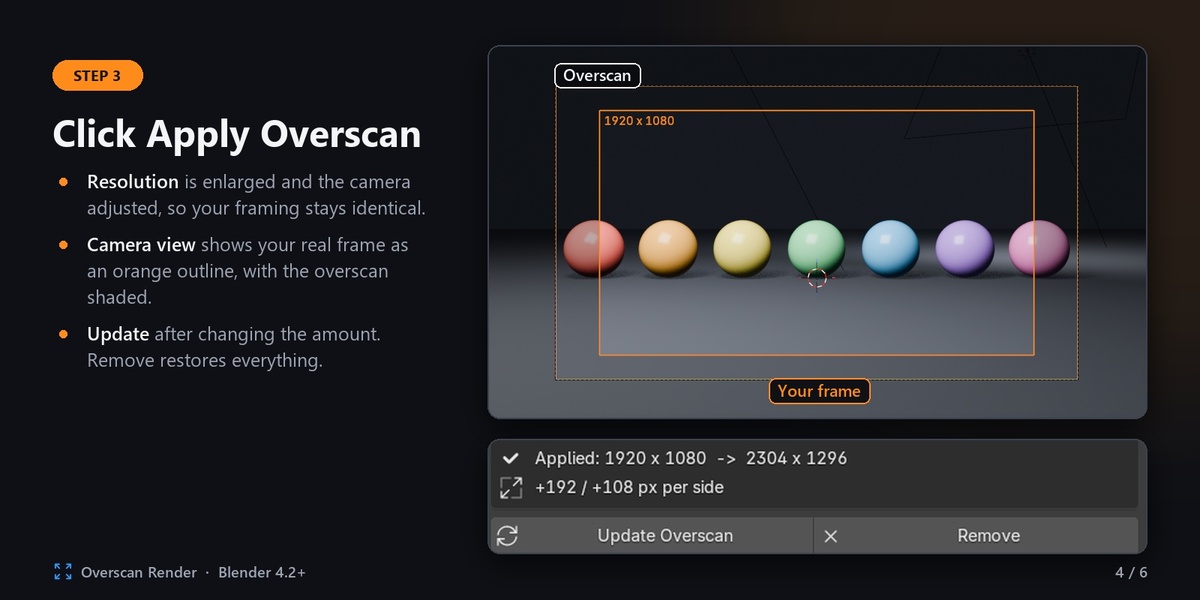
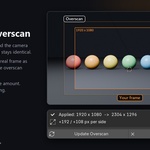
- Click Apply Overscan. The add-on enlarges the resolution and adjusts the camera to match, so everything inside your original frame renders exactly the same.
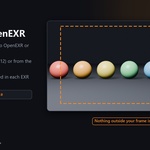
- Render to OpenEXR as usual, with Ctrl+F12 or from the command line.
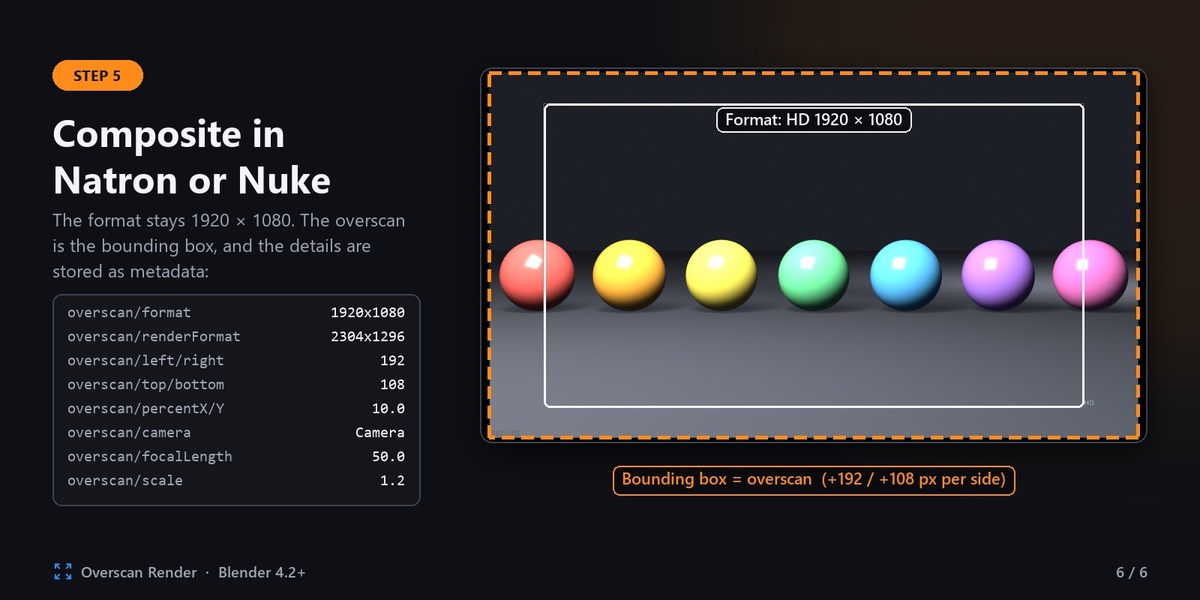
- Open the file in your compositor. The format is your original resolution, and the overscan appears as the data window (bounding box).
Features
- One-click Apply, Update and Remove. Remove restores your original resolution and camera exactly.
- Pixels or percent. Use one uniform amount, or set horizontal and vertical separately.
- Live preview of the final size before you apply.
- Pixel-identical inner frame. The original frame matches a render without overscan.
- Viewport frame guide. In camera view, an orange outline marks your real frame and the overscan band is shaded. Colour and shading are adjustable.
- Works with perspective and orthographic cameras, including lens shift and every sensor-fit mode.
- Supports OpenEXR and OpenEXR MultiLayer with all compression types.
- Proper EXR windows. The display window is your format and the data window includes the overscan, with a negative origin.
- Overscan metadata written into every file: original format and render size, pixels per side and percentages, camera, lens and sensor data, and the frame number.
- Settings saved with your .blend, so animations and command-line or farm renders pick it up automatically.
- Scene-camera and marker-camera setups are both handled.
Compatibility
- Blender: 4.2 LTS and newer, including Blender 5.x. Installed as an extension.
- Compositing: tested in Natron. It uses the standard EXR data window, which Nuke and other EXR-aware compositors read as the bounding box.
Good to know
- The overscan is embedded only when Blender writes the EXR to your output path, through Ctrl+F12 or command-line renders. A still rendered with F12 and then saved with Image › Save As is not embedded, and neither is output from File Output nodes.
- Panoramic cameras, library-linked cameras, and cameras with animated sensor size, sensor fit, ortho scale or lens shift are not supported. The add-on tells you if your camera is one of these.
- Before uninstalling, click Remove in any file where overscan is applied. Otherwise that file keeps the enlarged resolution and camera.
What's included
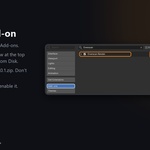
- The add-on:
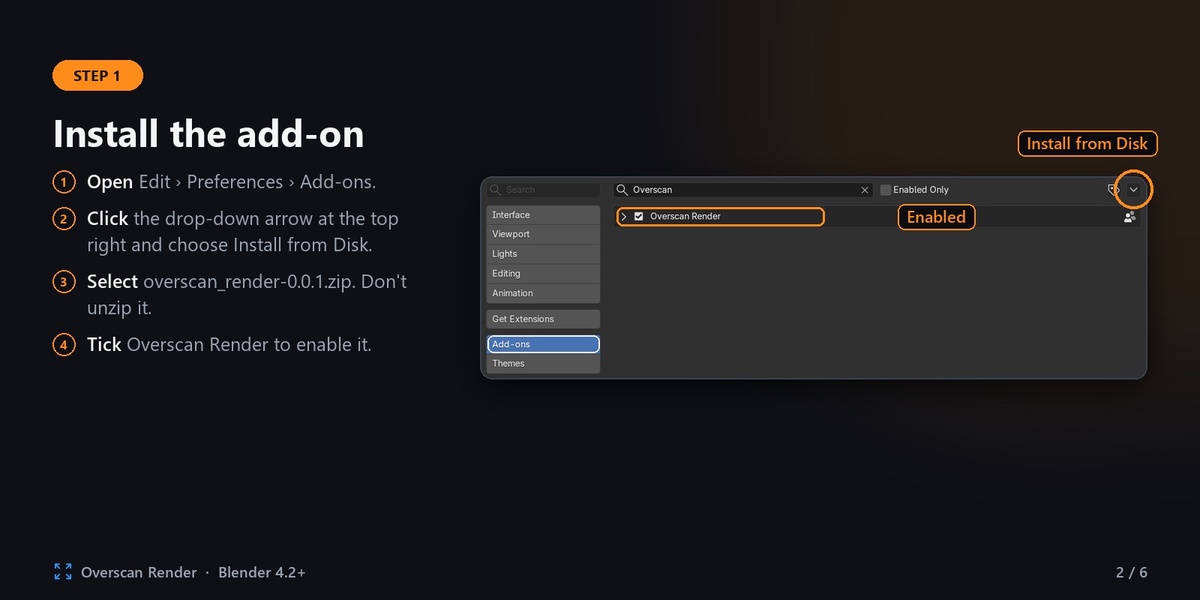
overscan_render-0.0.1.zip. Install it with Preferences › Add-ons › Install from Disk. - A README PDF guide covering installation, every setting, compositing setup and troubleshooting.
Version 0.0.1 · by Dani K Daniel · GPL-3.0-or-later