 AVILABS by Ebonix


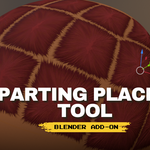
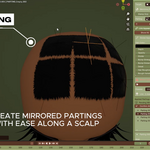
Place scalp partings on any head mesh in seconds. No sculpting, no retopo, no UV surgery.
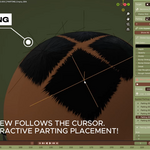
Parting Placer Tool is a Blender add-on for artists making braided, loc'd, cornrowed and parted hairstyles. You hover the cursor over your head mesh, click, and a parting appears — projected along the surface, following the curve of the crown, sides and back. The mesh is never deformed.
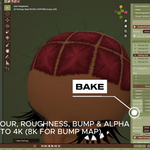
Built for game-ready workflows: when you're happy, bake the whole set down to Colour, Roughness and Normal maps and export.
⚡ Place partings interactively
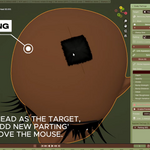
Pick your head as the Target, press Add New Parting, and move the mouse. Live preview follows the cursor.
S+ scroll — resize ·X/Y— lock to one axisR+ scroll — rotateM— toggle mirrorLeft click places it and keeps going.
Ctrl+Zundoes the last one.Use the bundled parting image, or point it at your own.
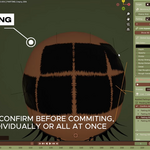
🪞 Mirroring you can see before you commit
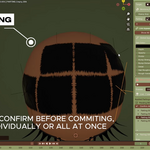
Mirrors are created pending first. Look at them, then Confirm or Deactivate — individually or the whole set at once.
🎛 Per-parting appearance
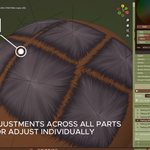
Hair Colour, Depth, Opacity, Divide, Bump Strength, Bump Distance, Detail, Hair Roughness and Rough Variation — on every parting independently.
Copy Settings to All — tune one by eye, push it onto the rest in one click.
Link Appearance — or share one set of values across every parting from a single global panel.
📋 A real stack, not a pile
Every parting lands in a list. Select, duplicate, mirror, reorder, hide, or remove. Fix Duplicate Names cleans up labels. Show All / Hide All for the lot.
🧭 Corner markers
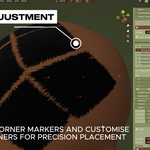
Labelled markers on the selected parting so you always know which way round it is. Display only — nothing added to your scene, nothing rendered.
🚀 Preview Mode
Lots of partings on one material will slow the viewport down. Preview Mode bakes a temporary 256/512/1024 proxy so you stay responsive while you work, and restores the live partings when you switch it off.
✏️ Style & Switch
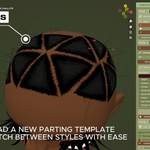
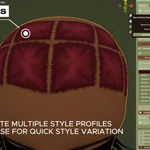
Build more than one complete parting set on the same mesh and switch between them. The set you aren't using is parked — Empties hidden, filed into their own collection, nothing lost. The material slot each style belongs to is shown next to its name and remembered once set, which matters on a head where the same material sits in more than one slot.
🔥 Bake and ship
Bake Partings renders Colour, Roughness and Normal maps at your chosen resolution (Normal gets its own). Apply Bake swaps the live partings for the baked images and cleans up the Empties — that's your game-engine-ready head. Undoable.
Long chains are baked in batches, so the shader never exceeds Cycles' compile limits no matter how many partings you've placed. Total coverage holds to within 0.01% across batches.
Baking is non-destructive by default. Bake it, look at it, tweak a parting, bake again — your partings and Empties stay live the whole time. Apply Bake swaps the live partings for the baked images and cleans up the Empties when you're ready to commit. That's your game-engine-ready head.
📤 Export the Maps
Save Textures — writes each baked channel to a folder as PNG.
Save Textures (Transparent) — one RGBA PNG: your parting colour with the coverage map as its alpha. Layer it over your own scalp texture in Unity, Unreal or anywhere else. Needs Colour and Alpha baked.
8-bit or 16-bit output, straight or premultiplied alpha.
Files are written directly, so no view transform, gamma curve or alpha conversion is applied behind your back.
🛠 Repair and Reset
Repair rebuilds broken links between partings, Empties and material. Reset returns the material to its original state.
Requirements
Blender 4.4.0 or newer
A mesh head with a material and a UV map (UVs required for baking)
Material Preview or Rendered shading — partings are a shader effect and are invisible in Solid
Known limitation:
Mirror modifier: partings on the mirrored half are generated geometry and won't bake. The panel warns you when it detects this.
Exports use your mesh's UV layout. The transparent overlay belongs to that head — it's not a decal sheet you can drop onto a different model.
16-bit preserves precision, it doesn't create it. If your bake resolution is the limiting factor, 16-bit doubles the file size for no visible gain. Compare both on your own work.
Premultiplied alpha isn't strictly better than straight. It's correct for engines that ask for it, and it discards colour in fully transparent areas, which straight alpha keeps.
Licence: GPL-3.0-or-later. AVILABS by Ebonix · The Ebonix Foundation C.I.C.
