 Dmitrii Smirnov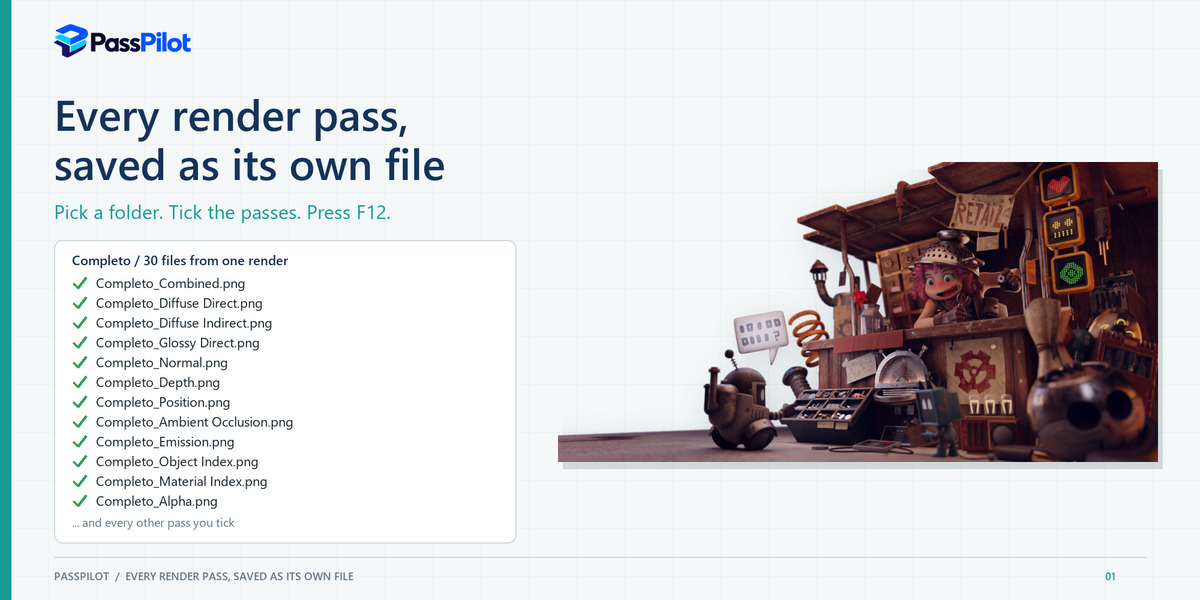
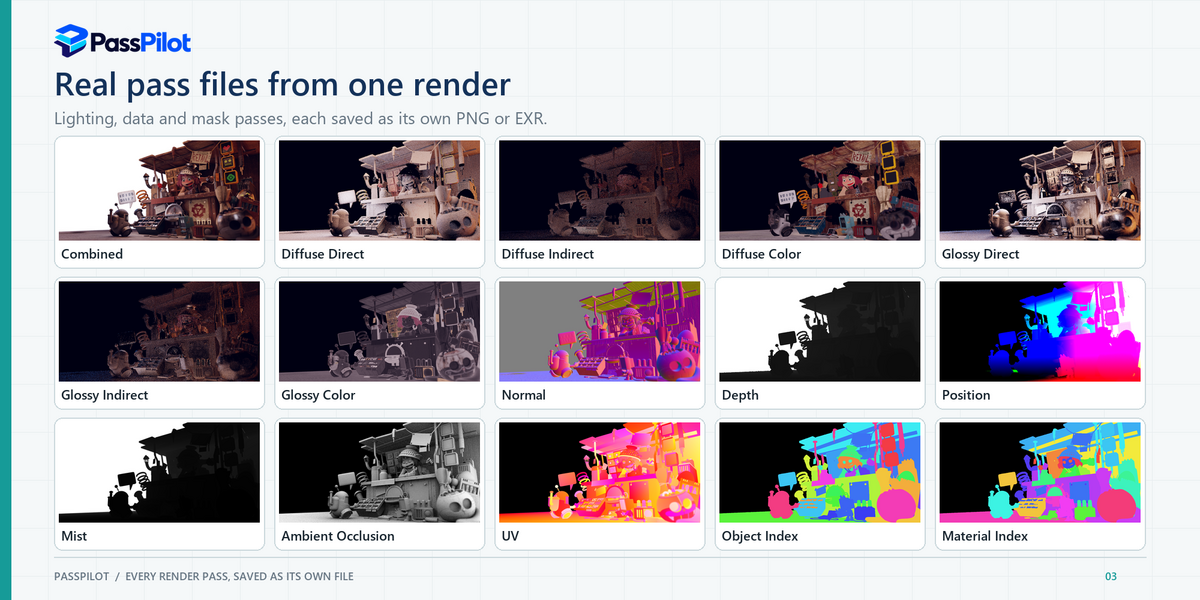
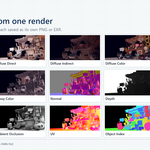
Every render pass, saved as its own file.
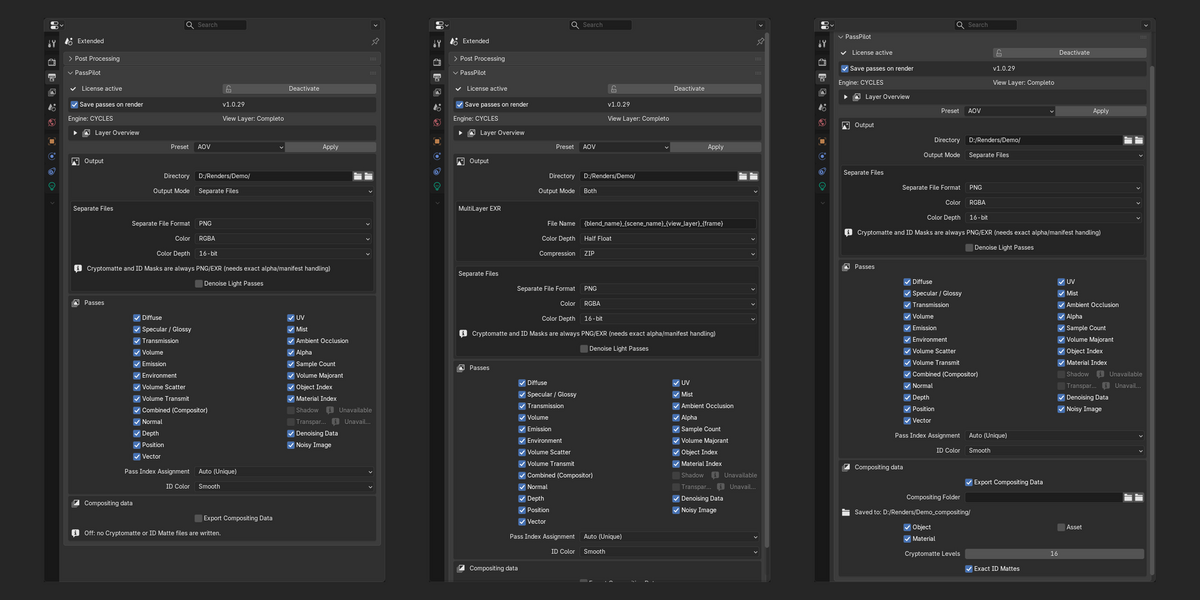
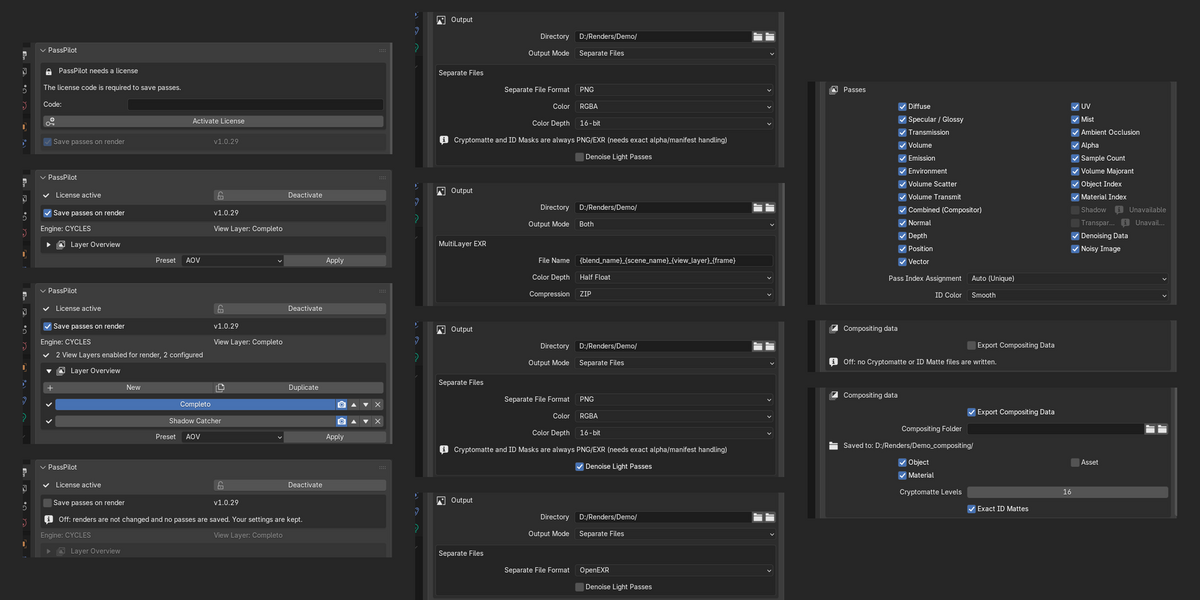
Pick a folder. Tick the passes. Press F12. PassPilot writes one PNG or OpenEXR file per pass, a MultiLayer EXR, or both. No File Output nodes to build, and your compositor graph is never touched.
PNG or OpenEXRCycles and EEVEEObject and Material ID masksOptional OIDN denoisingAnimations, frame by frame|
30
files from one render
AOV preset on a real production scene
|
0
File Output nodes to build
Your own compositor graph is never touched
|
34-90%
less noise in light passes
Optional OIDN, six light passes measured on one production scene
|
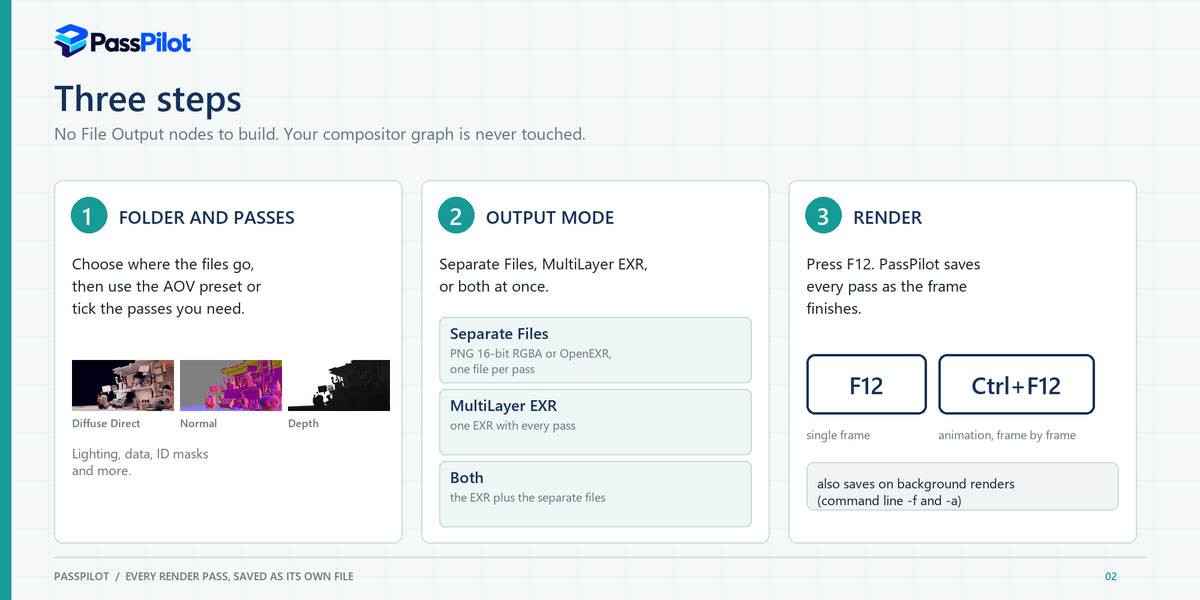
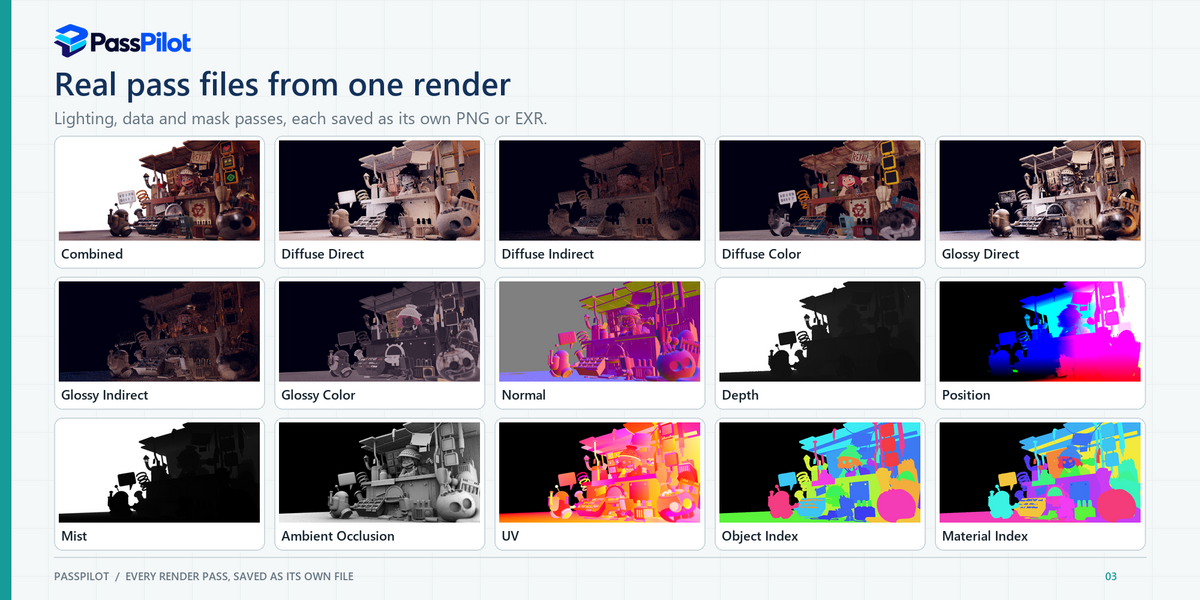
Three steps, then forget about it
|
1
Folder and passes
Open Output Properties > PassPilot, choose a folder, then use the AOV preset or tick the passes you need.
|
2
Output mode
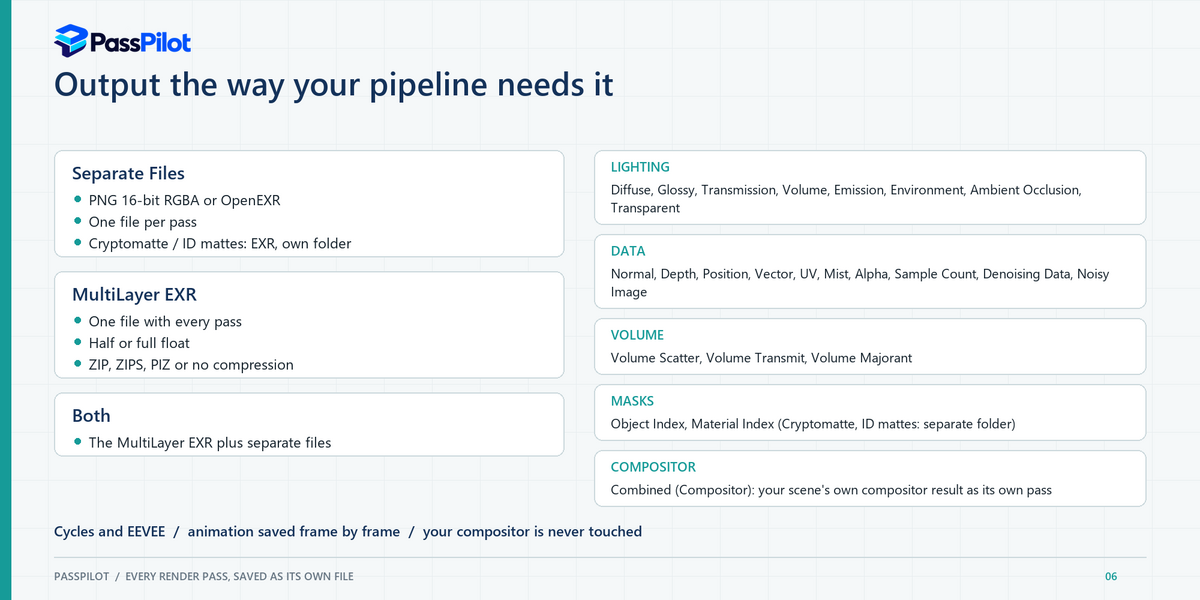
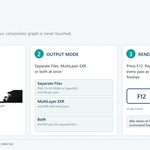
Separate Files (PNG 16-bit RGBA or OpenEXR), a MultiLayer EXR, or both at once.
|
3
Render
Press F12, or Ctrl+F12 for an animation. Command-line
-f and -a renders save too. |
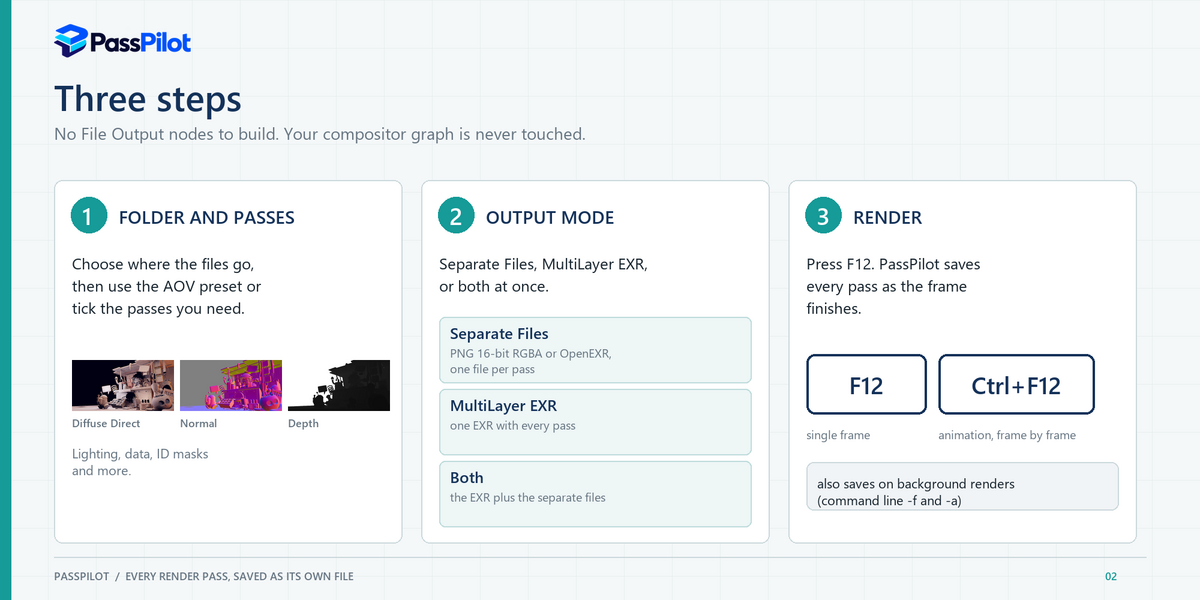
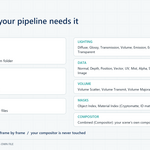
Lighting, data and mask passes, each as its own file
Each pass is encoded for what its numbers mean: lighting passes follow your scene's color management, normals and vectors are remapped for PNG, index passes are written as the literal index, and Cryptomatte is always EXR so its manifest survives.
|
Lighting
Diffuse, Glossy and Transmission (Direct, Indirect, Color), Volume, Emission, Environment, Ambient Occlusion, Transparent.
|
Data
Normal, Depth, Position, Vector, UV, Mist, Alpha, Sample Count, Denoising Data, Noisy Image.
|
|
Volume and masks
Volume Scatter, Transmit and Majorant. Object Index and Material Index.
|
Compositor and compositing data
Combined (Compositor), your scene's own compositor result. Optional Cryptomatte and Exact ID Mattes in a separate folder.
|
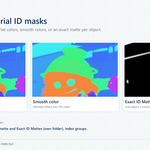
ID masks with clean, anti-aliased edges
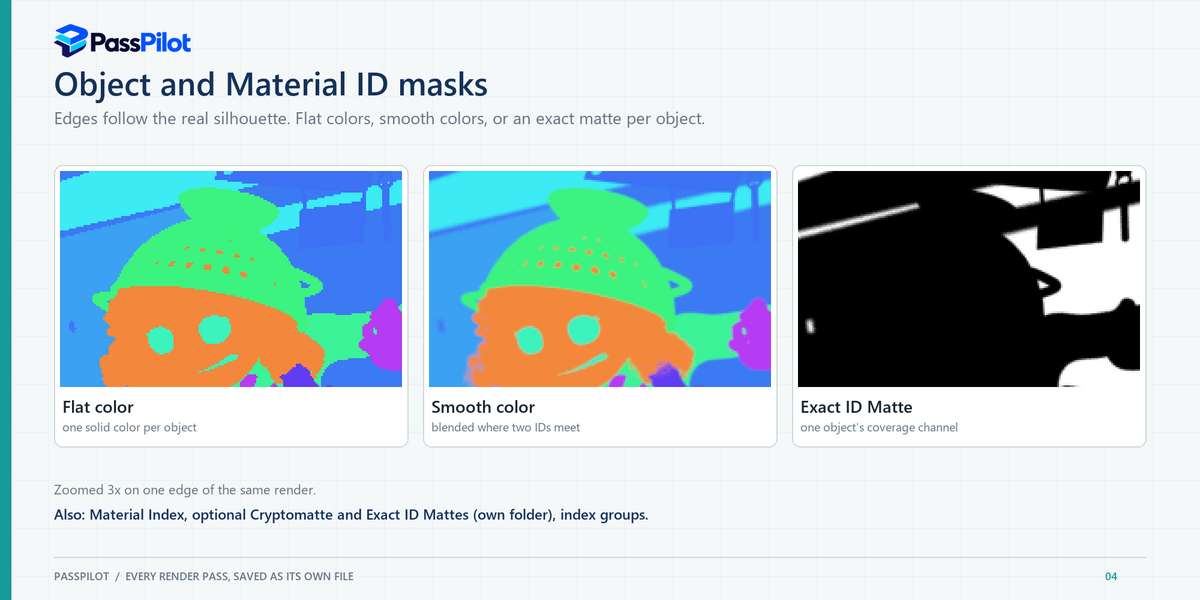
Object and Material Index use real sub-pixel coverage, so mask edges follow the true silhouette instead of stair-stepping. Choose Flat colors (one solid color per object) or Smooth colors (blended where two IDs meet).
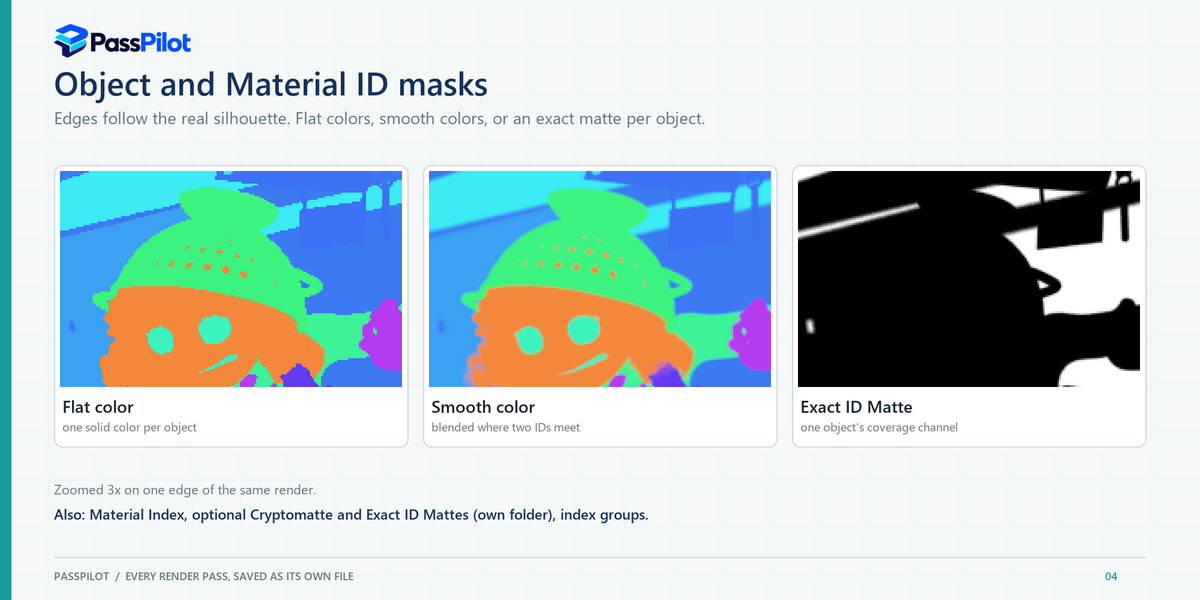
- Exact ID Mattes: a separate EXR with one named coverage channel per object or material.
- Auto (Unique) gives every object and material its own index; Keep Manual Groups never reassigns an index you set, including groups shared across View Layers.
- Numbering also covers collection instances, particle instances and Geometry Nodes sources, nested groups included.
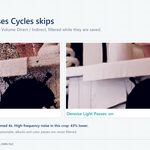
Denoise the passes Cycles skips
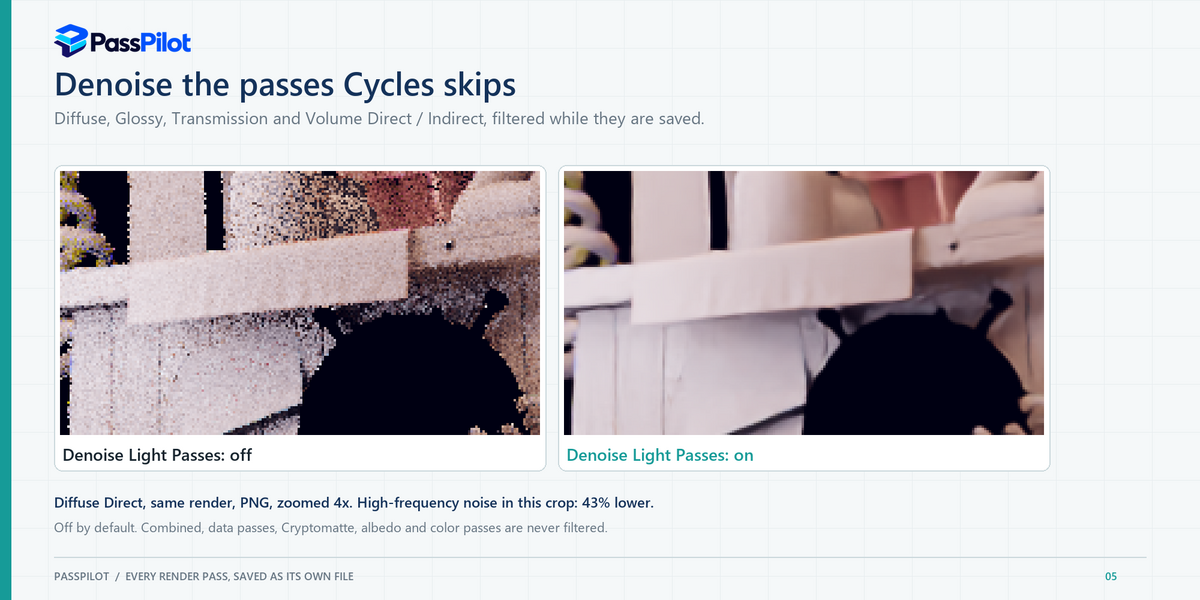
Cycles denoises Combined and a few volume passes only. With Denoise Light Passes, PassPilot runs Intel OpenImageDenoise on Diffuse, Glossy, Transmission and Volume Direct / Indirect while saving them. On one production test scene the six measured light passes were 34-90% less noisy.
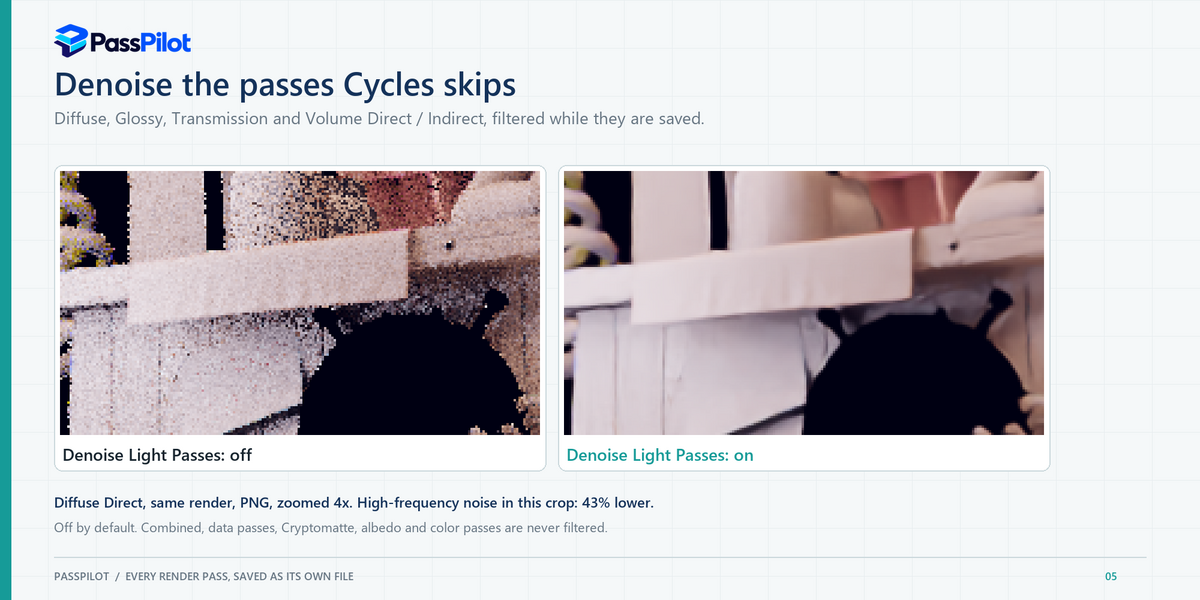
Off by default. Works for Separate Files as 16-bit RGBA PNG or OpenEXR; other formats are saved unfiltered and PassPilot warns you. Data passes, Cryptomatte, albedo and Combined are never filtered.
Quiet, predictable, safe
|
Clean delivery folder
Cryptomatte and Exact ID Mattes are compositing data: they go to their own folder, never into the folder you hand to a client.
|
One switch
The first checkbox, Save passes on render, turns PassPilot completely off for renders that do not need passes. Your settings are kept.
|
|
Checked before every render
Engine, camera, naming, denoise limits and unreachable output folders are reported in the panel and the console before you wait for a frame.
|
Animations
Each frame is saved as it finishes, with frame numbers added automatically once a second frame shows it is an animation.
|
|
Your color management
View transform, look, curve and white balance are applied to color passes, so the files match what you see.
|
Native helper included
A C++ helper splits the finished render quickly and runs the license check. If it cannot process a frame, PassPilot falls back to a slower built-in route for that frame.
|