Penabled Keymap
 Coby Randal Media


How to install:
Blender>Edit>Preferences>Keymap>ImportChoose the "Penabled_Keymap_...py" you downloaded.
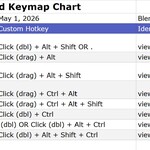
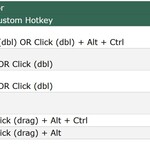
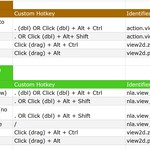
Refer to the chart below for which custom hotkeys are now enabled per workspace / window type.
| Blender Penabled Keymap Chart | ||||
| 3D Viewport | May 1, 2026 | Blender 4.5 - 5.1.1. | Spreadsheet File | Feedback, bug reporting, comments. |
| Action | Custom Hotkey | Identifier of Operator | Default Hotkey | Notes |
| View Selected | Click (dbl) + Alt + Shift OR . | view3d.view_selected | numpad . OR + Ctrl . | double . for all regions / quad view to align to selected |
| Rotate View | Click (drag) + Alt | view3d.rotate | MMB Click (drag) | Orbit around view center |
| Move View (Pan) | Click (drag) + Alt + Shift | view3d.move | Shift MMB Click (drag) | Pan the view |
| Zoom View | Click (drag) + Ctrl + Alt | view3d.zoom | Ctrl MMB Click (drag) | Dolly in and out |
| Walk Navigation | Click (drag) + Ctrl + Alt + Shift | view3d.walk | Shift ~ | Intuitive for looking around etc |
| Center View to Mouse | Click (dbl) + Ctrl | view3d.view_center_pick | Alt MMB | Centers view on point under mouse |
| View All (Fit to View) | .(dbl) OR Click (dbl) + Alt + Ctrl | view3d.view_all | Home | Displays everything in scene |
| Center View to Cursor | Click (dbl) + Alt + Shift + Ctrl | view3d.view_center_cursor | Alt + Home | Centers view on 3D Cursor |
| Graph Editor & Driver Editor | ||||
| Action | Custom Hotkey | Identifier of Operator | Default Hotkey | Notes |
| View All keys (Fit to View) | . (dbl) OR Click (dbl) + Alt + Ctrl | graph.view_all | Home | |
| View Selected | . OR Click (dbl) | graph.view_selected | Numpad . | Select and frame in one double click. Shift selections and framing work as well. |
| View Scene Frame Range (no selection) | . OR Click (dbl) | graph.view_selected | ||
| Pivot Point | , | wm.call_menu_pie | GRAPH_MT_pivot_pie | . | |
| Zoom | Click (drag) + Alt + Ctrl | view2d.zoom | MMB + Ctrl | |
| Pan | Click (drag) + Alt | view2d.pan | MMB | |
| Dope Sheet | ||||
| Action | Custom Hotkey | Identifier of Operator | Default Hotkey | Notes |
| Frame All Keys (Fit to View) | . (dbl) OR Click (dbl) + Alt + Ctrl | action.view_all | Home | Click (dbl) on empty space to view all |
| View Selected | . OR Click (dbl) + Alt+ Shift | action.view_selected | Numpad . | Click (dbl) on empty space to view all |
| Zoom | Click (drag) + Alt + Ctrl | view2d.zoom | MMB + Ctrl | |
| Pan | Click (drag) + Alt | view2d.pan | MMB | |
| Nonlinear Animation Editor | ||||
| Action | Custom Hotkey | Identifier of Operator | Default Hotkey | Notes |
| Frame All (Fit to View) | . (dbl) OR Click (dbl) + Alt + Ctrl | nla.view_all | Home | Click (dbl) on empty space to view all |
| View Selected | . OR Click (dbl) + Alt + Shift | nla.view_selected | Numpad . | Click (dbl) on empty space to view all |
| View Frame Range (no selection) | . OR Click (dbl) + Alt + Shift | nla.view_selected | ||
| Go to Current Frame | / | nla.view_frame | ||
| Zoom | Click (drag) + Alt + Ctrl | view2d.zoom | MMB + Ctrl | |
| Pan | Click (drag) + Alt | view2d.pan | MMB | |
| Sculpt Mode | ||||
| Action | Custom Hotkey | Identifier of Operator | Default Hotkey | Notes |
| Mask Stroke | Click (drag) + Alt + Shift + Ctrl | sculpt.brush_stroke | Click + Alt | Temporary Brush Toggle: Mask. |
| Unmask (Invert) Stroke | Click (drag) Shift + Ctrl | sculpt.brush_stroke | Click + Ctrl + Alt | Stroke Mode: Invert. | Temporary Brush Toggle: Mask. |
| Walk Navigation | Click (dbl) + Alt + Shift + Ctrl | view3d.navigate | This breaks the convention, allowing easy masking. | |
| Geometry Node Editor, Shader Editor, Compositor | ||||
| Action | Custom Hotkey | Identifier of Operator | Default Hotkey | Notes |
| Frame All (Fit to View) | . (dbl) | node.view_all | Home | Click + Alt + Shift conflicts w other shortcuts. |
| View Selected | . | node.view_selected | Numpad . | Click + Alt + Shift conflicts w other shortcuts. |
| Zoom | Click (drag) + Alt + Ctrl | view2d.zoom | MMB + Ctrl | |
| Pan | Click (drag) + Alt | view2d.pan | MMB | |
| Sequencer | ||||
| Action | Custom Hotkey | Identifier of Operator | Default Hotkey | Notes |
| Frame All (Fit to View) | . (dbl) OR Click + Alt + Ctrl | sequencer.view_all | Home | |
| View Selected | . OR Click (dbl) | sequencer.view_selected | Numpad . | |
| Zoom | Click (drag) + Alt + Ctrl | view2d.zoom | MMB + Ctrl | |
| Pan | Click (drag) + Alt | view2d.pan | MMB | |
| Grease Pencil | ||||
| Action | Custom Hotkey | Identifier of Operator | Default Hotkey | Notes |
| Frame All (Fit to View) | . (dbl) OR Click (dbl) + Alt + Ctrl | view3d.view_all | Home | Click (dbl) on empty space to view all |
| View Selected | . OR Click (dbl) + Alt + Shift | view3d.view_selected | Numpad . | Click (dbl) on empty space to view all |
| Zoom | Click (drag) + Alt + Ctrl | view3d.zoom | MMB + Ctrl | |
| Pan | Click (drag) + Alt + Shift | view3d.pan | MMB | |
$0
Have questions about this product?
Login to message
| Downloads | 40+ |
| Published | 5 months ago |
| Blender Version | 4.5 - 5.1 |
| Extension Type | N/A |
| Render Engine Used | Arnold, Blender-Internal, Blender-Game-Engine, Cycles, Eevee, Freestyle, Luxrender, Mental-Ray, Octane, Vray, Yafaray |
| License | GPL |

Discover more products like this
Laptop stylus efficient trackpad free keymap Custom keymaps efficient 3D workflow Keymap customization Blender shortcuts no-numpad keymap Pen