Phosphor: Crt Factory For Blender
 Egret Studios LLC



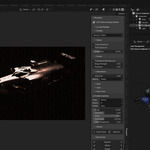
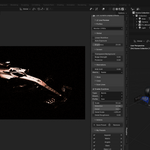
📺 Phosphor: CRT Factory for Blender
User Documentation
✨ What is Phosphor
Phosphor is a Blender compositing extension that adds CRT and retro display effects to your renders. It applies screen bulge, phosphor dot structure, scanlines, glow diffusion, and signal behavior directly inside the compositor while allowing full preview in the viewport as you work.
It is designed for both Eevee and Cycles and lets you art direct the final visual output of your render inside Blender before rendering. This removes the need for external post processing or guesswork after rendering.
Phosphor is not a filter. It is a full CRT display simulation system built into your render pipeline.
🚀 Getting Started
📍 Opening Phosphor
Open the N panel in the 3D Viewport by pressing N, then select the Phosphor tab.
🔌 Enabling the Effect
At the top of the panel, enable Live Preview.
This activates Phosphor in the viewport and connects it to your compositor output. When disabled, all controls are inactive because the effect is not running.
🎛️ Profiles
Phosphor includes 19 built in CRT display presets designed to give you instant results without manual tuning.
Each preset represents a different display era or visual behavior, from clean modern monitors to heavily degraded analog systems.
| Preset | Visual Character |
|---|---|
| Classic CRT | Warm curved glass with soft scanlines and balanced glow |
| Arcade | Bright high energy phosphor with strong color response |
| Billboard | Large pixel spacing with flat digital display feel |
| Broken | Unstable signal with flicker and distortion artifacts |
| Video Game | Tight scanlines with classic retro game output |
| Monitor | Clean early desktop CRT calibration |
| Degraded | Aged display with noise, blur, and wear |
| 1980s | Green or amber terminal phosphor look |
| 1990s | Aperture grille CRT with crisp phosphor alignment |
| 2000s | Flat transition era display with minimal curvature |
| Angled | Extreme close viewing angle with exaggerated curvature |
| Grid LED | Hard pixel matrix with glowing separation |
| Macro Funk | Extreme magnification of phosphor dot structure |
| Plasma | Deep contrast fine grid display with controlled glow |
| Rave | Oversaturated high intensity glow response |
| Tired | Dim washed out late night display look |
| Vertical Grille | Slot mask vertical alignment structure |
| VHS | Analog tape degradation with noise and color bleed |
| Default | Balanced starting point for general use |
🌍 Global Controls
Global controls affect the entire CRT processing pipeline.
Linear Workflow
Ensures correct color behavior in linear rendering pipelines. Helps maintain accurate brightness and color response when applying CRT effects.
Auto Exposure
Automatically adjusts overall brightness so the image remains balanced when effects are applied. Prevents clipping or overly dark output.
Brightness
Controls overall output intensity of the CRT display simulation. Acts like the physical brightness of a monitor.
🖥️ Screen
This section controls the physical characteristics of the virtual display surface.
Transparent Background
Preserves transparency around curved screen edges. Useful when compositing the CRT display over other renders or footage.
Bulge Strength
Controls the curvature of the screen surface. Higher values simulate stronger CRT barrel distortion.
Posterize
Reduces the number of visible color transitions in the image. This recreates limited display resolution and enhances retro appearance.
📺 Scan Lines
Scanlines simulate the horizontal beam structure of CRT displays using procedural wave patterns.
Enable Scanlines
Turns scanline rendering on or off.
Type
Defines scanline geometry. Bands create traditional horizontal lines. Rings create radial patterns for stylized or experimental displays.
Direction
Controls orientation of scanlines. Z produces classic horizontal CRT scanlines. X and Y shift orientation. Diagonal creates angled display distortion.
Profile
Shapes the scanline waveform. Sine produces smooth transitions. Saw creates sharp cut edges. Triangle produces linear ramping behavior.
Scale
Controls density of scanlines across the screen. Higher values create tighter, more detailed scan structures.
Distortion
Introduces irregularity into scanline spacing, simulating unstable or aged display behavior.
Detail
Adds secondary micro patterning over the main scan structure for additional complexity.
Detail Scale
Controls size of the secondary scan structure relative to the main pattern.
Detail Roughness
Introduces randomness into the detail layer for more organic or noisy results.
Aberrations
This section simulates display instability and signal separation effects.
RGB Shift
Controls separation of color channels. Higher values increase color fringing and display misalignment.
Direction
Defines how channels separate. Radial spreads from the screen center. Horizontal shifts left and right. Vertical shifts up and down.
🔥 Glow
Glow simulates phosphor emission and light diffusion behavior found in CRT displays.
Glare Type
Defines glow style. Fog Glow produces soft diffusion. Star creates sharp light bursts. Streaks generates directional light trails. Ghosts simulate lens artifacts and signal instability.
Quality
Controls rendering accuracy of glow. Higher values produce cleaner results with increased processing cost.
Glow Intensity
Adjusts overall strength of emitted light from bright pixels.
Highlights
Threshold
Defines the minimum brightness required for glow activation. Lower values allow more of the image to emit light.
Smooth
Controls softness of glow transition at threshold boundaries.
Glare Control
Streaks
Controls number of directional light rays.
Streak Angle
Rotates streak direction across the screen.
Iterations
Determines how many times glow is accumulated, affecting size and intensity.
Fade
Controls how quickly streaks diminish toward their ends.
Color Modulation
Introduces chromatic variation along glow streaks for spectral dispersion effects.
🎨 Color
The Color section controls final image tone and display response.
Hue
Shifts all colors across the spectrum, allowing full global color remapping.
Boost Saturation
Controls intensity of color output. Higher values produce strong CRT-style vibrancy. Lower values simulate aged or faded displays.
Color Temperature
Shifts image warmth or coolness. Warm tones simulate older CRT phosphor warmth. Cool tones simulate modern calibrated displays.
Input Gamma
Adjusts input brightness curve before CRT processing begins. Used to correct exposure imbalances in source images.
Tonemapping
Applies film-like contrast shaping to the final image. Higher values increase cinematic contrast by compressing highlights and deepening shadows.
⚙️ Actions
This section manages your Phosphor setup and workflow.
Save Preset
Stores the current configuration as a reusable preset. Saved presets appear in My Presets for quick access.
Remove
Completely disables Phosphor and restores the original Blender compositor setup. No scene data is modified.
📁 My Presets
This section contains all user saved presets.
Click a preset to instantly load its configuration into the current scene.
Presets can be deleted individually when no longer needed.
💡 Tips
Start with a preset before manual tweaking to get consistent results faster.
Scanlines and glow define most of the CRT feel.
Small values in aberration produce strong realism without overpowering the image.
Phosphor works with both Eevee and Cycles because it processes compositor output, not the render engine directly.
Live Preview ensures you see final results before rendering.
🧾 Requirements
Blender 5.0 or later
For support inbox or send an email to [email protected]
Egret Studios LLC © 2026
 Included
Includes 12 months of
- Support from Egret Studios LLC
- Product updates
Extend this product’s Support Period +12 months: 25% of product price
Have questions before purchasing?
Login to message

Discover more products like this
realtime crt factory CRT vhs retro-effects Compositing scanlines