 KacaDev



Pick smarter, not harder.
PickWise packs 11 smart selection tools into one pie menu and sidebar panel. Select a little — PickWise grows it into exactly what you meant.
Every tool shows live sliders after running: drag the threshold and watch the selection update in real time. No guessing numbers, no redoing selections.
Edit Mode tools
- Edge Flow — extend a selection along the straightest edge path through complex geometry, with an adjustable bend limit.
- Loop Fill — select two edge loops and instantly fill the band of faces between them. One loop fills the enclosed region.
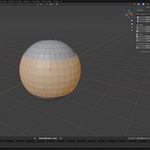
- Surface Grab — flood across faces that form one continuous surface, stopping at creases, seams, or sharp edges.
- Marked Edges — follow connected seams, sharps, creases, or bevel weights. Auto-detects which mark you picked.
- Rim Edges — trace open borders, convex ridges, or concave grooves.
- Radius Pick — grab every vertex within a distance, measured along the surface or through space.
- Same Facing — select faces pointing the same direction within an angle limit.
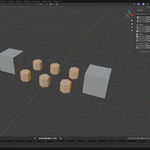
- Twin Islands — pick one bolt on an imported CAD model, select all of them. Matches islands by size and complexity.
Object Mode tools
- Family Tree — select parents, children, siblings, ancestors, or the whole hierarchy.
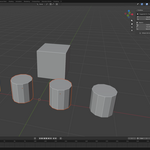
- Size Match — find objects of similar size by bounding volume or longest side.
- Name Match — select "Bolt", "Bolt.001", and "Bolt_02" in one click, with optional fuzzy matching.
Built to be friendly
- Suggested for You — the sidebar ranks the most relevant tools for your current mode and selection.
- Multi-object edit mode supported on every mesh tool.
- Helpful messages instead of silent failures — tools tell you what to select first.
- Alt+Q pie menu (fully rebindable) plus a complete N-panel tab.
Works with Blender 4.0+. GPL licensed.