 ATDIGIT



Overview
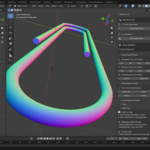
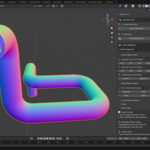
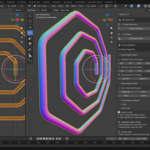
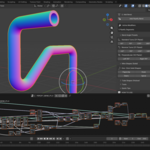
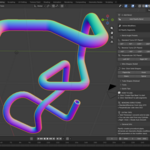
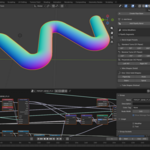
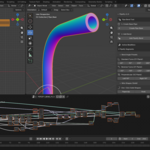
Pipeify is a Blender add-on for creating pipes, tubes, and cables using Geometry Nodes. Instead of modeling complex topology manually, Pipeify stacks procedural bend modifiers on a base cylinder, allowing you to change radii, angles, directions, and resolution at any point in your workflow—completely non-destructively.
Getting Started
Installation
- Download the
pipeify-1.0.0.zipfile. - Open Blender (4.2 or higher required).
- Drag and drop the .zip file into the Blender window, OR go to Edit > Preferences > Add-ons > Install from Disk... and select the file.
- The add-on activates automatically. Look for the "Pipeify" tab in the N-Panel.
Interface Location
The Pipeify controls are in the 3D Viewport Sidebar (N-Panel) under the Pipeify
tab. Press N to toggle the sidebar if it's hidden.
Core Workflow
1. Creating a New Pipe
- Click "Create Pipe Base" in the main panel.
- A cylinder with preconfigured attributes (PipeEnd, PipeDir) and a Solidify modifier appears at your 3D cursor.
- This base is ready to receive bend modifiers.
2. Adding Bends
- With the pipe selected, click "Add Pipeify Bend" or use one of the angle presets (45°, 90°, 135°, 180°).
- Each bend is a separate Geometry Nodes modifier in your stack.
- Continue adding bends to extend the pipe system.
3. Bending Directions
Pipeify supports three bending planes:
- Standard Turns (ZY Plane): Bends forward/up in front view. Direction = 0°.
- Reverse Turns (ZY Plane): Bends backward/down in front view. Direction = 180°.
- Perpendicular (XZ Plane): Left (Direction = 90°) or Right (Direction = −90°) bends in side view.
4. Working with Existing Objects
You can start from any open cylinder (no caps). Select it, click "Add Pipeify Bend"—the add-on will attempt to prepare the mesh by removing the top face and adding the required attributes.
Modifier Parameters
Expand any "Pipeify Bend" modifier in the Modifier Properties panel (wrench icon) to adjust:
| Parameter | Description |
|---|---|
| Angle | Bend angle in degrees (e.g., 90° for a right-angle turn) |
| Bend Radius | The radius of the curve at the bend. Smaller = sharper corner |
| Bend Direction | Rotation around the pipe axis (0°, 90°, 180°, −90°, etc.) |
| Segments | Number of divisions in the bend curve. Higher = smoother |
| Continuation Length | Length of the straight segment after the bend |
| Profile Resolution | Number of sides on the pipe cross-section (32 = smooth circle) |
| Weld Distance | Merge distance for joining segments. Increase if you see gaps |
| Fill Caps | Closes the ends of the pipe segment (useful for wire shapes) |
Preset Shapes
Wire Shapes (Solid)
One-click generation of solid wire forms:
- Paperclip: Classic paperclip shape
- Hook: Simple hook/hanger
- Stairs: Stepped zigzag pattern
- Spiral: Expanding spiral
Tube Shapes (Hollow)
One-click hollow tubes with Solidify modifier:
- U-Turn: Simple U-shaped pipe
- S-Bend: S-curve connection
- Zigzag: Sharp alternating turns
- Labyrinth: Complex multi-direction path
Tools Panel
The Tools sub-panel contains:
- + Add Thickness: Adds a Solidify modifier to convert a solid mesh into a hollow tube. Useful when starting from your own cylinder or converting wire shapes.
Tips & Troubleshooting
- Gaps Between Segments: Increase the Weld Distance parameter (try 0.01–0.02).
- Broken Geometry: Ensure Bend Radius is smaller than the shortest segment length.
- Performance: Lower Profile Resolution to 8–16 for background pipes.
- Smooth Shading: Right-click the object → Shade Auto Smooth.
- Closed Ends: Enable "Fill Caps" in the modifier, or use a separate Cap Holes modifier.
- Starting from Custom Objects: Best results are achieved with open cylinders (no top cap) aligned with the Z-axis. While it can process cubes or cones, they will be transformed into circular pipe geometry.
Known Limitations
- Very long pipe chains (15+ alternating 90° bends) may show slight orientation drift due to floating-point precision in the Geometry Nodes alignment.
- The add-on works best with pipes where the first segment points upward (+Z).
Support
For bug reports, please include:
- Blender version
- Screenshot of the Modifier stack
- Steps to reproduce the issue
Have questions about this product?
Login to message
| Blender Extension Compatible | Yes |
| Dev Fund Contributor | |
| Published | 9 months ago |
| Blender Version | 4.2 - 5.0 |
| Extension Type | Add-on |
| Render Engine Used | Cycles, Eevee |
| License | GPL |
Discover more products like this
cylinder geometry nodes non-destructive cables pipes tubes bend modeling industrial bend cylinder hard surface procedural