 ATDIGIT


Where do I report bugs?
Include your Blender version, a screenshot of your Modifier stack, and steps to reproduce the issue.
Can I use Pipeify on curves instead of meshes?
Pipeify is designed for mesh-based workflows. For curve-based pipes, consider Blender's native curve bevel options.
How do I close the pipe ends?
Enable "Fill Caps" in the modifier settings, or add a Cap Holes modifier after the Pipeify modifiers.
Does it require internet or API keys?
No. Pipeify works 100% offline with no external dependencies.
What Blender versions are supported?
Blender 4.2 and higher.
How do I get smooth shading?
Right-click the object → select "Shade Auto Smooth".
Can I adjust parameters after creating the pipe?
Yes! Everything is non-destructive. Expand any "Pipeify Bend" modifier in the Modifier Properties panel to change angle, radius, segments, etc.
How do I make hollow tubes vs solid wires?
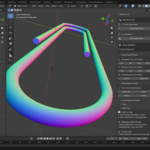
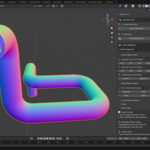
Solid wires: Use shapes from "Wire Shapes" panel (Paperclip, Hook, etc.). Hollow tubes: Use shapes from "Tube Shapes" panel or add the Solidify modifier via "+ Add Thickness" in the Tools panel.
The bend looks broken or self-intersecting. What's wrong?
The Bend Radius is likely too large for the segment length. Reduce the radius or increase Continuation Length.
I see gaps between pipe segments. How do I fix this?
Increase the "Weld Distance" parameter in the modifier (try 0.01–0.02). This merges vertices at the joints.
What do the bending directions mean?
Standard/Reverse bends work in the ZY plane (front view). Perpendicular (Left/Right 90°) bends work in the XZ plane (side view). Combine them for true 3D pipe layouts.
Can I use my own objects?
Yes, but it is optimized for cylinders. You can use any mesh cylinder (ensure it has no top cap), and the add-on will prepare it. Using it on cubes or other shapes will convert them into circular pipes.
How do I start?
Click "Create Pipe Base" to generate a ready-to-use cylinder. Then click "Add Pipeify Bend" to start adding bend segments.
Where do I find the panel?
3D Viewport → press N to open the Sidebar → click the "Pipeify" tab.
What is Pipeify?
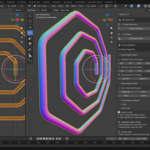
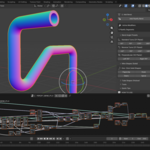
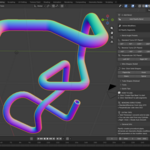
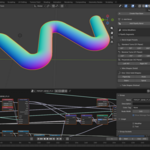
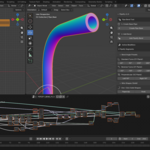
A Geometry Nodes-powered add-on for creating pipes, tubes, and cables in Blender. It stacks non-destructive bend modifiers on a base cylinder, letting you build complex pipe systems with adjustable parameters.
$14.99
Have questions about this product?
Login to message
| Blender Extension Compatible | Yes |
| Dev Fund Contributor | |
| Published | 9 months ago |
| Blender Version | 4.2 - 5.0 |
| Extension Type | Add-on |
| Render Engine Used | Cycles, Eevee |
| License | GPL |
Discover more products like this
bend cylinder cables modeling tubes industrial procedural cylinder hard surface non-destructive bend geometry nodes pipes