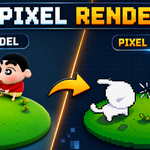
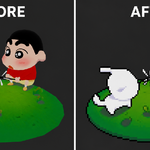
Pixel Kit - One-Click Pixel Art Renderer
 blenderustad


Do I need to know how to use Blender's compositor?
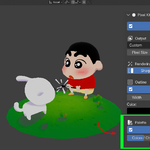
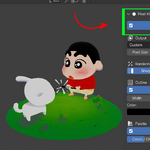
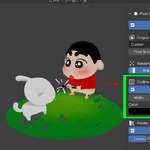
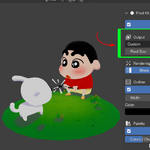
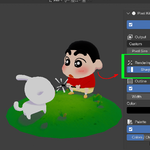
No. Everything is controlled from a panel in the 3D viewport sidebar (press N, open the Pixel Kit tab). The addon builds and manages the compositor nodes for you.
Will Pixel Kit modify my scene permanently?
No. Enabling it adds a dedicated node group and connects it into your compositor. Disabling it removes that node group entirely, reconnects Render Layers directly to your output, and restores your original render filter size and film transparency setting.
What Blender version do I need?
Blender 4.3 or newer. Pixel Kit includes a compatibility layer to handle API differences as Blender updates.
How does the outline stay exactly on the edge of my subject instead of inside it?
The outline is computed on the pixel grid itself. Pixel Kit builds a hard silhouette from the render's alpha channel, dilates it by your chosen thickness, and paints only the resulting ring (the dilated area minus the original silhouette), so the outline sits precisely outside your subject.
Why does turning on Outline also turn on Film Transparent?
The outline needs a transparent background to paint outward into. Pixel Kit switches Film Transparent on automatically when you enable Outline, and restores it when you remove Pixel Kit, so you don't have to manage that setting yourself.
What does "perceptual palette" mean and why does it matter?
Blender renders in linear color space, which doesn't match how the human eye perceives brightness. Posterizing directly in linear space produces uneven, banded color steps. Pixel Kit converts to gamma space, quantizes there, then converts back, so the resulting color steps look natural and evenly spaced, the way a hand-made retro palette would.
How many colors will my render end up with?
It depends on your Colors-Per-Channel setting, cubed. A setting of 8 gives up to 512 colors, a setting of 4 gives up to 64 colors for a heavier retro look, and 32 gives a much finer palette. The panel shows a live estimate as you adjust the slider.
What is Sharp Edges and when should I turn it off?
Sharp Edges binarizes the final alpha channel so every pixel is fully solid or fully transparent, removing the soft, semi-transparent fringe pixels typical of anti-aliased renders. It's on by default because it gives the cleanest pixel art cutout. You can turn it off if you want a slightly softer silhouette edge.
What does Crisp Render actually change?
It sets the render filter size to 0.01 instead of Blender's default 1.5, so the renderer's own anti-aliasing doesn't blur detail across what will become pixel block boundaries. Because a tighter filter can introduce more noise, it also raises EEVEE's TAA render samples slightly to compensate.
What does Pixel Size 1 do?
It disables the pixelation block scaling entirely (a passthrough), which is useful if you only want the outline or palette effects without chunky pixel blocks.
Can I use a resolution preset and set a custom pixel size at the same time?
Yes. The resolution preset sets your render's canvas size (for example 128×128). Pixel Size independently controls how chunky the pixel blocks are within that canvas. The two work together.
Does Pixel Kit work for animations, or only stills?
It's a compositor node graph, so it processes every frame you render the same way, whether that's a single still or an animation sequence.
Will Pixel Kit slow down my render times?
The compositing step itself adds negligible time. Crisp Render's tighter filter and the small EEVEE sample increase can add a small amount of render time, in exchange for cleaner pixel edges.
Can I combine Pixel Kit with my own compositor nodes?
Yes. Pixel Kit builds a self-contained node group with its own input and output sockets, wired between Render Layers and your Composite output. You can still add your own nodes elsewhere in the tree.
How do I completely remove Pixel Kit from my file?
Click the main toggle again (it will read "ON — Pixel Art Active") to disable it. This deletes the Pixel Kit node group and frame, and restores your original render filter size and film transparency setting.
Is Pixel Kit good for making sprites for game engines like Godot or Unity?
Yes, for rendering individual pixel-perfect frames at engine-ready dimensions. Set a resolution preset that matches your sprite size, render, and bring the result into your engine as a sprite. Pixel Kit renders the frames; it does not pack sprite sheets.
Where can I get support?
Through email at [email protected], or send the message
$9
Have questions about this product?
Login to message
| Blender Extension Compatible | Yes |
| Sales | 10 |
| Published | 2 months ago |
| Blender Version | 3.2 - 5.2 |
| Extension Type | Add-on |
| Render Engine Used | Cycles, Eevee |
| License | GPL |

Discover more products like this
pixel art palette reduction render addon pixel art render Stylized Render nearest neighbor non-destructive sprite renderer low resolution