 Hannes Werner


Stop building cameras by hand
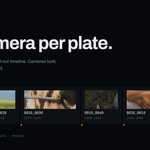
If you do layout, matchmove or previs, you know the job: one camera per plate, each one pointing at the right clip, each one landing at the right frame, each one bound to a marker so playback cuts between them. For a sequence of forty shots that is an afternoon of clicking, and every step of it is mechanical.
Not sure yet? Plateline Light is free on extensions.blender.org. It does the import, the sequence grouping and the naming, so you can try it on your own plates first: https://extensions.blender.org/add-ons/plateline-light/
Plateline Pro does the whole thing in one click.
Point it at a folder. It finds every movie and every image sequence in the tree, builds a camera for each, sets the background image, lays them end to end on the timeline, and binds a marker to each one. Then it reads the lens out of your EXR headers and generates proxies so the timeline actually plays.
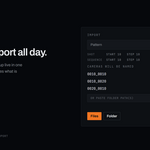
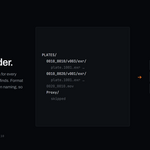
Import a folder, not a file list
Both of the layouts you actually have on disk just work:
one shot per folder              everything side by side
  PLATES/                          PLATES/
    SH010/v003/exr/                  0010_0010.0001.exr …
      plate_0001.exr …               SH020_plate_0001.exr …
    SH020/v001/exr/                  SH030_plate.mov
      plate_0001.exr …
The first gives you cameras called SH010 and SH020, not exr, not v003. Format and version folders are skipped when naming. The second keeps the file names. You don't change a setting to switch between them.
Shots are ordered naturally, so Shot_2 comes before Shot_10 instead of after it. Folders named Proxy are ignored, so re-scanning a folder never re-imports the proxies you generated last time.
Pick the folder in the browser, or paste its path into the field in the panel. Explorer's Copy as path output pastes straight in, and several paths separated by ; import in one go. Individual files can also just be dragged into the viewport. (Blender routes drops by file extension, so dropping a folder is something no add-on can support, hence the paste field.)
And when your plates are already named the production way (0010_0010, 0010_0020, 0020_0010), Plateline reads the sequence out of the names, even with everything in one flat folder and whatever prefixes and suffixes your pipeline adds.
Image sequences that behave
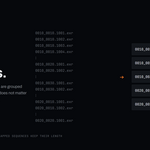
Select all 500 frames of five shots and you get five cameras. Not five hundred. Numbered files are grouped into the sequences they belong to, and it does not matter which frame you happened to click. Every frame anchors to the first one with the correct duration.
- Frame numbers are stripped from names:
0010_0010.0001→0010_0010 - Zero padding doesn't have to be consistent:
shot_1…shot_12is one shot - Sequences with dropped frames still occupy their full length
- Stills that merely end in digits (
SH010.png,SH020.png) stay separate shots
Hostile file names are handled too: spaces, non-ASCII and CJK characters, &, +, #, ', brackets, dots as separators, missing separators, and sequences starting at any number.
The lens your plate was actually shot on
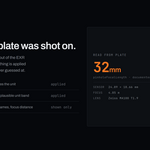
Set Lens to From Metadata and every camera takes its focal length straight out of the file. No more guessing, no more typing 35 into forty cameras.
-
OpenEXR:
pinholeFocalLengthfirst, because OpenEXR defines it as the pinhole-to-image-plane distance, which is exactly what a CG camera's focal length means. ThennominalFocalLength,effectiveFocalLength, and the non-standard spellings renderers and Nuke actually write. -
Sensor width too: from
sensorOverallDimensions, or derived from EXIF focal-plane resolution. A focal length without a sensor size is meaningless; the same 35 mm lens frames completely differently on Super 35 than on full frame. - JPEG and TIFF via EXIF, including 35 mm-equivalent focal lengths.
- Every camera records where its lens came from, so you can audit it later.
Plates without lens data quietly fall back to the value you set in the panel.
Proxies, so the timeline plays
4K EXR plates don't scrub. Generate JPG proxies at 100%, 75%, 50% or 25% and flip the selected cameras between resolutions from one dropdown, and the panel remembers what each camera is currently showing.
- Nothing to install: proxies are built with Blender's own video sequencer. No external encoder, no setup, no preferences to configure.
- Progress you can stop: a progress bar while it works, Esc to cancel, and Blender stays responsive throughout.
- Batch aware: the button tells you how many of the selected cameras are missing proxies and generates only those.
-
Non-destructive: proxies live in a
Proxyfolder beside the plate. Switch back to Original whenever you want. Your source files are never touched.
Also in the box
- Placement modes: append after the last clip, start at the playhead, or at a fixed frame. Add handle frames between clips.
-
Naming: token patterns with separate sequence and shot numbers (
@@@@_####→0010_0010,0010_0020, then0020_0010), each with its own start and step; search and replace; or the file name as-is. The panel previews the names before you import. - Reorder Selected: re-stack cameras alphabetically on the timeline, moving their markers and background offsets with them.
- Marker binding: scrubbing the timeline cuts between cameras automatically.
Requirements
- Blender 4.5 LTS or newer. Verified on 4.5 LTS and 5.2 LTS.
- Windows, macOS or Linux.
- No external dependencies. Nothing is bundled and nothing is downloaded.
Formats
Video: mp4, mov, avi, mkv, webm, m4v, mpg, mpeg, mts, m2ts, ogv, flv, wmv, dv, mxf. Anything Blender's FFmpeg can open. Images: png, jpg, exr, tif, dpx, tga, cin, as stills or numbered sequences.
Good to know
- Version numbers at the end of a file name look like frame numbers, so
plate_0001_v1/_v2/_v3reads as one three-frame sequence. Put the version before the frame number or in its own folder. - Lens metadata is read from images, not video. Camera-original MXF/MOV files generally do not carry lens data in a form any add-on can read.
- Light and Pro share the same panel, so install one at a time.
Support
Bug reports and feature requests: https://github.com/VFXHannes/plateline-light/issues
Plateline is mostly about file names and folder structure, so please include a few real file names and your folder layout. That usually identifies the cause straight away. The issue form asks for exactly that.
Pro buyers can also message me through the store they bought it from.
License
GPL v3 or later, as required for Blender add-ons.
The free edition
Plateline Light covers the import itself: sequence grouping, naming, marker binding and reorder. It is free, GPL, and available on Blender’s own extensions platform. Pro adds the folder import, lens metadata and proxy pipeline described above.
Demo plates shown in the product images are frames from Big Buck Bunny, © copyright 2008, Blender Foundation (peach.blender.org), used under CC BY 3.0.