 Hlopes


Polygon Crusher 9000
Production-grade mesh decimation for Blender. Millions of polygons in seconds, with the look of the original intact.
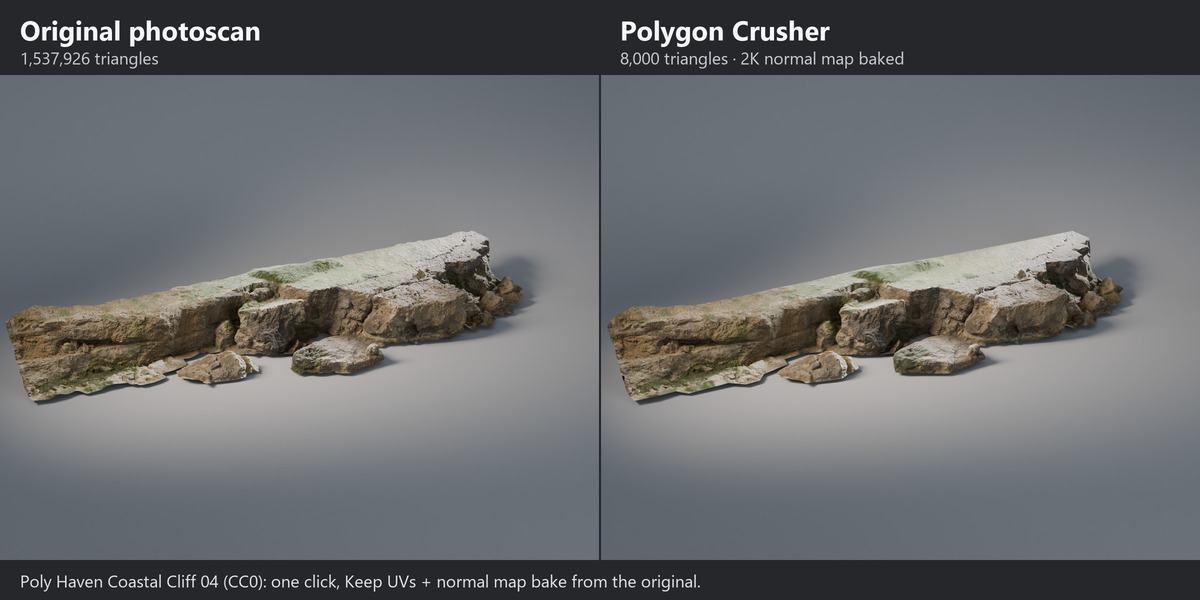
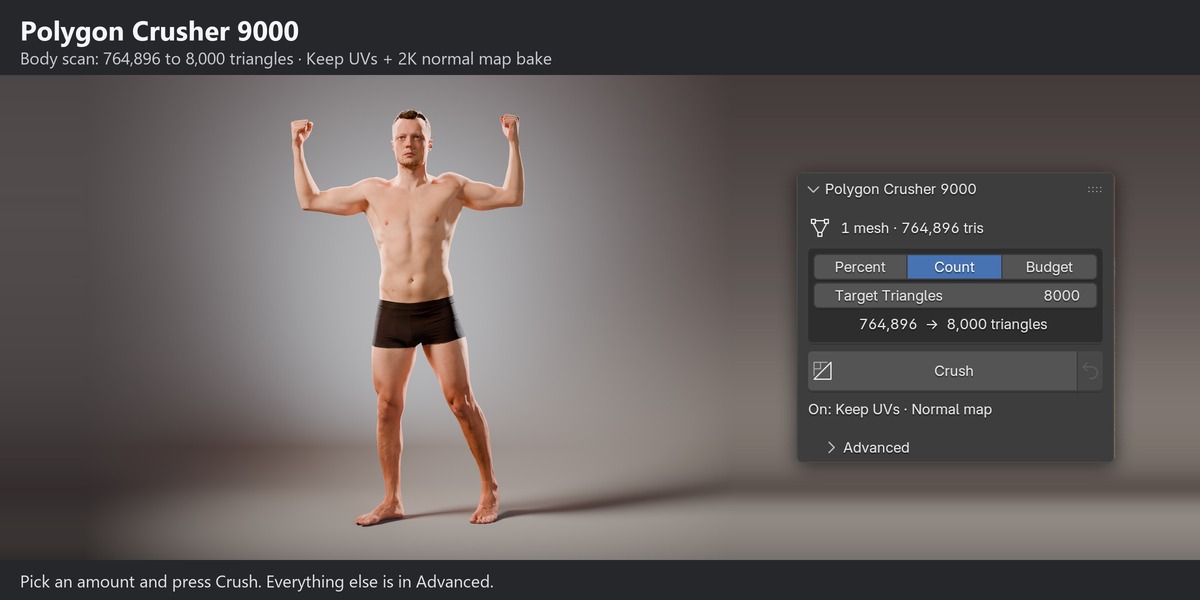
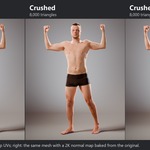
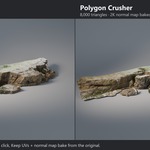
Polygon Crusher 9000 turns heavy scans, sculpts, CAD imports and AI-generated models into light, clean, real-time-ready assets. Pick an amount and press Crush. There is nothing to tune: ask for 5,000 triangles and you get 5,000. If Preserve options lock too much of a mesh to get there, the report shows the real count and why.
Measured, not promised
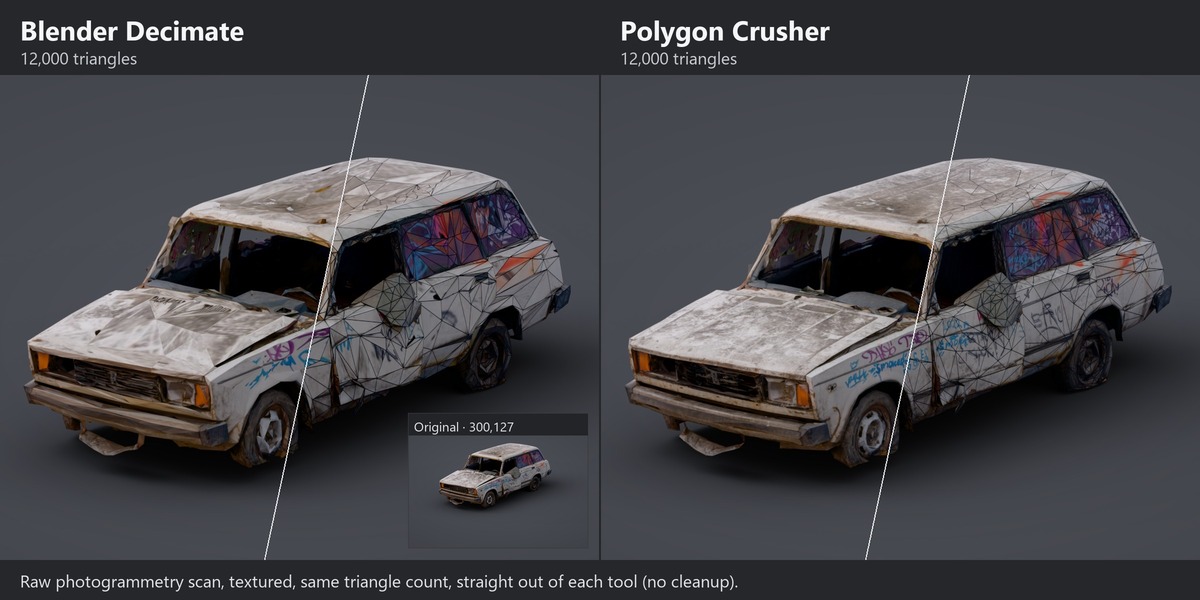
- 2–3× faster than Blender's Decimate on 1–7.5 million triangle meshes (2.2–3.0× in our test).
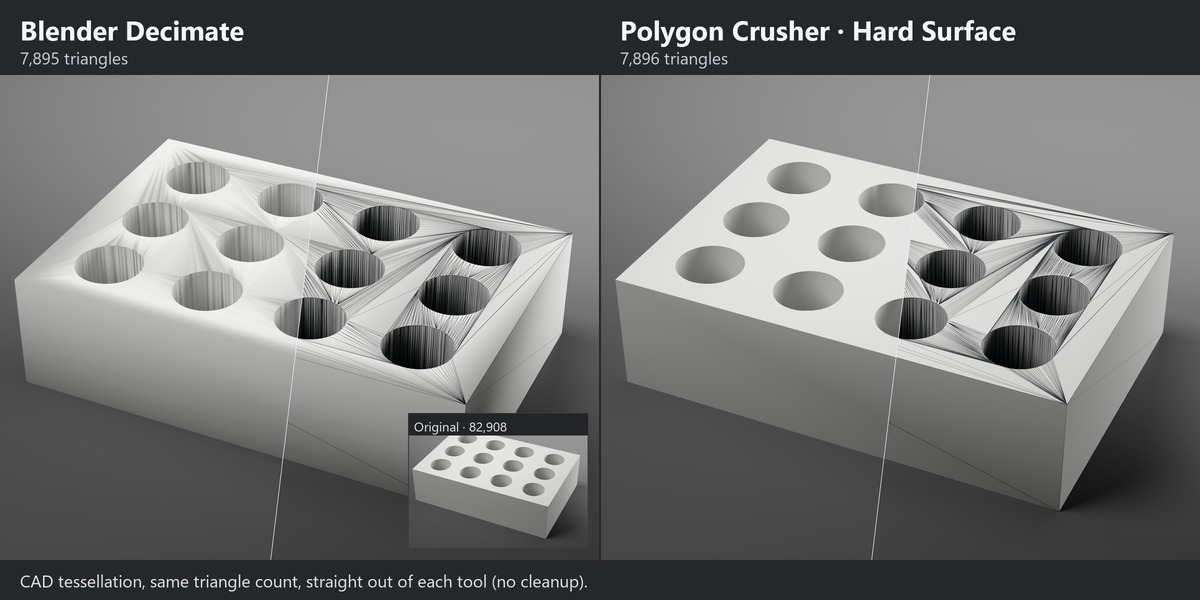
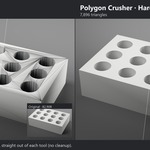
- Same shape quality as Decimate at the same triangle count. On CAD parts, Hard Surface keeps creases exactly in place, and Keep Normals keeps flat faces and hole walls cleanly shaded.
Test method and full numbers: henriquevlopes.github.io/polygon-crusher-9000-docs/benchmark/
Key Features
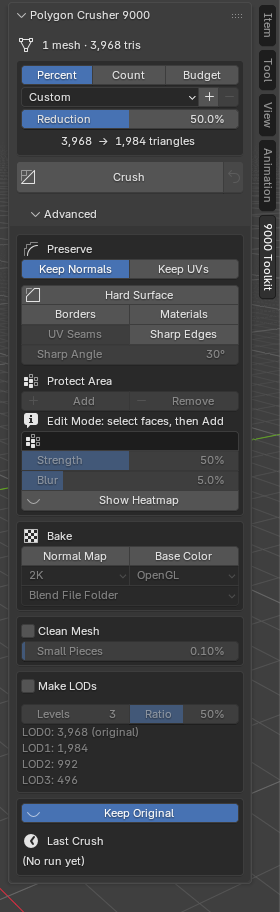
- Simple by default: an amount and a Crush button. Everything else sits in one Advanced section, and a line under Crush always shows what is switched on.
- Native C++ engine: multi-million-triangle meshes in seconds, with multiple objects processed in parallel across your CPU cores.
- Exact targets: crush by percentage, by exact triangle count, or to one triangle budget shared across the whole selection.
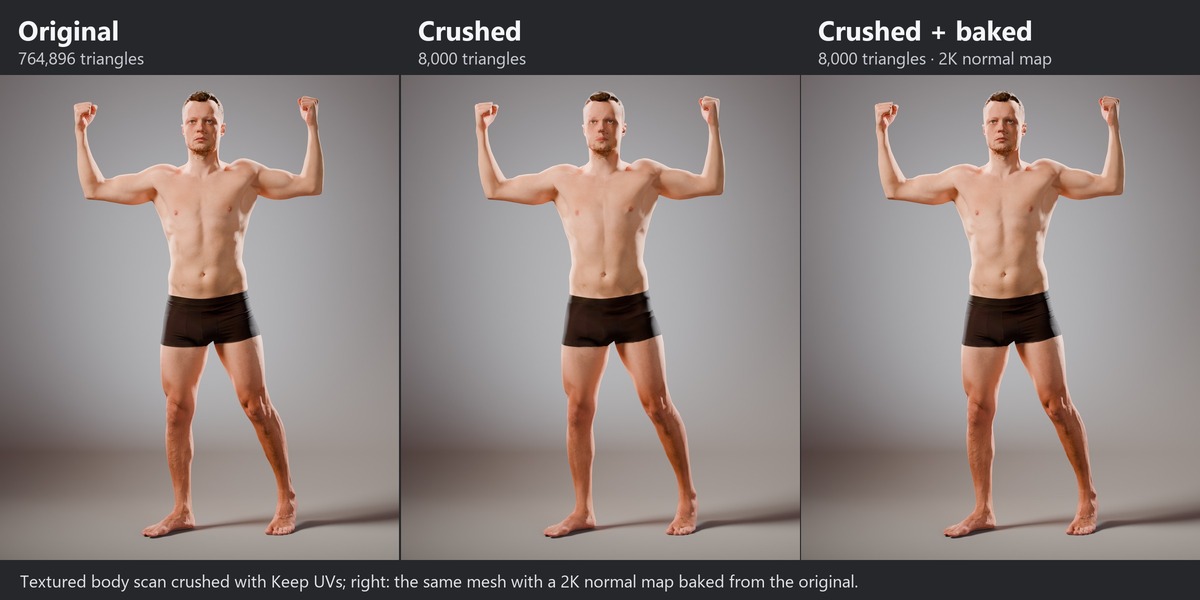
- Normal and color map baking: bake high-poly detail and vertex colors onto the low-poly mesh at up to 4K, with automatic UVs and materials wired up for you.
- Hard Surface mode: sharp edges, open borders, material boundaries and UV seams stay in place for clean CAD and hard-surface results. Scan noise is not mistaken for sharp edges.
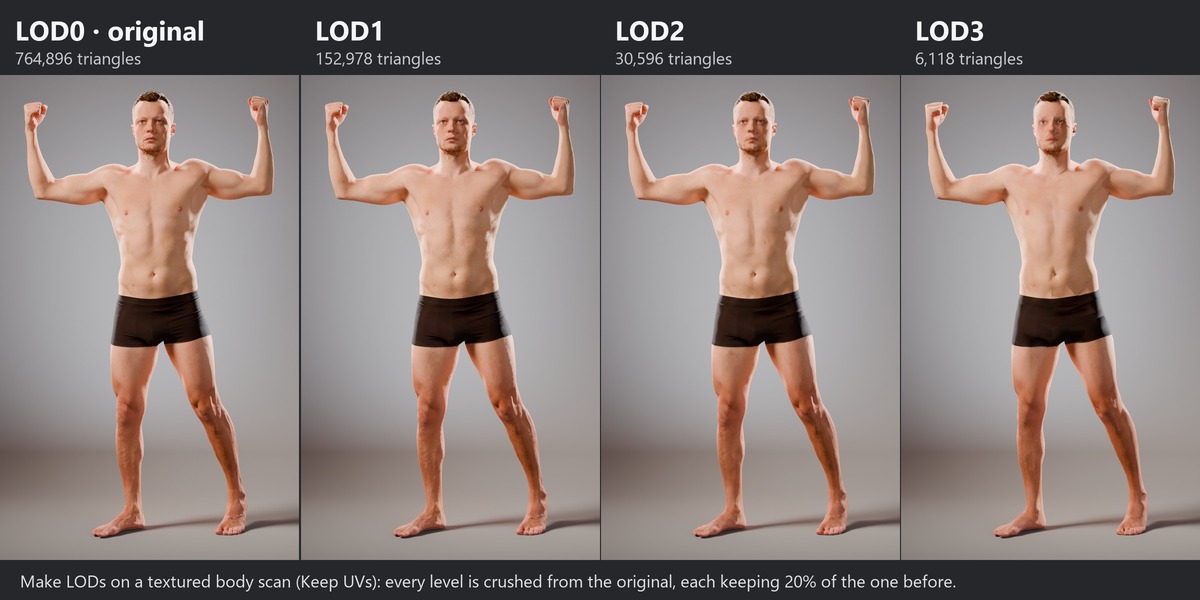
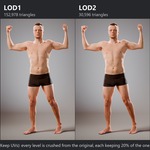
- One-click LODs: a LOD chain of up to 8 levels, each crushed from the original and organised in its own collection.
- Rigs, shape keys and vertex colors carry over: skin weights, the Armature modifier, shape keys and vertex colors stay on the crushed mesh, so a rigged character still poses.
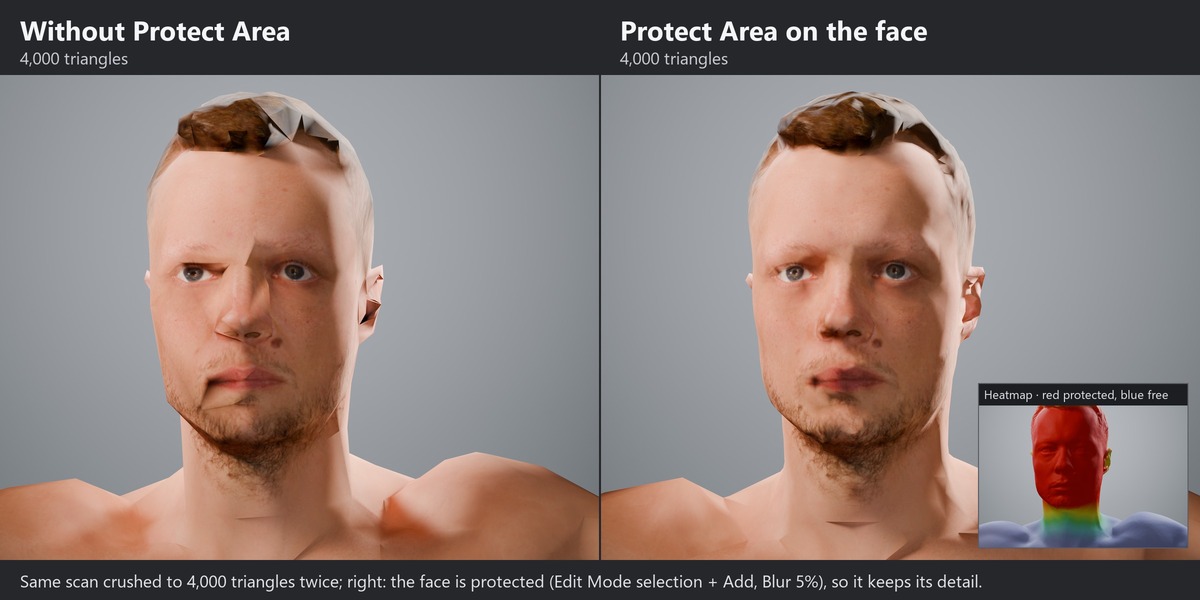
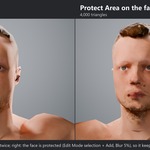
- Protect Area: select a face, hands or text in Edit Mode and click Add to keep its detail. A soft fade and a viewport heatmap show exactly what is protected.
- Keeps the original shading, and the UV layout when you need it (textures stay clean across UV seams).
- Clean Mesh: repairs duplicate vertices, degenerate faces and floating debris common in AI and scan data before crushing, and runs by itself on scans split along their seams.
- Non-destructive: modifier-aware, keeps your original, and reverts in one click.
- Honest reports: every crush tells you the real triangle count and anything that held it back.
Ideal For
3D scans and photogrammetry, sculpts, AI-generated models, CAD and hard-surface assets, game-ready LODs, and real-time, AR/VR and web delivery.
What's New in 2.4
- 2.4.2: rigged characters stay rigged (weights, Armature, shape keys) and vertex colors survive a crush.
- A simpler panel: amount, Crush, and one Advanced section. Four clear presets.
- Protect Area from your selection, with a soft fade and a viewport heatmap.
- Faster, cleaner bakes: auto-UV bakes finish in seconds, CAD creases stay hard, and overlapping UVs are flagged.
- Clean textures on scans and clean hard-surface shading (no bands, no streaks in drilled holes).
Compatibility
- Blender 4.2 and newer, installed as an Extension. Tested on Blender 5.2 LTS (Windows and macOS).
- Windows (x64), macOS (Apple Silicon) and Linux (x64 and ARM64).
- Self-contained: no Python packages or additional installs required.
Documentation: henriquevlopes.github.io/polygon-crusher-9000-docs
Part of the 9000 series of professional tools for Blender, 3ds Max and Maya.