 Henrik Cederblad

3d illusions
11 months ago
Thanks Henrik, glad it's proving useful 👍


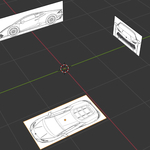
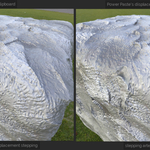
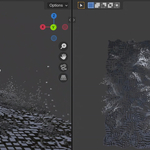
This item has an average rating of 5 from 5 ratings by the community.
Purchase this item to leave a review!
3d illusions
11 months ago
Thanks Henrik, glad it's proving useful 👍
3d illusions
11 months ago
Thanks Janne
3d illusions
about 1 year ago
Thanks Valentin, much appreciated 👍
3d illusions
over 1 year ago
Thanks John. Yes it's often necessary to right click and choose copy as image. I think windows will default to copy as link, which will mean the clipboard doesn't actually contain pixel data. I have the same behaviour on windows 11, so I assume it's normal 👍
3d illusions
about 1 year ago
Hi Hiroshi, thanks for your purchase and review. The alpha data of png data is preserved, so my guess would be that the image appears to have alpha in the browser, but in reality it doesn't. This happens to me all the time, particularly when they add the checkered background directly to the image to falsely suggest it does have alpha.
The addon will alway hook up the alpha output of the pasted image texture node, to the alpha in put of the principled bsdf, so if the alpha is there, it'll appear transparent in those areas.
Regarding particle systems, the addon doesn't set up particle system for you, but basically you have to set your particle system to get the objects from a collection, and then paste into that collection.
If you need any help, drop me a message, as the addon is provided with full support 👍
Cheers
Michael
reference 3d modeling reference 3D reference Blender image editor BlenderGeometryNodes 2dimage to 3dobject 2d image to 3d copy and paste image editor paste Copy-Paste Copy Paste Plugin
 Janne Järvelä
 Valentin
 John
John
 Hiroshi Tsuruta