 CreateVisions


Precise Measurements Made Simple
Need accurate measurements in Blender? Pro Measure gives you real-time dimensional feedback with professional visualization directly in the viewport.
Measure objects, distances, angles, and areas, all with persistent visual display and complete customization.
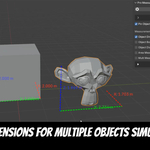
✔ Technical Modeling: Display precise X, Y, Z dimensions with color-coded axes for instant feedback.
✔ Architectural Design: Measure areas, calculate bounds, and maintain measurements across selections.
✔ Quality Control: Create custom multi-point measurements with vertex, edge, face, and free surface snapping.
New in Version 2.1.1: Units That Work Your Way
- Feet & Inches: A new imperial length unit displays your measurements in the combined notation architects and builders actually use, for example 12' 6", with the precision you choose.
- Follow Scene Units: Switch it on and Pro Measure reads the unit system, length unit, Separate Units, rotation and Unit Scale straight from Blender's Scene Properties. Set your units once and every readout matches, no second place to maintain.
- Separate Decimals for Radians: Degrees and radians each get their own decimal setting, so a radian readout is never coarser than the degree one.
- Exact Version at a Glance: The sidebar header shows the full version number, so you always know which build you are running.
New in Version 2.1: Smarter Display, Smoother Workflow
- Smarter X-Ray Logic: With "Show Through" disabled, only the measured objects hide their own measurements, unrelated foreground objects never block your annotations. Dimension and bounds lines are clipped piece by piece and stay visible right up to the geometry instead of vanishing entirely.
- Flip Controls for Dimension Lines: New "Flip Side" toggles move the X, Y, and Z lines of Object Dimensions and Bounds to the opposite side of your model, labels reposition automatically.
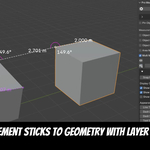
- Vertex Stick in Free Mode: While placing points freely with Ctrl, nearby vertices catch the point and anchor it to real geometry. The red "unanchored" marker disappears the moment the point is safely attached, and returns as soon as you slide off.
- Adjustable Text Background Opacity: The text background color field now includes an alpha slider right in the color picker, for perfect readability in any scene.
- Clipboard Feedback: Selecting measurements now shows a brief confirmation of what was copied to your clipboard, no more guessing.
- Instant Measuring Starts: Snap caches now persist between measurements: the one-time preparation for heavy meshes no longer repeats on every new measurement.
- Instant Grab Feedback: In the point editor, the grabbed point highlights the moment you press the mouse button, before you even move it.
Version 2.0 Highlights: The Biggest Update Yet
- Interactive Point Editor: Edit existing measurements right in the viewport: drag points to new positions, click on the line to insert a point, continue the line from either end, and delete single points with X/Del, all with live distance feedback while you work.
- Free Surface Placement: Hold Ctrl to place and slide measurement points smoothly anywhere on a surface. Near an edge, the point snaps on and glides along it. Hold Ctrl+Alt to snap to edge midpoints and face centers.
- X-Ray Control ("Show Through"): Decide whether measurements are drawn on top of geometry or hidden where objects occlude them. Distance lines are even clipped to the visible gap between objects.
- Custom Colors per Measurement: Give every measurement its own color via a compact swatch right in the measurement list.
- Multi-Select & Clipboard Reports: Shift+Click to select multiple measurements; a plain-text report (names, segments, totals, angles) is copied to your clipboard automatically, paste it straight into notes, e-mails, or documentation.
- Optimized for Heavy Meshes: Snap caches for multi-million-polygon meshes are now built in the background with a blinking activity indicator. No more freezes, Blender stays responsive.
- Smarter Snapping: Snapping now ignores elements hidden behind geometry, so points always land on the surface you actually see.
- Auto-Restore: The display state is saved with your file: reopen your project and your measurements are visible immediately.
Main Features:
5 Measurement Types in One Tool
- Object Dimensions: Show width, height, depth with color-coded X/Y/Z axis indicators.
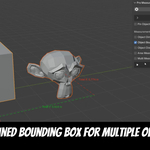
- Object Bounds: Display total dimensions when multiple objects are selected.
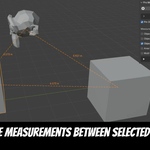
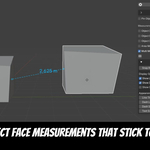
- Distance Measurement: Measure distances between object centers or custom points.
- Multi-Point System: Create measurements from vertices, edge midpoints, face centers, or free surface points, fully editable afterwards and persistent across save/reload.
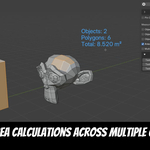
- Area Calculations: Real-time area measurement for selected faces with polygon counts.
Smart Measurement Modes
- Vertex Mode: Snap to visible vertices with intelligent highlighting and precision control.
- Free Surface Mode (Ctrl): Slide points smoothly across faces and along edges, exactly where you need them, and let nearby vertices catch the point for a solid geometry anchor.
- Midpoint & Center Mode (Ctrl+Alt): Snap precisely to edge midpoints and face centers.
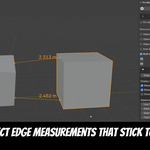
- Edge & Face Mode: Measure between edge midpoints or polygon centers with visual feedback.
- Honest Feedback: Points without a geometry reference are marked with a red core, so you always know what follows your mesh when it deforms, and what doesn't.
Advanced Controls
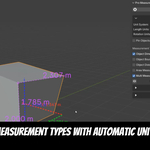
- Unit Systems: Complete metric and imperial support (μm to km, mils to miles), including combined feet and inches (12' 6"), with adjustable decimal precision for lengths, degrees, and radians.
- Follow Scene Units: One click and Pro Measure takes the unit system, length unit, Separate Units, rotation, and Unit Scale straight from Blender's Scene Properties, so you never set your units twice.
- Display Options: Inner/outer angles, per-segment lengths, total length at the last point, flippable dimension lines, and a customizable text background box (color and opacity) for perfect readability on any mesh.
- Persistent Display: Pin objects to keep measurements visible after deselection.
- Save & Restore: Measurements and display state are stored in the .blend file and survive save/reload, undo/redo, and object renames.
- Measurement Management: Organize, rename, recolor, multi-select, and toggle visibility of individual measurements, with live values shown directly in the list.
- Full Customization: Adjust line thickness, colors, text size, and positioning.
Why Choose Pro Measure?
✅ Real-Time Feedback: No more guesswork with instant visual measurements, even while editing points.
✅ Professional Accuracy: Precise calculations with industry-standard unit support and configurable precision.
✅ Workflow Integration: Measurements persist across save/reload, edit sessions, and object selections, and export to your clipboard with a single click.
✅ Built for Production: Stays responsive even on multi-million-polygon meshes.
✅ Blender 4.3 to 5.2 Compatible: Fully tested and working with the latest Blender versions.