 Bill The Dev


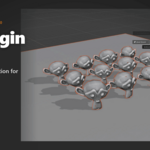
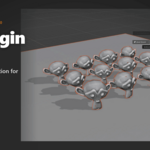
Pro Origin Tools
SMART ORIGIN MANIPULATION FOR BLENDER
- Blender's Object > Set Origin gives you three choices. That's fine until you're prepping 50 game props, or rigging a door, or dealing with a chair that's one joined mesh with four legs. Then you want more.
- Pro Origin Tools adds four origin modes, a one-click hinge for Edit Mode, a pie menu, a clean N-panel UI, and a bpy.ops API for pipeline scripts.
WHAT'S INCLUDED (v1.0)
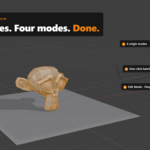
- 4 origin modes: Smart Ground, Geometry Center, Lowest Surface, Highest Surface.
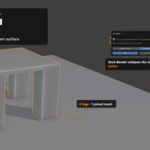
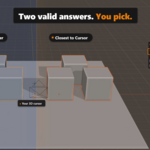
- Mesh-island intelligence. A chair with four separate legs joined as one mesh gets four candidate origins, not one wrong bbox center. A dialog asks: Overall Center, or Closest to 3D Cursor. You pick.
- Hinge Tool in Edit Mode. Select a vert, a face, or several verts. Click Hinge. Origin moves to your selection. Geometry stays put. Built for doors, lids, hinged props.
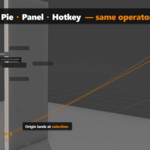
- 5-item Pie menu. Ctrl + Alt + Right-Click. Rebindable in Preferences > Keymap.
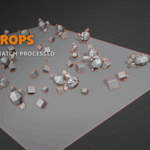
- Batch processing. Every mode runs across your entire selection. Non-mesh objects get skipped without errors. Your 3D cursor and original selection are preserved.
- Headless API. bpy.ops.object.pro_origin_set with EXEC_DEFAULT works from any script. Drop it into render-farm prep, CI runs, or asset-ingest pipelines.
COMING IN v1.1 (FREE UPDATE FOR v1.0 BUYERS)
- Origin Rotation Alignment: point origin axes at face normal, edge direction, world axes, cursor, or view.
- Edge-Midpoint Hinge: pick one edge, origin snaps to midpoint with rotation aligned to that edge.
- Game Engine Presets: one-click Unity, Unreal, or Godot ground convention.
- Modal Interactive Placement: click any vert, edge, or face surface. Origin snaps with visual feedback.
WHY YOU NEED IT
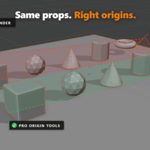
If you make game props: Smart Ground puts the origin at the bbox center on XY and at the lowest actual vertex on Z, always in world space. Rotated, scaled, modifier-stacked: handled. Select 50 props, click once, done.
If you model assets: the hinge tool is how doors and lids should work in Blender. Pick the hinge edge, click, geometry stays put, only the origin moves.
If you run a pipeline: every mode is scriptable via bpy.ops. No UI to fight, no modals to bypass. The multi-island choice is a WindowManager property you set before calling, so even the dialog cases drop straight into automation.
COMPATIBILITY
- Blender 4.2 LTS through 5.1 (current stable, March 2026)
- Pure Python. Windows, macOS, Linux.
- No external dependencies, no compiled binaries, no security flags.
SUPPORT
Email: [email protected] hours on business days.
GitHub Issues: https://github.com/billtruong003/pro-origin-tools/issues
Website: https://www.billthedev.com
When reporting bugs, send your Blender version, OS, and a small .blend that reproduces the issue if possible.
LICENSE
GPL-3.0-or-later. Source is in the ZIP. You're paying for convenience, lifetime updates, and direct support, not for source access. v1.1 ships free to v1.0 buyers through Superhive's normal update system.