Pro Origin Tools
 Bill The Dev


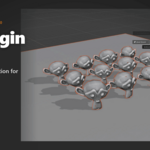
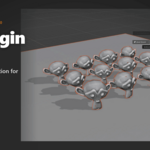
# Pro Origin Tools
**Smart origin manipulation for Blender — built for production.**
Blender's stock `Object > Set Origin` covers three modes. Production work — game
asset prep, hinge mechanics, multi-island meshes — needs more. Pro Origin Tools
adds four production-grade origin modes, a one-click Hinge tool for Edit Mode,
a pie menu, full N-panel UI, and a headless `bpy.ops` API for pipeline scripts.
## Install
1. Download `pro_origin_tools-1.0.0.zip`.
2. In Blender: `Edit > Preferences > Get Extensions > ▾ menu (top-right) > Install from Disk`.
3. Select the ZIP. The addon appears as **Pro Origin Tools** in the add-ons list.
Compatible with Blender 4.2 LTS through 5.1 (March 2026 stable). Pure Python,
no compiled binaries, no external dependencies.
## Where the UI lives
| Surface | How to open |
|---|---|
| N-panel | 3D Viewport > press `N` > tab **Tool** > panel **Pro Origin** |
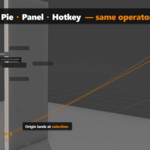
| Pie menu | 3D Viewport > `Ctrl + Alt + Right-Click` (hotkey rebindable) |
| Edit-Mode hinge button | N-panel > **Hinge Tool (Edit Mode)** box |
| Headless API | `bpy.ops.object.pro_origin_set('EXEC_DEFAULT', mode=...)` |
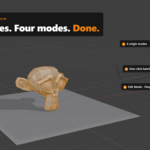
## Set Origin — 4 modes
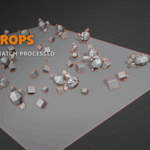
Run on the active mesh, or batch over the entire selection (each object processed
independently). Non-mesh objects in the selection are skipped automatically.
| Mode | Behaviour | When to use |
|---|---|---|
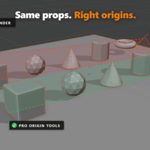
| **Smart Ground** | Bounding-box centre on X and Y; lowest *vertex* Z (vertex-exact, world-space). | Game-asset prep — props that need to sit flush on the ground. The most common case. |
| **Geometry Center** | Median of all geometry. Delegates to Blender's `ORIGIN_GEOMETRY`. | When the median centre is the right answer. |
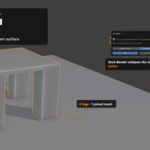
| **Lowest Surface** | True median of the lowest-Z face. Detects mesh islands and prompts when more than one island reaches the global low. | Multi-leg furniture, multi-part assets, anything where each island's *foot* matters. |
| **Highest Surface** | Same as Lowest Surface, mirrored to the top. | Stacking, lid pivots, ceiling-mounted props. |
### Mesh-island intelligence
`Lowest Surface` and `Highest Surface` detect disconnected mesh components in a
single object. A chair with four separate legs joined as one mesh resolves to
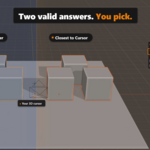
four candidate origins. A modal dialog asks how you want to combine them:
- **Overall Center** — mean of all qualifying island origins.
- **Closest to 3D Cursor** — pick the island whose origin is nearest the 3D cursor.
This is the headline feature: stock Blender collapses a multi-island mesh to a
single bounding-box centre. Pro Origin Tools preserves the island structure and
lets you choose.
## Hinge Tool (Edit Mode)
`Origin to Selection (Hinge)` — moves the active object's origin to a selection
made in Edit Mode, without touching geometry. Three modes:
| Selection | Resulting origin |
|---|---|
| 1 vertex | At that vertex's world position |
| 1 face | At that face's median |
| 2 or more verts (or multi-face fallback) | At the median of all selected verts |
Designed for door / lid / mechanical-part workflows where you want the object to
rotate around a specific edge or face, not its bbox centre. In Object Mode the
button is greyed out with a "Switch to Edit Mode to use" hint.
## Pie menu
`Ctrl + Alt + Right-Click` opens a five-item pie:
| Position | Mode |
|---|---|
| West | Smart Ground |
| East | Geometry Center |
| South | Lowest Surface |
| North | Highest Surface |
| South-West | Origin to Selection (Hinge) |
Rebind the hotkey in `Edit > Preferences > Keymap > 3D View > Window > Call Menu`
(search for `OBJECT_MT_pro_origin_pie`).
## Headless / scripted use
Every mode is exposed as a callable operator. No UI dependency — drop straight
into render-farm prep, CI, or batch asset-ingest scripts.
```python
import bpy
# Select your objects first, then:
bpy.ops.object.pro_origin_set('EXEC_DEFAULT', mode='SMART_GROUND')
# Other valid mode strings:
# 'SMART_GROUND', 'GEOMETRY', 'LOWEST_SURFACE', 'HIGHEST_SURFACE'
# For multi-island modes, pre-set the choice on the WindowManager before
# calling, so EXEC_DEFAULT doesn't try to show the modal dialog:
bpy.context.window_manager.pro_origin_island_settings.choice = 'OVERALL' # or 'CURSOR'
bpy.ops.object.pro_origin_set('EXEC_DEFAULT', mode='LOWEST_SURFACE')
```
The hinge tool is also callable while in Edit Mode:
```python
bpy.ops.object.pro_origin_to_hinge('INVOKE_DEFAULT')
```
## Coming in v1.1 — free update for v1.0 buyers
- **Origin Rotation Alignment** — point origin axes at face normal / edge direction / world axes / cursor.
- **Edge-Midpoint Hinge** — select one edge, origin snaps to midpoint with rotation aligned to the edge.
- **Game Engine Presets** — one-click Unity / Unreal / Godot ground convention.
- **Modal Interactive Placement** — click any vertex / edge / face surface; origin snaps with visual feedback.
## Compatibility
- Blender **4.2 LTS** through **5.1** (current stable, March 2026)
- Pure Python — works on Windows, macOS, Linux
- No external dependencies, no compiled binaries, no security flags
## Support
- Email: **[email protected]** — 48-hour response on business days.
- GitHub Issues: <https://github.com/billtruong003/pro-origin-tools/issues>
- Website: <https://www.billthedev.com>
Bug reports: please include Blender version, OS, and a minimal `.blend`
reproduction case if possible.
## License
GPL-3.0-or-later. Source code is included in this ZIP. See [`LICENSE`](./LICENSE).
You're paying for convenience, lifetime updates, and direct support — not a code
lock. Redistribution of the unmodified ZIP outside of the original purchase is
discouraged but legally permitted under GPL §4.
Have questions about this product?
Login to message
| Blender Extension Compatible | Yes |
| Dev Fund Contributor | |
| Published | 5 months ago |
| Blender Version | 4.2 - 5.1 |
| Extension Type | Add-on |
| Render Engine Used | Cycles, Eevee |
| License | GPL |
Discover more products like this
Game asset Production origin godot batch pivot pipeline unreal unity hinge multi-island productivity