Procedural Cooked Ground Meat
 Simon Eberl


Documentation
Geo Nodes Setup:
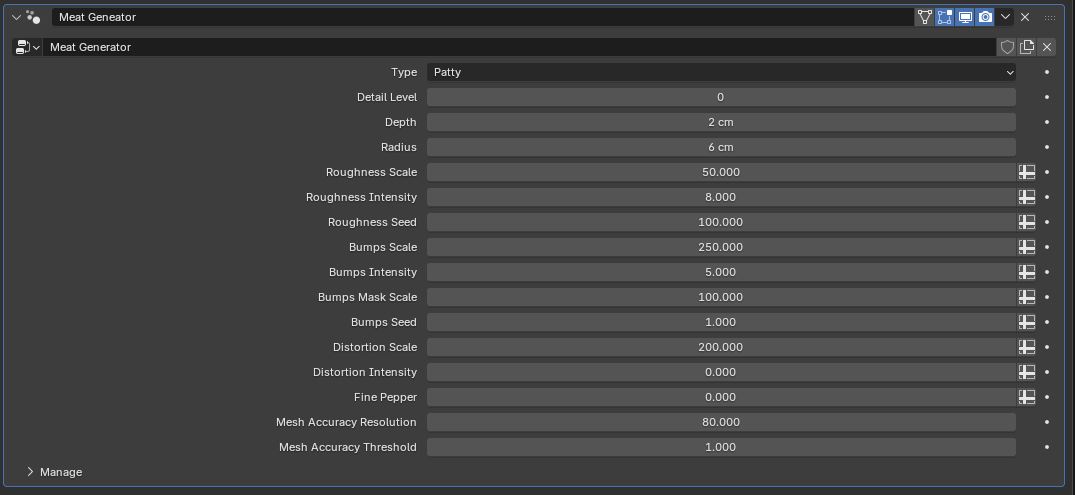
Type:
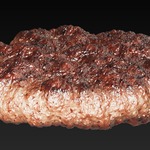
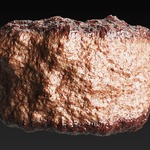
Patty: A standard patty, lets you adjust radius and depth.
Square Patty: A standard square patty, lets you adjust X,Y,Z scale.
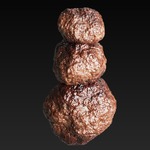
Meatball: A standard meatball, lets you adjust radius.
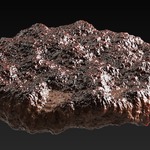
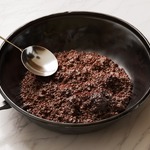
Ground Meat: Uses a custom mesh to create ground meat.
Custom Mesh: This lets you input your own mesh. As long as it is a closed mesh (important), it will generate meat. Before selecting your object, make sure your scales are applied and that the size of your object is not too large (start out with 5cmx5cmx5cm). Otherwise the meat generation will be too massive and crash blender.
Suzanne: Meat Suzanne! Absolutely terrifying.
Cliff: A meat cliff made using a custom mesh. Why? I dont
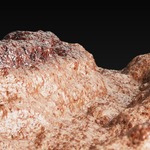
Canyon: Dare I say it? A meat canyon!
River: A mesh plane that has some hills and the indent of a river. Water is not included. Perhaps fill it with meat juice ?
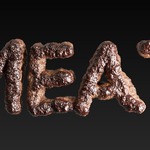
Text: A text made using a custom mesh, saying "MEAT". This is not dynamic. If you want to use your own text, use the custom mesh function!
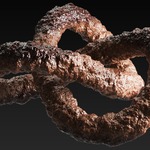
Torus Knot: A symbol for this generators power, its unlimited. It also looked really cool.
__________________________________________________________________________________________________________________________________________
Detail Level: This drives the subdivision level. Be cautious here! I have found that level 3 gives the best detail to optimization ratio!
__________________________________________________________________________________________________________________________________________
Roughness: Roughness is the most important value for creating a jagged and meaty surface.
Roughness Scale: This drives the noise scale for the roughness. 1 being a large noise and 50 being a small noise.
Roughness Intensity: This drives the displacement height of the roughness property.
Roughness Seed: Lets you adjust the seed for the roughness noise.
__________________________________________________________________________________________________________________________________________
Bumps: This adds bumps to the meat. It really helps creating more organic and handmade looking meat.
Bumps Scale: This drives the noise scale for the bumps. 1 being a large noise and 250 being a small noise.
Bumps Intensity: This drives the displacement height of the bumps property.
Bumps Mask Scale: This drives the noise scale for the bumps mask. The masking helps make the bumps look more uneven and organic.
Bumps Seed: Lets you adjust the seed for the bumps noise.
__________________________________________________________________________________________________________________________________________
Distortion: This deforms the meat as a whole. Especially with patties it helps to create larger displacements and make them look less flat and perfect.
Distortion Scale: This drives the noise scale for the distortion. 1 being a large noise and 200 being a small noise.
Distortion Intensity: This drives the displacement height of the distortion property.
__________________________________________________________________________________________________________________________________________
Fine Pepper: This spreads small grains of pepper ontop of the meat.
__________________________________________________________________________________________________________________________________________
Mesh Accuracy Resolution: This increases the resolution of the mesh that is used to generate the meat. Keep in mind this will also increase your output resolution so be careful with this slider. The reason for this feature is because it helps make the meat generation more accurate when compared to the custom mesh. (you can read more about this in the examples section!) A good value for the patty would be 80 and for Suzanne 300.
Mesh Accuracy Threshold: The geometry node setup converts all meshes to a volume and then back to a mesh, for remeshing purposes. The threshold is a sort of "sensitivity". If your custom mesh has alot of small parts sticking out, like fingers for example, with a too high threshold these might not be recognized by the remeshing. 0.01 would be a great value if you want as much accuracy as possible. 1 is the standard value.
__________________________________________________________________________________________________________________________________________
Shader Setup:
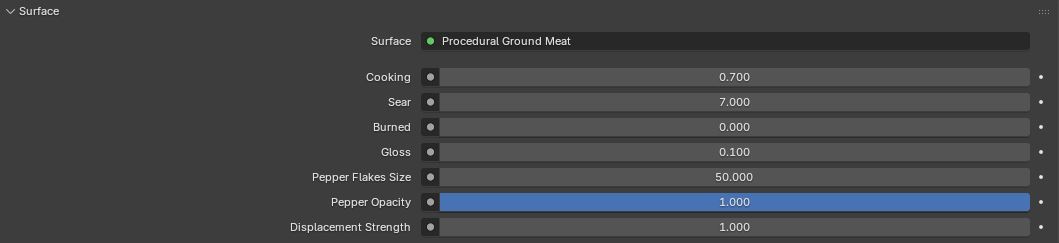
Cooking: This value affects the degree of cooking. The higher the number the bigger the area of browning gets.
Sear: This value affects the contrast of the sear. A higher value makes the sear be a clear fine line, while a lower value makes the sear appear as a gradient. Keep in mind that the Sear and Cooking value working dynamically together. Changing one value, will also change the other.
Burned: This value affects the degree of burning.
Gloss: This value defines how glossy the meat is.
Pepper Flakes Size: This value defines the size of the pepper flakes inside the shader.
Pepper Opacity: This defines the opacity of the pepper.
Displacement: This value defines the strength of the shaders displacement. Recommended to leave at 1.
______________________________________________________________________________________________________________________________________________
$15
Have questions about this product?
Login to message
| Dev Fund Contributor | |
| Published | about 2 months ago |
| Blender Version | 4.5 - 5.1 |
| Render Engine Used | Cycles |
| License | Royalty Free |
Discover more products like this
3d-food-asset blender cooked meat burger-3d-asset cooked meat patty burger Blender minced meat meat food 3dfood