 Cgi Lab
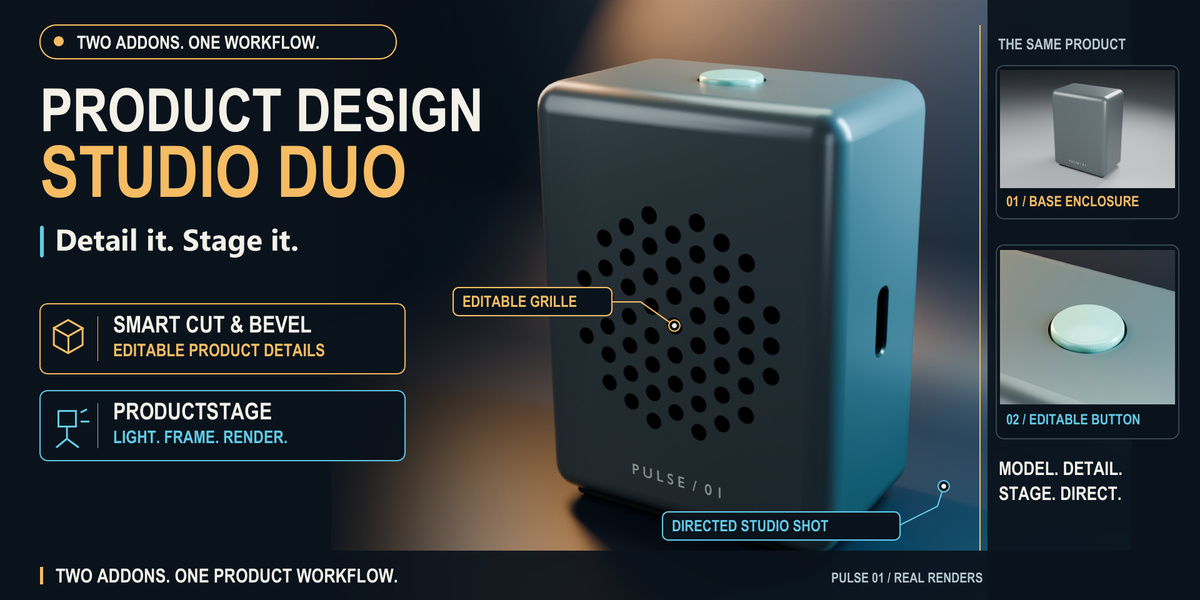
Product Design Studio Duo
Smart Cut & Bevel + ProductStage. Detail it. Stage it.
A considered product image starts before the lights come on. Give an enclosure its controls, openings and surface detail, then take the same design into a studio you can direct.
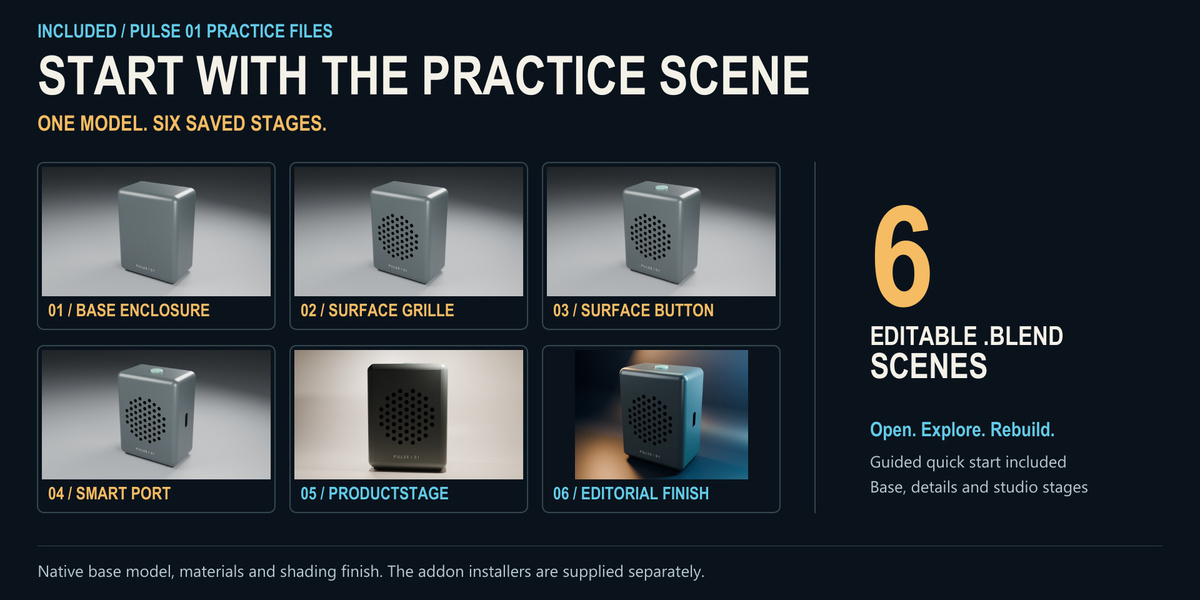
This bundle connects two focused addons with a complete PULSE 01 practice project: an original speaker concept supplied in six editable scene checkpoints, from the base enclosure to the final editorial setup.
Watch the PULSE workflow
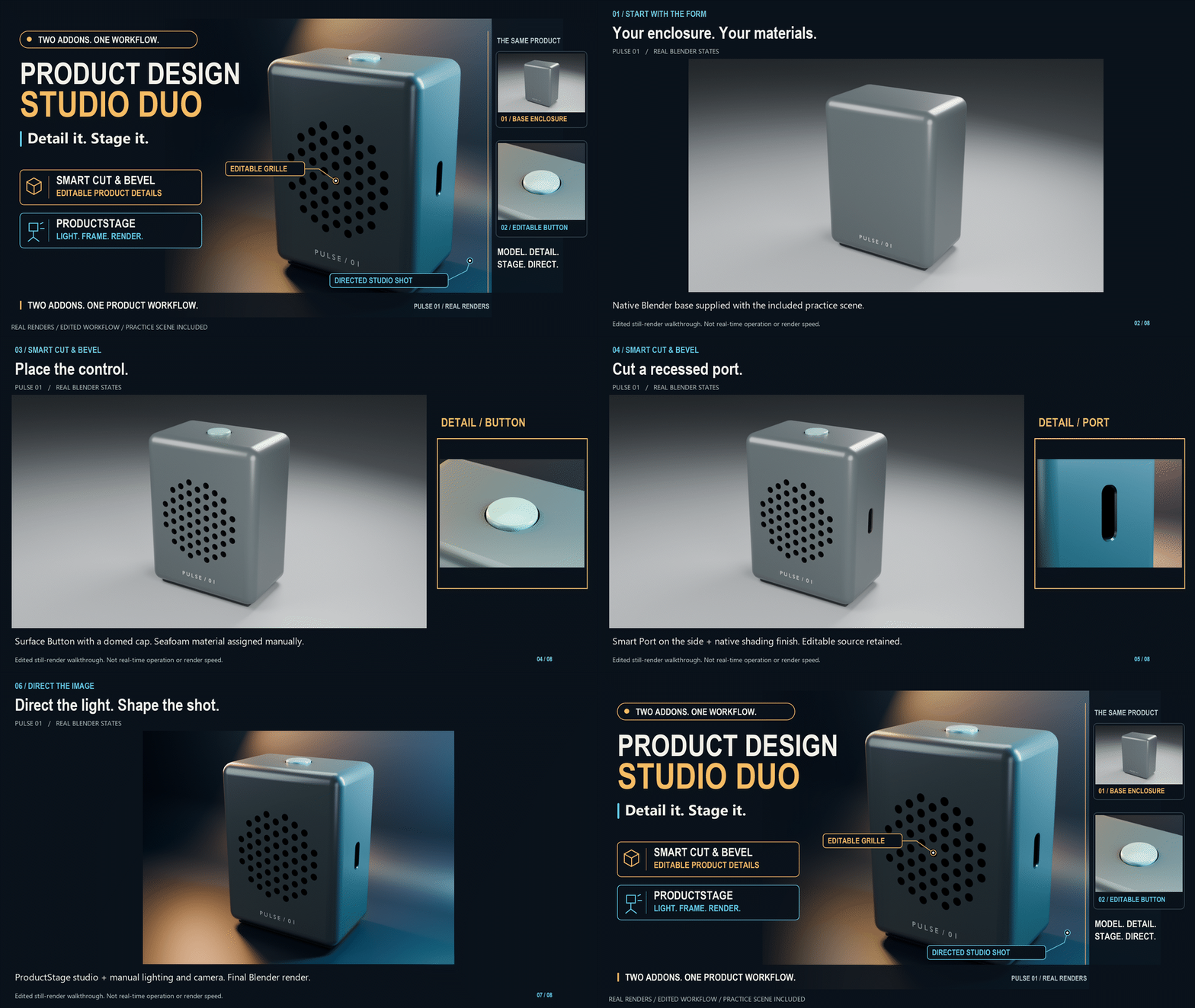
45-second edited sequence of actual renders. Full MP4 and six editable scene checkpoints included.
1. Give the form a purpose
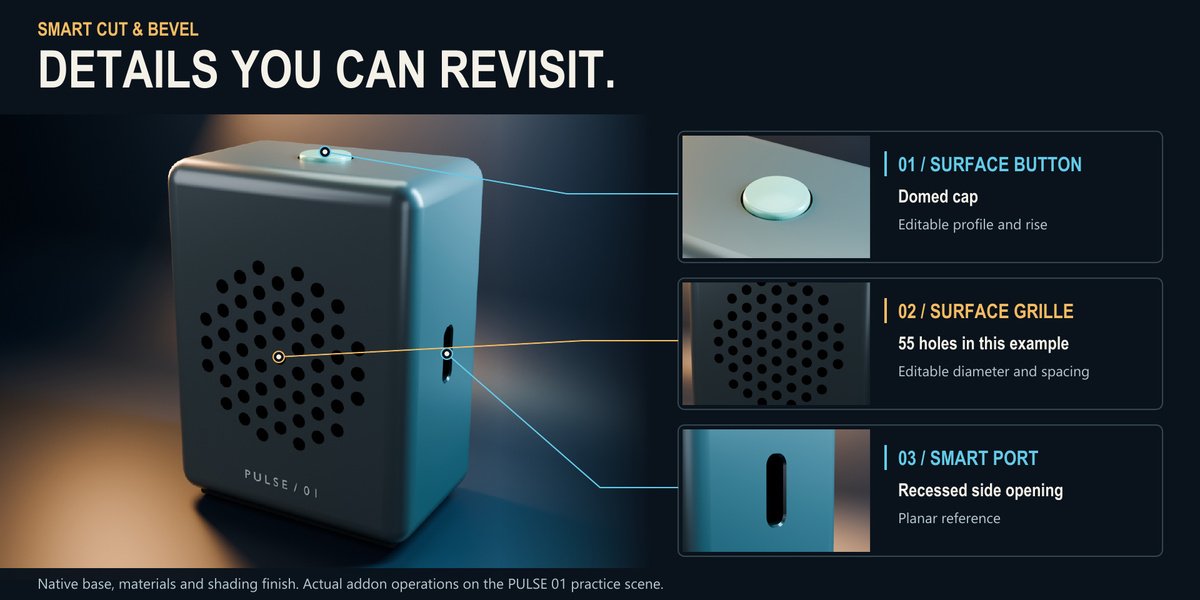
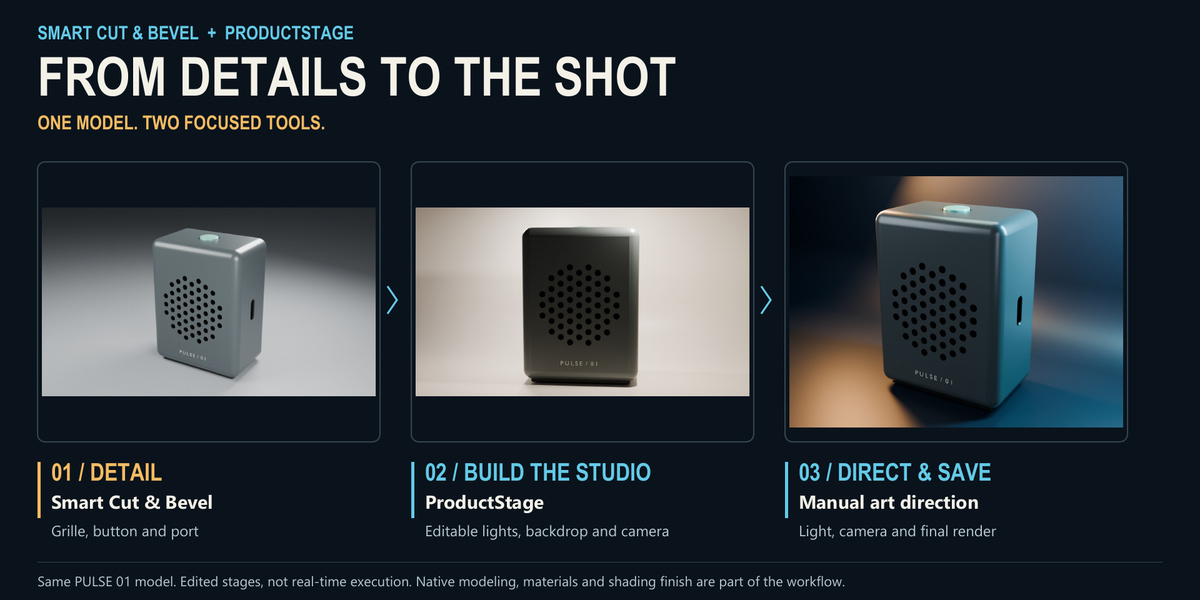
Use Smart Cut & Bevel 1.5.1 to add editable product details. In the PULSE project, Surface Grille creates a 55-hole pattern, Surface Button adds the domed top control, and Smart Port makes the recessed side opening. Keep the cutters, references and modifier stack to continue refining the design.
2. Build a studio around your design
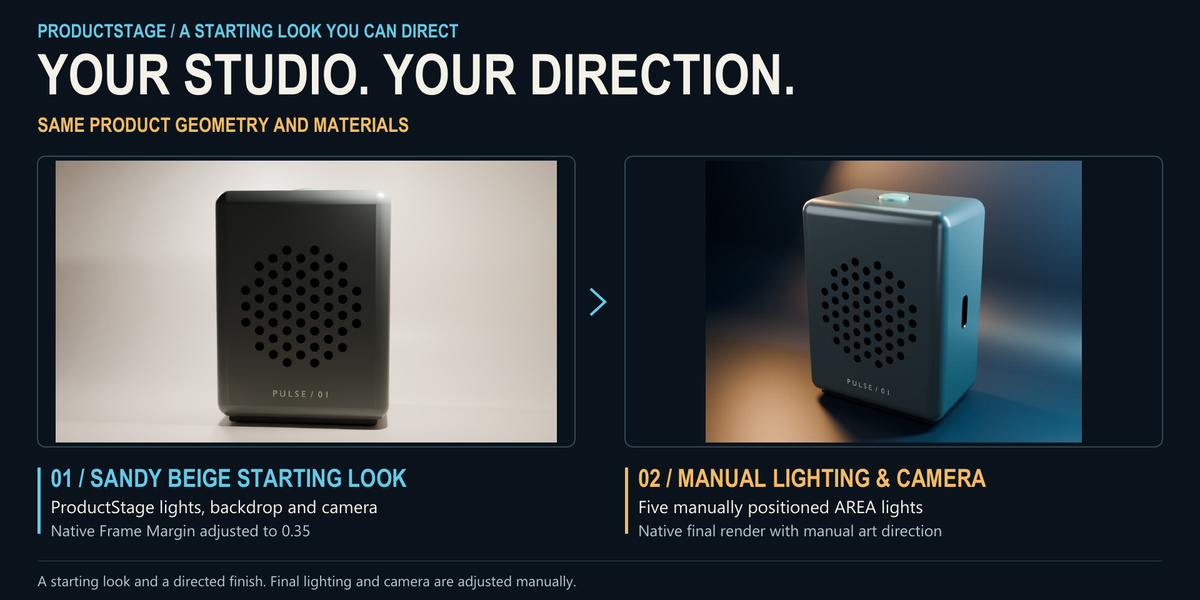
Bring the finished product parts into ProductStage 0.1.2. Start with one of seven looks, explore an editable backdrop, camera and lights, then use the output controls to render and save. The included studio checkpoint uses Sandy Beige with a manually directed camera.
3. Study the finishing decisions
The editorial checkpoint opens the final PULSE setup for inspection: a dark cyclorama, a new five-light arrangement and a directed camera. This finish was built manually from the ProductStage scene using native Blender tools. It gives you a working example of how lighting, framing and material response turn a setup into a presentation.
Inside the download
- The original Smart Cut & Bevel 1.5.1 and ProductStage 0.1.2 installers, with their included documentation and licenses.
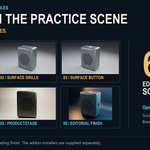
- Six PULSE 01 scene checkpoints: base, grille, button, port, ProductStage studio and editorial finish.
- A guided quickstart covering installation, the detail-to-studio workflow, safe editing and render output.
- A 45-second visual overview assembled from the actual rendered stages.
US$42 for the bundle. The individual Smart Cut & Bevel and ProductStage listings currently total US$52: save US$10 compared with buying both separately. Prices checked on November 9, 2026.
Before you start
The supplied workflow was tested on Windows with Blender 5.2.1 LTS, using Cycles CPU. Other operating systems, Blender versions and GPU configurations were not validated for this bundle. Basic Blender navigation, selection and material knowledge will help you get the most from the project.
PULSE combines addon operations with native modeling, materials, shading preparation and manual art direction. The base shape is supplied; neither addon automatically creates the complete speaker. The editorial scene uses five manually added lights, with the original three preset lights hidden, and was rendered through Blender's native renderer. Use the separate ProductStage studio checkpoint to follow the addon-controlled studio and Render & Save workflow. The overview is an edited sequence, not a real-time performance demonstration.
PULSE is a visual concept. Its details do not certify connector standards, manufacturing tolerances or acoustic performance. The included practice files contain the PULSE project; presentation models from the individual addons' other galleries are not included.
Licensing and help
The addon code retains its included GPL licenses. The original PULSE practice assets and bundle learning media use the Superhive Standard Royalty Free License, allowing personal, educational and commercial use subject to that license. This asset license does not restrict the rights granted for GPL code.
For installation help or a reproducible issue, contact JuanBautista through the Superhive inbox with your Blender version, operating system and steps to reproduce it. Smart Cut & Bevel retains its documented 12-month support and update terms. The bundle does not add a separate lifetime support promise.