 DoitTsui



What is the difference between the live HUD and To 3D?
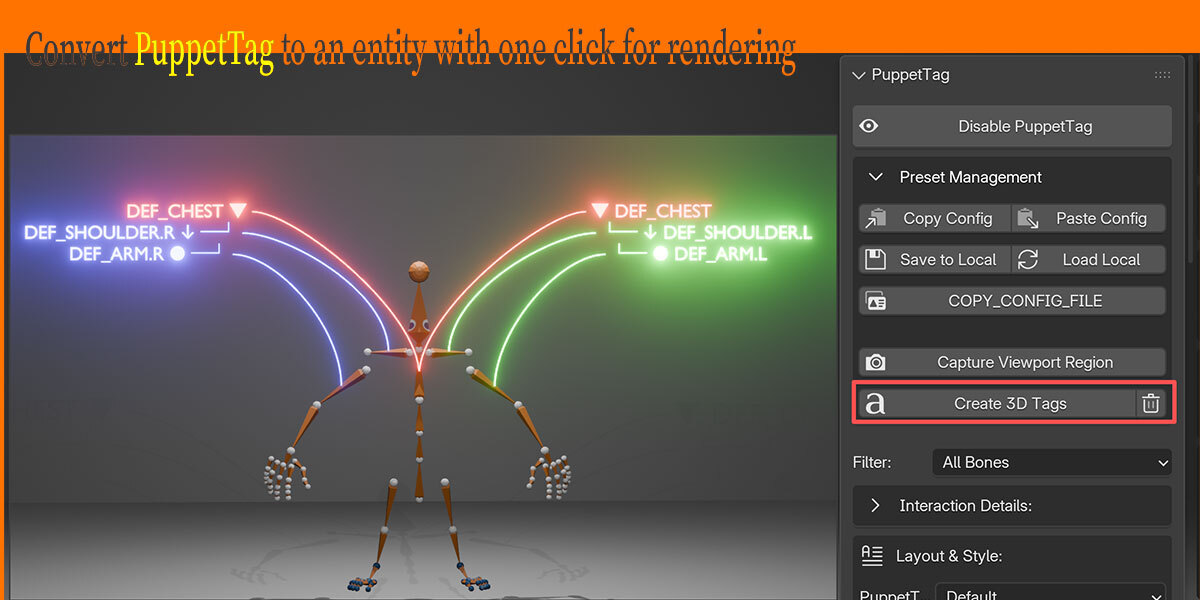
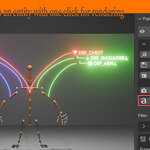
The live HUD is fast and interactive for viewport work. To 3D creates real Blender objects for rendering or scene-based presentation.
Where are saved PuppetTag settings stored?
The Save button writes a local preset inside the add-on folder. Load restores it, and Path copies the saved preset content for sharing.
Can I share my PuppetTag layout settings with another user?
Yes. Use Copy to copy the current settings as JSON. Another user can use Paste to apply the same setup.
How do I reset a tag that I moved manually?
Use Alt + Left Click on that tag to reset it.
Why do some leader lines go behind the model?
Line Depth Mode is probably set to Occluded. Switch it to Front if you want all lines to stay on top of the viewport.
Can I automatically show parent or child bones?
Yes. Enable Fetch Parents or Fetch Children in Interaction & Selection, then set the fetch depth.
Can I write custom notes instead of showing the original bone name?
Yes. Enable annotation mode and click a tag to edit its display text. The real bone name is not changed.
How do I remove generated 3D labels?
Use the trash button beside To 3D. It deletes generated 3D tag objects without changing the live HUD settings.
Can PuppetTag labels render in the final image?
The live HUD is viewport-only. Use To 3D to convert the visible labels and leader lines into real text and curve objects for rendering.
What should I use on dense rigs or slower computers?
Keep Auto Performance enabled or use the Performance preset. Avoid Occluded depth lines on very dense selections unless you need that spatial look.
How do I make the labels better for screenshots or tutorials?
Use the Presentation preset, then adjust Text Size, offsets, and colors if needed.
Can I use PuppetTag in Object Mode?
Can I use PuppetTag in Object Mode?
Why do labels only appear after I select bones?
PuppetTag is selection-driven by default. Select the bones you want to inspect, and the HUD will draw labels for them.
Does PuppetTag rename my bones?
No. PuppetTag annotations are separate display labels. Your real Blender bone names stay unchanged.
Opened PuppetTag, but couldn't see the tag
1. You might not have selected the bones.
2. You might be in the bone editing mode and might not have checked the checkbox for the "Interact and Select" tab. Also, you might have selected the head and tail of the bone instead of the entire body.
-
$59
1 seat
-
$249
up to 5 seats
-
$399
up to 10 seats
 Included
Includes 12 months of
- Support from DoitTsui
- Product updates
Extend this product’s Support Period +12 months: 50% of product price
Have questions before purchasing?
Login to message
| Blender Extension Compatible | Yes |
| Published | 3 months ago |
| Blender Version | 4.0 - 5.1 |
| Extension Type | Add-on |
| Render Engine Used | Cycles, Eevee |
| License | GPL |