Quad Fill
 Tachyon Studio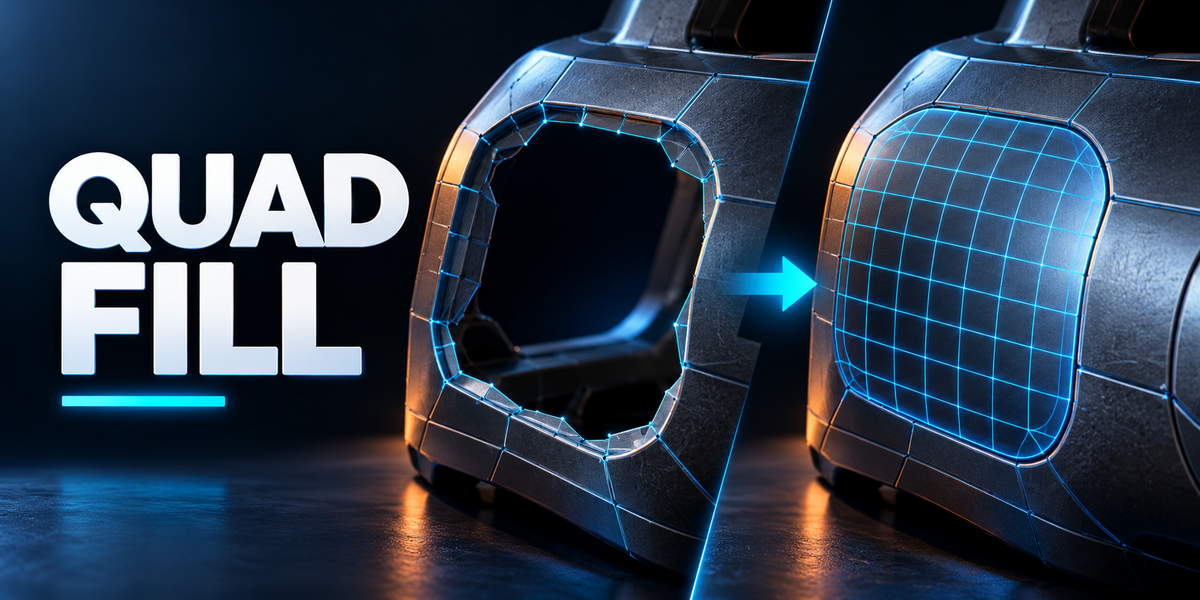

Where can I get help?
Use Superhive messaging or the Tachyon Studio Discord linked on the product page. Include your version, selection, settings and a minimal example mesh.
Do Team or Studio unlock extra tools?
No. All tiers have the same add-on features. Individual covers 1 person, Team up to 6 people and Studio up to 20 people. Commercial use is included.
Are the gallery demonstrations real?




Yes. Their new topology is generated by Quad Fill 1.0.0. The studio layout, colors and wire overlays explain the result; they are not recordings of the default UI.
Can it fill several regions at once?
Yes. Auto groups suitable pairs and independent regions. Pairs and Separately provide explicit grouping choices for supported selections.
Can I adjust the result?
Use the preview or interactive mode before applying. Immediately after a one-shot fill, use F9 / Adjust Last Operation. Applied faces are normal editable Blender mesh geometry.
Does this retopologize an entire sculpt?
No. It builds local bridges and patches from selected mesh boundaries. It is not a whole-object automatic retopology system.
Where do I find it?
Select a mesh, enter Edit Mode, and open N-sidebar → QuadFill. Shift+F fills; Ctrl+Shift+F starts interactive filling.
Which Blender versions were checked?
The supplied ZIP passed installation and background operation checks in 3.0.1, 3.3.21, 3.6.23, 4.1.1, 4.3.2 and 5.2.0 LTS on Windows. Not every build or platform has been tested.
Can I bridge different edge counts?


Yes. Two open chains or closed loops can have different counts. Classic and Adaptive patterns provide different transition layouts.
Does Quad Fill always make only quads?
No. Quad Fill is quad-dominant. Odd counts can require a triangle, pentagon or an asymmetric boundary adjustment. Inspect the preview and Odd Face options.
Have questions about this product?
Login to message
| Blender Extension Compatible | Yes |
| Published | 1 day ago |
| Blender Version | 3.0 - 5.2 |
| Extension Type | Add-on |
| License | GPL |
Discover more products like this
topology hard surface quadfill hole fill quad mesh mesh modeling edge bridge