Quick Floor Pro 1.8.17 - Efficient Wood&Tile Floor Installation Workflow
 gemaxstudio


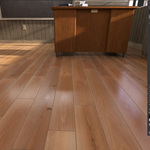
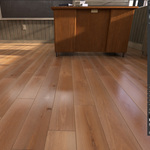
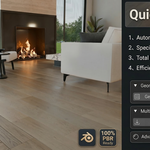
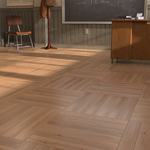
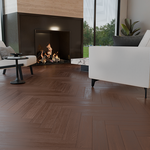
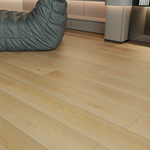
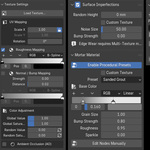
Q1: What if my wood textures are just simple images and not full PBR sets? A: This is where Quick Floor Pro shines! Our smart import system is designed to handle incomplete texture sets. When you batch import a folder of basic images, the plugin automatically creates the necessary shader nodes for roughness and displacement (bump). You can then use the intuitive PBR Adjustment panel to fine-tune the glossiness and surface detail of all planks simultaneously.
Q2: Which versions of Blender are supported? A: To ensure maximum stability and support for new features, your purchase includes two dedicated versions:
Legacy Version: Fully supports Blender 3.6 LTS, 4.0, and 4.1.
Extension Version: Built specifically for the new Extension architecture in Blender 4.2 and above (including 5.0). Simply install the .zip file that matches your current Blender version.
Q3: I get a "ZIP packaging error: __init__.py should be in a folder" in Blender 4.2. How do I fix this? A: This happens if you use the old Add-ons menu. In Blender 4.2+, Quick Floor Pro utilizes the new robust Extension system. Correct Installation: Go to Edit > Preferences, select the "Get Extensions" tab on the left (DO NOT use the "Add-ons" tab), click the small down arrow ⌄ in the top right corner, choose "Install from Disk...", and select your ZIP file.
Q4: Does it support third-party renderers like Octane, Redshift, or V-Ray? A: The "One-Click Material Generation" and auto-PBR features are specifically optimized for Blender’s native renderers (Cycles & Eevee). If you use a third-party engine, the procedural high-poly geometry, precise gaps, and highly optimized UV layouts will still work perfectly. You will simply need to manually assign your renderer's specific material nodes to the generated material slots.
Q5: Will Blender freeze if I generate a floor for a massive architectural scene? A: No. Quick Floor Pro's core engine is highly optimized with a "BVH Smart Culling Radar." It intelligently skips calculations for empty spaces outside your room's boundaries. Adjusting parameters (like bevels or gaps) remains buttery smooth in real-time, completely eliminating the freezing issues common in traditional array-based modifiers.
Q6: Do I need a massive library of individual plank textures to avoid repetition? A: Not at all! The add-on features two modes:
Single-Texture Mode: Just load one standard seamless wood texture. The algorithm automatically extracts different regions, randomizes the UVs, and creates infinite variations across all planks without repetition.
Multi-Texture Mode: If you have high-end scanned PBR plank collections, use the "Batch Import" feature to load hundreds of individual plank textures with a single click.
Q6: Will the wood grain look distorted on the bevels or side edges? A: Absolutely not. We've developed a smart UV projection algorithm based on dot-product clustering. Regardless of the pattern you choose (Herringbone, Chevron, Hexagon) or the room's rotation, the UVs on the sides and bevels of every single plank will perfectly follow the physical grain direction, holding up to extreme macro close-up renders.
WHAT'S NEW IN QUICK FLOOR PRO 1.3.5
Visual Preset Library
Save, update, duplicate, rename, favorite, move, restore, import, and export visual floor presets. Presets preserve per-material mapping scale and rotation, PBR source identity, mortar color ramps, covers, categories, and usage history. Built-in Default.json remains reserved for startup and reset parameters and is hidden from the visual preset library.
Clean PBR Export
Export reusable Base Color, Roughness, and Normal maps directly from a saved preset without applying it or changing the current scene. Original Pixels (Preserve Aspect) is the recommended default. Optional 1K, 2K, and 4K square modes are available, together with OpenGL or DirectX normal formats and 8-bit or 16-bit PNG output. Missing Roughness or Normal maps can be generated when possible, and each export includes a pbr_manifest.json with source and output resolutions.
Reliability Improvements
Roughness mapping, legacy // texture paths, preset round-tripping, export cancellation, cleanup, and add-on lifecycle handling have been improved. Existing schema_version 2 presets and the user preset library remain compatible. Blender 4.2.0 or later is supported, with current testing through Blender 5.2.
Recommended workflow: save a visual preset before major changes; use Export Preset Package for editable Quick Floor Pro settings and Export Clean PBR for reusable texture maps.
-
$0.70 $1
One-Click Generation: Instantly create Flat/Straight layouts with full plank and gap control. Smart Texture Engine: Auto-slices single PBR textures and randomizes colors to prevent tiling. Realism: Includes Z-jitter, physical edge wear, and realistic crevice dirt/grime. Grout System: professional presets with customizable grain and metallic sparkles. Global Workflow: Localized UI for 12 languages with a built-in preset manager.
-
$13.30 $19
Single-user license. Includes the full Quick Floor Pro add-on, default presets, and all future updates. Ideal for individual 3D artists, freelancers, and hobbyists.
-
$34.30 $49
Multi-user license for small studios and commercial teams (up to 5 users). Includes everything in the Personal version.
Have questions about this product?
Login to message
| Blender Extension Compatible | Yes |
| Sales | 20+ |
| Rating | 10 ratings |
| Dev Fund Contributor | |
| Published | 6 months ago |
| Blender Version | 4.2 - 5.2 |
| Extension Type | Add-on |
| Render Engine Used | Cycles, Eevee |
| License | GPL |
Discover more products like this
planks floor ArchViz blender addon herringbone multitexture floorgenerator Procedural Floor presets wood flooring hexagon materials