Quick Floor Pro 1.8.17 - Efficient Wood&Tile Floor Installation Workflow
 gemaxstudio


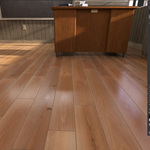
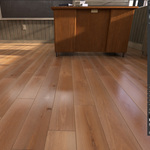
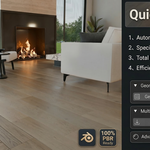
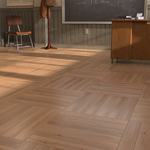
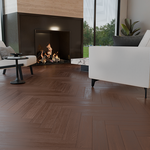
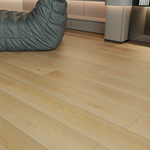
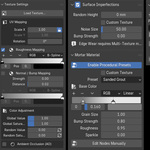
One-Click Generation: Instantly create Flat/Straight layouts with full plank and gap control. Smart Texture Engine: Auto-slices single PBR textures and randomizes colors to prevent tiling. Realism: Includes Z-jitter, physical edge wear, and realistic crevice dirt/grime. Grout System: professional presets with customizable grain and metallic sparkles. Global Workflow: Localized UI for 12 languages with a built-in preset manager.
Fix Bugs
- Fixed Hexagon and Versailles pattern generation to prevent invalid polygons, overlapping faces, long spikes, and missing regions.
- Fixed duplicate center inserts in Polygon Corner Inlay patterns to prevent coplanar geometry and viewport flickering.
- Improved polygon validation before mesh construction for more reliable decorative-pattern generation.
- Fixed a UI redraw stability issue: opening the QuickFloor panel or using Undo no longer creates or rewrites shared material node groups.
- Improved crash resilience when working with decorative patterns and material controls.
- Updated the Quick Start Guide for v1.8.17, including English UI screenshots and troubleshooting guidance.
Compatibility:
- Blender 4.2+
- Verified with Blender 4.2 and Blender 5.2
Quick Floor Pro 1.3.5 introduces a more reliable visual preset workflow and non-destructive clean PBR export.

What’s New

• Visual Preset Library
  - Save, update, duplicate, rename, favorite, move, delete, restore, import, and export presets.
  - Presets now preserve per-material scale, rotation, PBR source identity, and mortar color ramps.
  - Built-in Default.json remains available for startup/reset settings but is hidden from the visual preset library.

• Clean PBR Export
  - Export adjusted Base Color, Roughness, and Normal maps directly from a saved preset.
  - No need to apply the preset or modify the current scene.
  - Original pixel dimensions with preserved aspect ratio are now the recommended default.
  - Optional 1K, 2K, and 4K square export modes are available.
  - Supports OpenGL and DirectX normal formats, 8-bit and 16-bit PNG output.
  - Generates missing Roughness or Normal maps when possible.
  - Creates a pbr_manifest.json with export settings and source/output resolutions.

• Reliability Improvements
  - Fixed Roughness mapping so disabled color ramps correctly bypass the ramp.
  - Improved legacy texture path handling, including Blender // relative paths.
  - Added incremental export progress and cancellation support.
  - Improved cleanup and scene restoration after export success, cancellation, or failure.
  - Selection listeners, delayed rebuild callbacks, and startup timers now unregister cleanly.

• Compatibility
  - Blender 4.2.0 or later.
  - Existing presets remain compatible with schema_version 2.
  - No changes to the user preset library location or existing preset UUIDs.

Recommended Workflow

Save an important floor style as a visual preset before making major changes. Use Export Preset Package to exchange editable Quick Floor Pro settings, and use Export Clean PBR to create reusable texture maps for other applications.
Quick Floor Pro V1.2.5 Major Update: Smart Texture Variations, Custom Engine & Peak Performance
Thank you for supporting Quick Floor Pro! In the brand-new V1.2.1 update, we haven't just optimized the UI and rebuilt the core performance—we’ve introduced a powerful Smart Texture Variation System that pushes your creative freedom and workflow efficiency to new heights!
Major Productivity Breakthroughs
-
✨ [NEW] Smart Texture Variations
One Texture, Zero Repetition: Simply import a single base texture, and the system uses advanced algorithms to automatically generate up to 16 visually unique plank variations! Say goodbye to the "tiling effect" in large areas and achieve ultra-realistic, natural transitions effortlessly.
Auto PBR Mapping: Along with variation generation, the system automatically calculates and generates matching Roughness and Bump parameters. Save hours of tedious node-linking and manual fine-tuning with just one click!
-
🎨 Fully Open Custom Texture Channels
Surface Imperfections: Now supports loading external custom Normal/Height maps. Whether it’s specific scratches, wood grains, or stains, you can perfectly overlay them on top of your base PBR material.
Mortar / Grout: Break free from procedural noise limits. You can now import high-res textures of real sand, cement, or resin as your mortar material with independent scale control.
-
🔗 100% Compatibility with Blender 3.6 - 4.1+
Core Architecture Rebuild: We’ve completely rewritten the node logic for surface imperfections, ditching the unstable "Displacement" nodes used in older versions. The new Chained Bump Algorithm ensures rock-solid, crisp physical details in both Eevee and Cycles across all mainstream Blender versions (3.6 to 4.1+).
UI & UX Optimization
-
📐 Deep Interface Refinement
The data display logic for "Geometry Settings" and "Plank Manager" has been overhauled with high-standard, right-aligned industrial layouts. The interface is now cleaner, more intuitive, and professional.
-
🌍 AAA-Grade Multi-Language Tooltips (12 Languages)
Professional hover descriptions have been added to all buttons and operators, supporting 12 languages! Get clear guidance regardless of your UI language—zero learning curve for everyone.
-
🐛 Fixed Color Overflow Bug
Fixed a rare issue where the Base Color picker would "explode" (Value jumping to 10,000, causing a black-and-white only display) due to Blender’s native HDR system. Strict safety limits are now in place to ensure your palette stays stable.
Performance & System Enhancements
-
💡 True "Zero-Overhead" Global Switches
New global toggles for "Surface Imperfections" and "Mortar" panels. When turned off or in Pure Color mode, the engine automatically cleans and destroys all redundant nodes, maximizing memory efficiency. Complex node trees are only dynamically built the moment you enable advanced features.
-
💾 Enhanced Preset System
New external texture paths, custom mode switches, and all added PBR parameters are now seamlessly integrated into the JSON preset system and real-time engine cache. Your every creative tweak is safely remembered.
📥 How to Upgrade?
Log in to your Superhive Market account and go to your Order Library.
Download the latest
Quick Floor Pro V1.2.1.zip.In Blender, remove the old version, install the new one, and Restart Blender to experience the full power of V1.2.1!
Fix Bugs
- Fixed Hexagon and Versailles pattern generation to prevent invalid polygons, overlapping faces, long spikes, and missing regions.
- Fixed duplicate center inserts in Polygon Corner Inlay patterns to prevent coplanar geometry and viewport flickering.
- Improved polygon validation before mesh construction for more reliable decorative-pattern generation.
- Fixed a UI redraw stability issue: opening the QuickFloor panel or using Undo no longer creates or rewrites shared material node groups.
- Improved crash resilience when working with decorative patterns and material controls.
- Updated the Quick Start Guide for v1.8.17, including English UI screenshots and troubleshooting guidance.
Compatibility:
- Blender 4.2+
- Verified with Blender 4.2 and Blender 5.2
Quick Floor Pro 1.3.5 introduces a more reliable visual preset workflow and non-destructive clean PBR export.
What’s New
• Visual Preset Library
- Save, update, duplicate, rename, favorite, move, delete, restore, import, and export presets.
- Presets now preserve per-material scale, rotation, PBR source identity, and mortar color ramps.
- Built-in Default.json remains available for startup/reset settings but is hidden from the visual preset library.
• Clean PBR Export
- Export adjusted Base Color, Roughness, and Normal maps directly from a saved preset.
- No need to apply the preset or modify the current scene.
- Original pixel dimensions with preserved aspect ratio are now the recommended default.
- Optional 1K, 2K, and 4K square export modes are available.
- Supports OpenGL and DirectX normal formats, 8-bit and 16-bit PNG output.
- Generates missing Roughness or Normal maps when possible.
- Creates a pbr_manifest.json with export settings and source/output resolutions.
• Reliability Improvements
- Fixed Roughness mapping so disabled color ramps correctly bypass the ramp.
- Improved legacy texture path handling, including Blender // relative paths.
- Added incremental export progress and cancellation support.
- Improved cleanup and scene restoration after export success, cancellation, or failure.
- Selection listeners, delayed rebuild callbacks, and startup timers now unregister cleanly.
• Compatibility
- Blender 4.2.0 or later.
- Existing presets remain compatible with schema_version 2.
- No changes to the user preset library location or existing preset UUIDs.
Recommended Workflow
Save an important floor style as a visual preset before making major changes. Use Export Preset Package to exchange editable Quick Floor Pro settings, and use Export Clean PBR to create reusable texture maps for other applications.
Quick Floor Pro V1.2.1 Major Update: Smart Texture Variations, Custom Engine & Peak Performance
Thank you for supporting Quick Floor Pro! In the brand-new V1.2.1 update, we haven't just optimized the UI and rebuilt the core performance—we’ve introduced a powerful Smart Texture Variation System that pushes your creative freedom and workflow efficiency to new heights!
Major Productivity Breakthroughs
-
✨ [NEW] Smart Texture Variations
One Texture, Zero Repetition: Simply import a single base texture, and the system uses advanced algorithms to automatically generate up to 16 visually unique plank variations! Say goodbye to the "tiling effect" in large areas and achieve ultra-realistic, natural transitions effortlessly.
Auto PBR Mapping: Along with variation generation, the system automatically calculates and generates matching Roughness and Bump parameters. Save hours of tedious node-linking and manual fine-tuning with just one click!
-
🎨 Fully Open Custom Texture Channels
Surface Imperfections: Now supports loading external custom Normal/Height maps. Whether it’s specific scratches, wood grains, or stains, you can perfectly overlay them on top of your base PBR material.
Mortar / Grout: Break free from procedural noise limits. You can now import high-res textures of real sand, cement, or resin as your mortar material with independent scale control.
-
🔗 100% Compatibility with Blender 3.6 - 4.1+
Core Architecture Rebuild: We’ve completely rewritten the node logic for surface imperfections, ditching the unstable "Displacement" nodes used in older versions. The new Chained Bump Algorithm ensures rock-solid, crisp physical details in both Eevee and Cycles across all mainstream Blender versions (3.6 to 4.1+).
UI & UX Optimization
-
📐 Deep Interface Refinement
The data display logic for "Geometry Settings" and "Plank Manager" has been overhauled with high-standard, right-aligned industrial layouts. The interface is now cleaner, more intuitive, and professional.
-
🌍 AAA-Grade Multi-Language Tooltips (12 Languages)
Professional hover descriptions have been added to all buttons and operators, supporting 12 languages! Get clear guidance regardless of your UI language—zero learning curve for everyone.
-
🐛 Fixed Color Overflow Bug
Fixed a rare issue where the Base Color picker would "explode" (Value jumping to 10,000, causing a black-and-white only display) due to Blender’s native HDR system. Strict safety limits are now in place to ensure your palette stays stable.
Performance & System Enhancements
-
💡 True "Zero-Overhead" Global Switches
New global toggles for "Surface Imperfections" and "Mortar" panels. When turned off or in Pure Color mode, the engine automatically cleans and destroys all redundant nodes, maximizing memory efficiency. Complex node trees are only dynamically built the moment you enable advanced features.
-
💾 Enhanced Preset System
New external texture paths, custom mode switches, and all added PBR parameters are now seamlessly integrated into the JSON preset system and real-time engine cache. Your every creative tweak is safely remembered.
📥 How to Upgrade?
Log in to your Superhive Market account and go to your Order Library.
Download the latest
Quick Floor Pro V1.2.1.zip.In Blender, remove the old version, install the new one, and Restart Blender to experience the full power of V1.2.1!
-
$0.70 $1
One-Click Generation: Instantly create Flat/Straight layouts with full plank and gap control. Smart Texture Engine: Auto-slices single PBR textures and randomizes colors to prevent tiling. Realism: Includes Z-jitter, physical edge wear, and realistic crevice dirt/grime. Grout System: professional presets with customizable grain and metallic sparkles. Global Workflow: Localized UI for 12 languages with a built-in preset manager.
-
$13.30 $19
Single-user license. Includes the full Quick Floor Pro add-on, default presets, and all future updates. Ideal for individual 3D artists, freelancers, and hobbyists.
-
$34.30 $49
Multi-user license for small studios and commercial teams (up to 5 users). Includes everything in the Personal version.
Have questions about this product?
Login to message
| Blender Extension Compatible | Yes |
| Sales | 20+ |
| Rating | 10 ratings |
| Dev Fund Contributor | |
| Published | 6 months ago |
| Blender Version | 4.2 - 5.2 |
| Extension Type | Add-on |
| Render Engine Used | Cycles, Eevee |
| License | GPL |
Discover more products like this
hexagon herringbone blender addon planks presets ArchViz wood flooring floorgenerator materials multitexture floor Procedural Floor