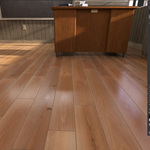
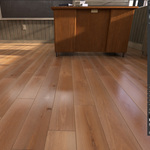
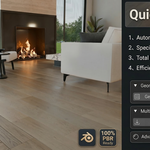
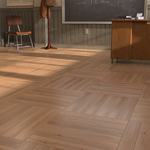
Quick Floor Pro 1.8.17 - Efficient Wood&Tile Floor Installation Workflow

gemaxstudio in Presets


Item Rating

This item has an average rating of 5 from 10 ratings by the community.

80%
20%
0%
0%
0%

Purchase this item to leave a review!

  • Gicquel
    3 months ago

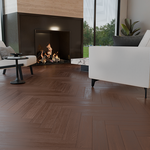
    This tool makes it easy to create tile layouts. It can model both parquet floors and bathroom tile sets.

    The parameters allow you to manage the layouts. Spacing is adjustable and customizable in terms of both color and material, allowing you to add significant details.
    It's also possible to create imperfections that will slightly alter the arrangements, add dirt, and so on.

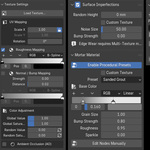
    You can customize more precisely using nodes, which allows you to push your creativity.

  • Jeremy
    4 months ago

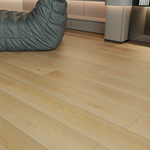
    This tool is amazing for generating procedural wood flooring. It's extremely easy to use and it makes creating custom flooring quick and easy. I highly recommend using this tool if you're wanting an easy and fast way to create realistic wood flooring.

    • Ge max

      4 months ago

      Thank you so much for the 5-star review! I'm thrilled to hear that the procedural workflow is saving you time and helping you achieve the realism you're after. Your support really means a lot to me. If you have any feature requests or ideas for future updates, please don't hesitate to reach out—I'm always looking to make the tool even better!

  • Josef Maxwell
    5 months ago

    I've been working on a lot of architecture builds lately and I was really tired of using the same flooring samples and systems. I have a lot to learn with it but it's already sped up my process and opened up a lot more creatively, I agree with the upgrades Waranyu suggested. Really amazing tool so far, can't wait to see where it goes from here!

    • Ge max

      5 months ago

      Thanks for the kind words, Matt! I'm really glad to hear the tool is making your workflow easier. Happy blending!

  • matt
    5 months ago

    Huge step up for me as a generally amateur modeler. The ease of the tool makes rendering floors no longer a concern for me. I can feel i'm only using a portion of the full offering and it's been a great help already

    • Ge max

      5 months ago

      Thanks for the kind words, Matt! I'm really glad to hear the tool is making your workflow easier. Happy blending!

  • stormy
    5 months ago

    It's a really useful tool! As a somewhat beginner, it has helped me with a lot of stuff. Makes setting up a really nice floor a breeze, without the heaadache of having to fiddle around with textures to get rid of that repetitive effect you can usually get. Props to the dev, he really made it trivial! Would recommend if you are looking for a easy way to get a nice looking floor on your design :D

    • Ge max

      5 months ago

      Thanks for the support, stormy! I'm really glad the tool is saving you from those texture repetition headaches. Happy blending!

  • Amarildo Junior
    5 months ago

    Really great tool for the job, and the developer is very active and proactive as well.
    100% recommend it.

    • Ge max

      5 months ago

      Thank you, Amarildo! I really appreciate the kind words. Staying active and supporting users is my top priority. Enjoy!

  • Lucas
    5 months ago

    Finally found the "cheat code" for my floor - and my game. ;)

    I’ve been stuck with the same floor setup for a while now, and honestly, I was just tired of looking at it. I decided to give Quick Floor Pro a shot to see if it could actually handle a full replacement, and the difference is night and day. Damnnn!!

    It’s one of those tools that actually does what it says on the tin. I managed to swap out my entire design way faster than I expected, and the end result looks 10000% better. It completely killed that "tiled" look where you can see the pattern repeating—everything looks natural and high-quality now. Well done!

    If you’re tired of fighting with textures and just want something that looks professional without the headache, this is well worth it. It’s definitely leveled up my game project.

    This is insane and has great results. 10/10.

    Kodex Games

    • Ge max

      5 months ago

      Hi Lucas!

      Thank you so much for this incredible 5-star review! Hearing that Quick Floor Pro has become a 'cheat code' for your project at Kodex Games truly made my day.

      I'm thrilled that the variation engine successfully 'killed the tiled look' for you—that’s exactly why I spent so much time refining the randomization logic. Also, just a quick update: I’m already deep into the V1.2.3 update to fix that 'disappearing planks' (Z-jitter) issue we discussed, ensuring the offset only moves upwards for a safer workflow!

      I can't wait to see the floor in action in your upcoming video. Keep up the amazing work with your game project, and feel free to reach out if you have more ideas!

      Best regards,
      Max

  • としろ
    5 months ago

    After toying with QuickFloor for some time, i can say this is a huge time saver for my workflows in archviz; and cutting on time in repetitive tasks is a blessing.
    I could create flooring, have the tiles divided in islands, each its own material named and listed cleanly, tweak parameters such as height, noise, texture, all in a few clicks. Seeing even the mortar able to be tweaked i was amazed at the level of thought in this add-on. Really helpful when aiming for realism in your renders.
    Definitely a part of my workflow going forward. If you value your time i strongly recommend this add-on.
    Looking forward to updates and optimizations!

    • Ge max

      5 months ago

      Thank you so much for the fantastic 5-star review! I’m thrilled to hear that Quick Floor Pro is saving you valuable time in your archviz projects. I put a lot of thought into the material organization and the mortar controls specifically to meet the realism needs of professional artists, so seeing you appreciate those details is incredibly rewarding. I’m committed to continuous optimization, so stay tuned for future updates. Happy rendering!

  • Waranyu
    5 months ago

    Great tool for fast and realistic results!

    Quick Floor Pro is incredibly intuitive and fast. It significantly speeds up my workflow while delivering high-quality, realistic results that are easy to understand even for complex layouts. It’s a solid addition to any artist's toolkit.
    I'm giving it 4 stars because I'd love to see these features in future updates:
    -Blending texture edges: To make the transitions even more seamless.
    -Random texture rotation: An option to rotate textures randomly to further break up repetition.
    -Overall Hue control: A global slider to adjust the color tone easily.
    -Texture Frequency/Distribution: An option to choose how often specific textures appear (which variations show up more or less frequently).
    -Individual Multi-texture Color Correction: Ability to adjust Hue, Saturation, and Brightness for each texture slot independently for better matching.
    Overall, it's a fantastic tool and I'm looking forward to seeing how it evolves!

    • Ge max

      5 months ago

      Thank you for the detailed feedback! These are excellent suggestions, and I’ve added them to my roadmap for future updates. Stay tuned!

  • Jose Luis Tolentino
    6 months ago

    The add-on is really handy for someone who also arranges floor tiling accurately, and can be used for more than just floor materials.

    I find it a bit annoying when generating a floor on one face of an object with multiple faces. It's fighting on the same z-axis, so I had to move the empty/proxy mesh up. Maybe I'm not using it correctly, and it's better to use it on a single face plane instead. My workflow is usually one whole plane, divided into where to assign materials, and I thought it might work by selecting a face and assigning its own floor; it does, but the mentioned annoyance happens.

    It can use a clear generated floor option. I happened to delete the generated mesh, and it left some associated things. It would be nice if there were also cracks/damages on the edges, aside from the bevel/chamfer, but that's probably outside the add-on's scope.

    • Ge max

      6 months ago

      Hi Jose,

      Thank you so much for being the first to review Quick Floor Pro! Your 4-star rating and detailed breakdown are incredibly valuable to me.

      Regarding the points you raised:

      Z-fighting/Face Alignment: You're absolutely right. Currently, the tool works best on a separate plane to avoid fighting with existing geometry. I'm looking into adding a "Global Z-Offset" setting in the next update to solve this "annoyance" automatically.

      Cleanup/Clear Option: Great suggestion! I’ll prioritize adding a "Clear Generated Floor" function to ensure all associated nodes and proxy meshes are wiped clean without leaving artifacts.

      Edge Damage/Cracks: While high-detail "sculpted" damage might be a bit heavy for the current scope, adding procedural edge-wear and subtle cracks is definitely on my roadmap for the Pro version.

      Being a 3D artist in the flooring industry myself, I built this to solve my own workflow pains, so hearing from users like you helps me refine it for everyone.

      Thanks again for helping me improve the tool!

      Best regards,
      Max (Gemaxstudio)

  • Displaying 10 ratings
  • One-Click Generation: Instantly create Flat/Straight layouts with full plank and gap control. Smart Texture Engine: Auto-slices single PBR textures and randomizes colors to prevent tiling. Realism: Includes Z-jitter, physical edge wear, and realistic crevice dirt/grime. Grout System: professional presets with customizable grain and metallic sparkles. Global Workflow: Localized UI for 12 languages with a built-in preset manager.

    $0.70 $1
  • Single-user license. Includes the full Quick Floor Pro add-on, default presets, and all future updates. Ideal for individual 3D artists, freelancers, and hobbyists.

    $13.30 $19
  • Multi-user license for small studios and commercial teams (up to 5 users). Includes everything in the Personal version.

    $34.30 $49
$0.70

Have questions about this product?
Login to message

Details
Blender Extension Compatible Yes
Sales 20+
Rating
10 ratings
Dev Fund Contributor
Published 6 months ago
Blender Version 4.2 - 5.2
Extension Type Add-on
Render Engine Used Cycles, Eevee
License GPL