Readymesh
 Bonaventure Labs




Can I undo Make Production Ready
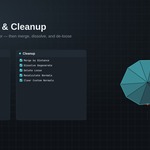
Yes. The whole one-click pipeline is registered as a single undo step, so Ctrl+Z reverts all five stages together.
Mirror modifier isn't mirroring where I expect
Quick Mirror adds the modifier with Clipping enabled around the object's local origin. Set the origin (see Origin in the Documentation) to where you want the mirror plane to sit before adding the modifier.
Batch Rename skipped some objects
Rename Selected renames every object in the current selection in selection order. If an object doesn't appear where expected, check whether it was deselected (e.g. by clicking in an empty area) before running the operator.
My shading looks the same after Smooth by Angle
Check the Angle value in Transforms & Shading, a very low angle keeps most edges hard. Also confirm the object didn't have Auto Smooth previously disabled at the mesh-data level on very old files; re-running the operator will re-apply it.
Nothing happens when I click a button
ReadyMesh's operators only act on mesh objects. Make sure at least one mesh object is selected (not just active), the status bar will report a warning if the selection is empty or non-mesh.
$12
 Included
Includes 12 months of
- Support from Bonaventure Labs
- Product updates
Extend this product’s Support Period +12 months: 50% of product price
Have questions before purchasing?
Login to message
| Blender Extension Compatible | Yes |
| Published | about 2 months ago |
| Blender Version | 4.2 - 5.2 |
| Extension Type | Add-on |
| Render Engine Used | Eevee |
| License | GPL |
Discover more products like this
Production Pipeline Workflow pipeline batch-rename modeling optimization origin game assets low poly mesh cleanup