 ArtLab



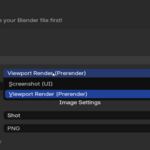
How do I turn these images into a video?
Open any video editor (Premiere, DaVinci, CapCut) or Blender's Video Sequencer. Import the images as an "Image Sequence". Since they are numbered sequentially, they will automatically form a video.
Does ReelFlow slow down Blender?
No. ReelFlow is optimized with a "Smart Capture" system. It waits until you stop rotating the view or editing geometry to snap a frame, ensuring your viewport remains smooth while working.
I clicked Start, but nothing is happening?
Make sure you have saved your .blend file at least once. The addon needs a file path to create the folder for your images. Also, check if "Capture on Change" is on – it will only record when you make an edit.
Does ReelFlow slow down Blender? A: No. ReelFlow is optimized with a "Smart
Capture" system. It waits until you stop rotating the view or editing geometry to snap a frame, ensuring your viewport remains smooth while working.
$4
Have questions about this product?
Login to message
| Blender Extension Compatible | Yes |
| Published | 12 months ago |
| Blender Version | 3.6 - 4.5 |
| Extension Type | Add-on |
| Render Engine Used | Cycles, Eevee |
| License | GPL |
Discover more products like this
ArtLab productivity tutorial tool time capture timelapse addon viewport automatic render screenshot animation modeling addon viewport render