 3DMAGIC


Reference Board
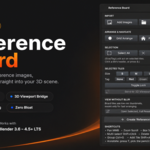
Organize your reference images — then drop them straight into your 3D scene.
Most reference-image add-ons try to copy PureRef inside Blender and lose on the one thing PureRef is actually good at: sharp, freely-scalable thumbnails. Reference Board doesn't try to win that fight. Instead, it focuses on the one thing PureRef can never do — plugging your references directly into your actual 3D scene, correctly scaled, correctly oriented, and easy to manage while you model.
What you get
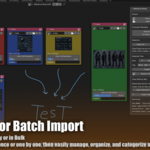
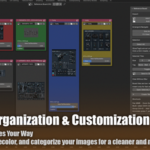
📌 The Board Tab
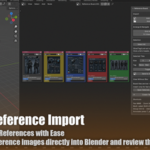
A dedicated workspace tab (auto-created next to Layout/Shading) for collecting, tagging, captioning, and arranging your reference images — bulk import a whole folder in one click.
🎯 3D Viewport Bridge
Select a set of tiles and send them into your scene as one grouped "rig" — front/back/side images auto-rotate based on filename keywords.
📐 Auto Size-Matching
Select your blockout mesh alongside your references and match their scale in one click — re-run it any time your model's proportions change.
👁️ Live Rig Panel
A dedicated panel right in the 3D Viewport sidebar to show/hide, isolate, adjust opacity, select, or delete any reference rig — without ever opening the Outliner.
Built on Blender, not around it
- Pan / zoom / box-select / grouping on the board are Blender's own native Node Editor engine — GPU-fast, not a custom-drawn canvas.
- Freehand notes and arrows on your board? Just press T and use Blender's built-in Annotate tool — already there, no extra setup.
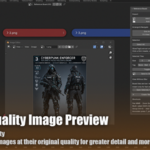
- Need to inspect a reference at full quality? One click opens it in a real, independently resizable Image Editor window — always pixel-sharp.
Perfect for
Character artists doing turnarounds · hard-surface / prop modelers · concept-to-3D workflows · students learning proportion and scale · anyone tired of alt-tabbing to a reference viewer while sculpting.
Compatibility
Blender 3.6 LTS and up (tested through 4.5 LTS). Works on Windows, macOS, and Linux.
FAQ
Does this replace PureRef?
No — think of it as a companion, not a replacement. If you love PureRef for pure moodboarding, keep using it. Reference Board's job is getting those images correctly into your Blender scene, which PureRef can't do at all.
Will my board thumbnails look blurry?
At very large sizes, yes — that's a Blender preview-system limit, not a bug. Use the built-in "Full Resolution" viewer or the 3D Viewport bridge whenever sharpness matters.
Do I need internet access or extra Python packages?
No. Everything runs locally using Blender's built-in Python API.
Can I organize references for multiple projects?
Yes — each .blend file keeps its own Reference Board and its own rigs, so projects stay separate automatically.
What if I resize my model after setting up references?
Select the model and the reference rig together, click "Match Size to Selected Mesh," and everything rescales instantly.
Does drag-and-drop from my file explorer work?
Yes, on Blender 4.0 and newer. On older versions, use the one-click "Add Images" / "Add Folder" buttons instead.
Stop eyeballing proportions. Start referencing correctly.
$4.99