 EnnJinn


Does the new mesh keep my original mesh's UVs?
No. The retopologized mesh gets a brand-new automatic UV unwrap (smart UV
projection) built for its new topology, it doesn't carry over whatever UV
layout the source mesh had.
Does the quad solver itself use my GPU?
No, the solve is CPU-based. The optional material bake step uses whatever
rendering device (CPU or GPU) your Blender is already configured to use
for Cycles.
Do I need to switch my scene to Cycles for the material bake to work?
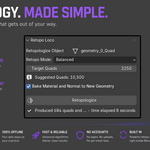
No. Turning on **Bake Material and Normal to New Geometry** temporarily
switches the scene to Cycles for the bake and restores your previous
render engine and sample settings automatically afterward — you don't need
to touch that setting yourself.
Can I run it on a curve, text, or metaball object?
Not directly, the active object needs to already be a **Mesh**. Convert
it first with **Object > Convert To > Mesh**, then retopologize as normal.
Will this delete or modify my original mesh?
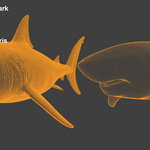
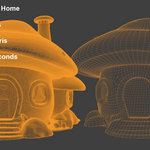
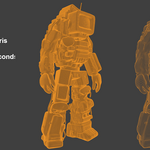
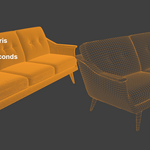
No, it will generate a copy of your mesh in the same spot and hide your original mesh so you can easily compare.
Have questions about this product?
Login to message
| Blender Extension Compatible | Yes |
| Sales | 10+ |
| Rating | 1 ratings |
| Dev Fund Contributor | |
| Published | about 2 months ago |
| Blender Version | 4.2 - 5.2 |
| Extension Type | Add-on |
| Render Engine Used | Arnold, Blender-Internal, Blender-Game-Engine, Cycles, Eevee, Freestyle, Luxrender, Mental-Ray, Octane, Vray, Yafaray |
| License | GPL |
