 StormScourge Games


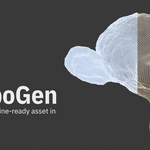
Stop hand-retopologizing every prop. Stop building LOD chains by hand. Stop round-tripping to another app just to bake AO.
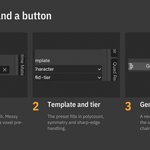
RetopoGen turns the slowest part of game-asset prep — retopo, LODs, baking, topology checks — into three fields and a button in the 3D viewport sidebar. Pick a Target, pick a Template and Tier, click Generate. The result lands next to your source as a new all-quad object, and the tools to check it, fix it, LOD it and bake it are in the same tab.
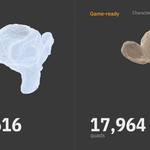
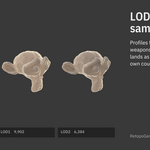
From a real run on a 1,007,616-triangle sculpt: Character template, mid-tier preset, Robust pre-pass on — 18,866 quads in 3.9 seconds, 100% quads, zero bad poles, X-symmetric. Three LODs unwrapped and baked (normal + AO) in one click.
Two solvers, eighteen presets, one workflow
- QuadriFlow — Blender's built-in quad remesher. Exact polycounts, fast, deterministic.
- Instant Meshes — optional second engine using the free Instant Meshes program you install yourself: one path field, set once, download button in the panel. Run it headless, or open its GUI to paint orientation strokes for hand-guided edge flow.
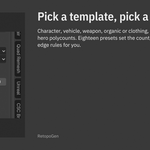
- Six templates × three tiers — Character, Vehicle, Weapon, Organic, Clothing and Custom, each at Mobile/VR, Mid-tier or AAA Hero polycounts. A preset sets the count, sharp-edge, boundary and symmetry rules; every value stays editable.
Built for game development
- Multi-LOD in one click — LOD0, LOD1, LOD2… as separate objects, with profiles for Vehicle (4 LODs), Character (3), Weapon (2) and Mobile Aggressive (4), or your own count and falloff.
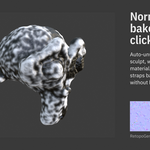
- Normal + AO bake pipeline — auto-unwrap, bake from the high-poly source onto the retopo, maps wired into a material so Material Preview shows them immediately. Resolution 512 to 8192, cage extrusion, margin, AO distance, samples and blur.
- Bake All LODs — every level gets its own UVs, material and maps in one pass.
- Floating geometry — flag bolts, straps and panel detail as floating: they bake into the normal map and are never retopologized.
- Triangulate before bake — avoids the bake/engine triangulation mismatch.
Topology QA, the way a TA does it
- Quality Report — quad/tri/ngon counts and a pole breakdown (3-poles, 5-poles, bad poles).
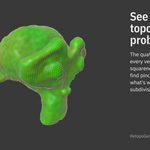
- Quality Heatmap — per-vertex colour attribute from valence, face squareness and curvature; see problem areas in the viewport.
- Select Bad Poles / Find Pinch Risk — one click each.
- Smooth Topology — smooths only vertices below a quality threshold; clean areas stay untouched.
- Subdiv Preview, Detect Asymmetry, Symmetrize, Project to Source Surface — inspect, mirror-check, fix and recover surface detail without leaving the tab.
Source preparation built in
- Robust (Voxel Pre-Pass) for scans, photogrammetry and messy sculpts with non-manifold geometry or self-intersections.
- Symmetrize Source First across X, Y or Z for asymmetric scans of symmetric objects.
- Guides — mark single edges, full loops, full rings, all open borders, or every edge above a dihedral angle. Guides become solver constraints.
Panel workflow for hard surface
Vehicles and weapons rarely retopo cleanly as one shell. Separate Panels splits a copy of the source along its sharp edges — doors, hoods, plates — and Retopo All Selected Panels runs the pipeline on each piece.
What to expect from auto-retopology
QuadriFlow and Instant Meshes produce even, all-quad meshes that follow the surface and your guides. They do not know where an eyelid or a knee is. For hero characters that will be animated, treat the output as a clean base and hand-tune the loops around the face and joints — the heatmap and pinch-risk tools show you exactly where. For props, environments, hard surface, scans and LOD chains, the result is usually ready as-is.
Who this is for
- Indie developers turning sculpts into game-ready assets without leaving Blender
- Hard-surface artists working on vehicles, weapons, mechs and props
- Photogrammetry and scanning workflows with messy, non-manifold input
- Asset creators producing game-ready packs at volume
- Mobile and VR teams that need aggressive LOD chains generated systematically
How it fits with what you already have
RetopoGen is the pipeline layer, not a new solver. If you own a manual retopo tool, keep it for hero faces; RetopoGen builds the base, the LODs and the bakes around it. If you own another auto-remesher, RetopoGen adds everything that happens after the remesh.
What's included
-
retopogen-1.0.2.zip— install via Edit → Preferences → Get Extensions → Install from Disk - Optional second engine: connects to your own free Instant Meshes install (no binaries shipped; setup takes a minute)
- README with quick start and troubleshooting, a feature reference, CHANGELOG
- Runs fully offline: no accounts, no API keys, no telemetry
Compatibility
- Blender 4.5 LTS or later — tested on 4.5, 5.0 and 5.2 LTS
- Windows, macOS, Linux
- Cycles (ships with Blender) is used for baking