 Midclips







# Rigger Aids v5.1.3
This release expands rigging, widget, animation, and driver workflows with new Rigify and CloudRig tools, interactive widget transforms, action bookmarks, nested folders, and advanced bone commands. It also improves panel responsiveness, add-on reload handling, and Blender 5.1 compatibility.
## Changes
1. Quick Tools and navigation
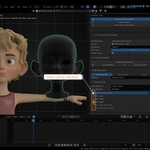
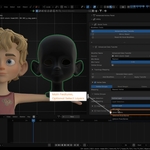
1. Replaced the main shortcut with **Ctrl+Shift+A**, opening the Rigger Aids pie menu in Object Mode, Pose Mode, and all object Edit Modes.
2. Organized the main sections across the pie menu, with a secondary menu for Rigify and CloudRig assists.
3. Added a Utility sub-pie for opening Quick Tools / Script Library or the **Rigger Aids** sidebar tab.
4. Widened Quick Tools popups and restored Advanced Action Panel access from the pie menu.
5. Added **Remove All Drivers** and **Extract Selected Bone Name to List**. Bone-name extraction writes to the `extracted bone name` Blender text block.
2. Armature and bone properties
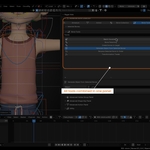
1. Added a **Display As** dropdown to each Armature List row.
2. Added separate built-in and custom property sections for **Armature Object** and **Armature Data**.
3. Added pose-bone and bone-data custom properties beneath the bone list.
4. Increased the height of the **Current Armature** button.
5. Added **Custom Object** to Select Similar Conditions, allowing selection by the active bone’s custom shape.
3. Bone Tools
1. Renamed the **Actions** category to **Commands**.
2. Added:
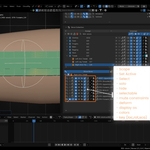
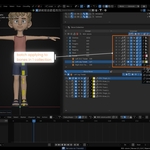
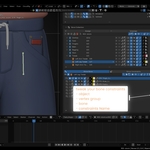
- **Mute / Unmute Constraints** for selected pose bones.
- **Batch Tweak Constraints**, **Swap Constraints**, and **Clear Orphan Constraints**.
- **Generate Bendy Bone Setup**, with reusable start/end tangent handles and a default of 10 segments.
- **Parent to Constraints**, including copy-constraint and Armature constraint options.
3. Consolidated extraction commands into **Advanced Extract**:
- Create fresh bones or duplicate existing bones with widget and bone/pose settings.
- Optionally add Copy Transforms constraints in either direction.
4. Consolidated duplication commands into **Advanced Duplicate**:
- Choose parenting to duplicated bones, original bones, or no parent.
- Configure independent prefix, suffix, and replacement naming options.
- Configure constraint type, settings, and direction.
5. Fixed extra bones being created during duplication.
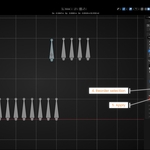
6. Expanded **Advanced Renaming Bone** with **Name in Order** and **Match Bone Name**, including source/target lists and sorting, swapping, reordering, and matching controls.
7. Added an explicit **Apply** action to Transformation Tweak for selected pose bones.
4. Armature utilities
1. Added **Save Bone Fitting to JSON** and **Load Bone Fitting from JSON** using Blender’s file browser.
- Save suggests `Bone Fitting.json` in the current blend-file folder.
- Save/load bone head, tail, and roll while preserving the current mode.
- Handle missing bones and invalid records with result counts.
2. Added **Merge Armatures** with controls for matching, source-only, and target-only bones.
3. Added independent source/target choices for bone properties, constraints, custom shapes, collections, custom properties, and drivers.
5. Bone Widget Tools
1. Added a dedicated Bone Widget Tools section and bundled **Basic** and **Storm** widget libraries.
2. Added dynamic category discovery, a thumbnail gallery, **Open Folder**, and **Refresh** for reloading assets and previews.
3. Added widget creation and editing controls, including:
- **Create**, **Edit Widget**, and contextual **To Bone**.
- **Use Selected Object** for assigning mesh or curve objects as custom shapes.
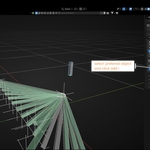
- **Create Bone from Object**, using an existing or new armature while preserving world-space placement.
- **Match Transforms**, **Clear**, **Clean**, **Sync Name**, and **Symmetrize Shape**.
- CloudRig’s **Duplicate & Edit Shapes**.
4. Added optional collection assignment for new widgets.
5. Automatically manage widget collection visibility and selectability when entering and leaving widget editing.
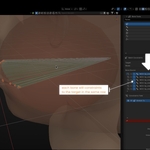
6. Added text widgets with bone-length scaling, native text-curve settings, and a GPU preview using actual text geometry without temporary objects or datablocks.
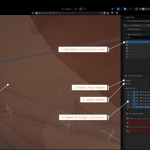
7. Added **Transform Widget** with live Move/Rotate/Scale gizmos:
- **G / R / S** transformations.
- Axis constraints and axis exclusion.
- Confirm, cancel, and undo support.
- **Shift+S** snapping directly to the 3D Cursor.
8. Reworked the gallery and action layout and enlarged the preview.
9. Added active-pose-bone custom property and color sections.
10. Added color symmetrization, clearing, randomization, and theme randomization.
11. Added collection-based color randomization so selected bones in the same primary collection share a color.
6. Rigify Assist
1. Added a dedicated section embedding native Rigify armature, bone-type, and child panels.
2. Embedded generated-rig **Rig Main Properties** and **Rig Layers**.
3. Added **Toggle Metarig / Generated Rig**, using Rigify’s target-rig relationship and preserving the current mode where possible.
4. Added **Select All Original Bones** and **Extract Original Bone** for bones with a Rigify Type or an `ORG-` prefix.
5. Improved extraction of hidden bones and bones in hidden, nested, or non-solo collections.
6. Added separation verification and cleanup of extracted `ORG-` bones, removing constraints and the `ORG-` prefix.
7. Added name-matched generated-bone tweaks and copying selected custom bones back to the metarig.
8. Expanded transfers to include B-Bone and pose settings, widgets, constraints, custom properties, Armature target weights, and bone-related drivers. Matching bones are updated; missing bones are added.
7. Cloud Rig Assist
1. Added a dedicated integration embedding native CloudRig activation, generation, component, and child panels.
2. Corrected activation-checkbox placement in nested headers.
3. Added **Cloud Rig Tools** and **Apply Pose for Generated Rig**:
- Manage a list of target bones.
- Capture and edit saved transforms.
- Store poses on the metarig and optionally apply them after generation.
- Preserve the existing user script.
4. Added **Bring Bone to Metarig**, including widgets, constraints, Armature target weights, and drivers.
5. Added handling for generated `P-MCH-` helpers so their constraints update the corresponding metarig `MCH-` bones.
8. Advanced Action Panel
1. Added the panel to the Rigger Aids sidebar across animation editors, including the Dope Sheet, Timeline, Graph Editor, Drivers, and NLA Editor.
2. Action selection now updates the scene and preview frame ranges using the action’s frame range.
3. New action slots use the selected action’s name.
4. Added nested folders, folder reordering, bulk controls, and **Move Active / Move Checked** menus.
5. Checked-item movement applies only to visible list items.
6. Folder check indicators activate when any contained item is checked.
7. Added a Clear Actions dialog for deleting checked or all actions, with deletion counts.
8. Added per-action **Action Bookmarks** with names, enabled states, frame ranges, sorting, transfer, and list-management controls.
9. Applying a bookmark selects its action and stored slot, then moves to its start frame.
10. Added bookmark overlays in the Timeline, Dope Sheet, and Graph Editor, with persistent colors, labels, transparent fills, and range boundaries.
11. Added bookmark-range export to a new action, with an optional **Move, not Copy** mode.
12. Added **Action Tools** and **Action Multiplier**:
- Multiply selected bone transform channels keyed at the current frame.
- Choose Location, Rotation, and Scale independently.
- Support Euler, quaternion, and axis-angle rotations.
- Preserve keys at other frames.
9. Advanced Vertex Group Panel
1. Added nested folders, folder controls, checked-group actions, and folder check/lock toggles.
2. Added selection synchronization with Blender’s built-in Vertex Groups panel.
3. Added folder reordering, expand/collapse-all controls, and **Move Active / Move Checked** menus.
4. Folder check and lock indicators activate when any contained group is checked or locked.
5. Added **Solo Bones of VG**, **Solo Bones of Checked VG**, and **Solo Bones of All VG**. Repeating a solo command reveals all bones.
6. Added Object Data Properties placement and moved the panel outside Blender’s built-in Vertex Groups section.
10. Shape keys
1. Consolidated transfer commands into the **Copy** menu and moved Copy beside **+**.
2. Added copy options for all, checked, popup-selected, and active shape keys.
3. Fixed checked-key copying to follow enabled checkboxes.
4. Added **Generate Corrective Shape Key** with source-key selection, a `CRV-…` correction key, and a product driver.
5. Added **Average Selected Shapes** as the default strength mode, plus **Custom Strength**.
6. Added **Generate Flipped** to duplicate and flip the active shape key.
11. Driver Aids
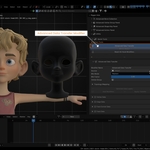
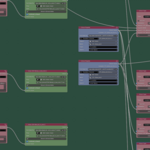
1. Added **Open Driver Nodes Editor**, opening a half-size window and displaying the clicked property’s existing driver chain.
2. Added **Add to Driver Nodes Editor** for inserting drivers into an existing graph.
3. Related drivers use named frames and share Driver Property nodes when they have the same source.
4. Added a **Proximity Expression** node with multiple variable inputs, nearest-distance evaluation, independent Near/Far outputs, and optional degrees-to-radians conversion.
5. Fixed live Distance values on Driver Property nodes.
6. Repositioned **Map Selected Drivers** as an icon-only control beside Blender Drivers.
12. Performance and compatibility fixes
1. Improved Advanced Action checkbox responsiveness with direct properties, faster lookups, and removal of selection-only undo snapshots.
2. Fixed action checkbox clicks incorrectly targeting a previously selected slot.
3. Moved action folder synchronization out of panel drawing.
4. Improved Advanced Data Transfer responsiveness while preserving settings in blend files and avoiding unnecessary source-layer rebuilds.
5. Fixed Blender 5.1 pose-bone selection compatibility while retaining the legacy fallback.
6. Fixed Rigify Actions panel method binding.
7. Fixed Rigify and CloudRig panel discovery conflicts with Lighting Overrider.
8. Improved stale-panel handling for Simple Tabs during add-on reload.
9. Fixed Advanced Data Transfer cleanup, Easy Weight unregister errors, and dropdown errors.
10. Reorganized widget, Rigify, and CloudRig features into dedicated packages.
13. **Not included in this release**
1. Batch export of all checked action bookmarks as either one combined action or separate actions per bookmark.
*V5.1.2*
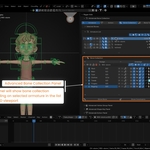
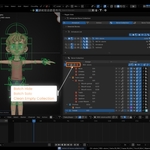
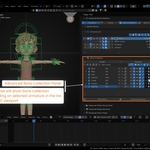
Advanced Bone Collection
- Added hierarchical bone collection display with expandable parent and child collections.
- Added global, local, and first-level collection sorting.
- Added collection reparenting and hierarchy controls.
- Added Random by Level, assigning the same random display color to collections at the same hierarchy depth.
- Added Use Name Filter to apply a selected color to every collection containing specified text.
- Name filtering is case-insensitive and safely rejects empty filters.
- Expanded collection visibility, solo, selection, deform, display, and constraint controls.
- Improved selected-bone list operations, clearing, sorting, and bulk actions.
- Improved active armature, collection, and bone synchronization.
- Added automatic refresh when external collection hierarchy changes are detected.
Constraints and Bone Lists
- Expanded batch constraint editing and target replacement.
- Improved Armature constraint target management and weight normalization.
- Improved constraint list sorting, filtering, and batch rename workflows.
- Added clearer handling of orphaned or invalid constraint targets.
- Improved stored bone-list selection, activation, framing, and bulk operations.
- Refined the Bone Tools interface and labels.
Actions and Action Slots
- Added Export as Action for exporting an action slot into a separate action.
- Improved action-slot import, copying, moving, assignment, and user remapping.
- Improved action and slot selection synchronization.
- Refined compatibility handling for Blender 5.1’s Action Slot API.
Mirror Object
- Expanded mirror-source controls and target handling.
- Improved mirroring around objects, bones, the world origin, and the 3D Cursor.
- Improved transform and context validation.
Interface and Workflow
- Reorganized Advanced Bone Collection controls into clearer sections.
- Improved panel spacing, grouping, labels, icons, and tooltips.
- Improved automatic list initialization and refresh behavior.
- Reduced unnecessary update work.
- Updated the extension category to Animation / Rigging.
Blender Extension Packaging
- Added a Blender Extension manifest.
- Declared Blender
5.1.0as the minimum supported version. - Declared GPL-3.0-or-later licensing and required permissions.
- Updated installation and release documentation for Blender Extensions.
- Improved registration and unregistration cleanup.
Compatibility
- Requires Blender 5.1 or newer.
- Package version:
5.1.2 - License: GNU GPL v3.0 or later.
 Included
Includes 12 months of
- Support from Midclips
- Product updates
Extend this product’s Support Period +12 months: 25% of product price
Have questions before purchasing?
Login to message
| Blender Extension Compatible | Yes |
| Published | 2 months ago |
| Blender Version | 5.1 - 5.2 |
| Extension Type | Add-on |
| Render Engine Used | Cycles, Eevee, Octane |
| License | GPL |
Discover more products like this
drivers technical armature pipeline script library Workflow vertex group shapekey bone collection action Driver Nodes