 Phorge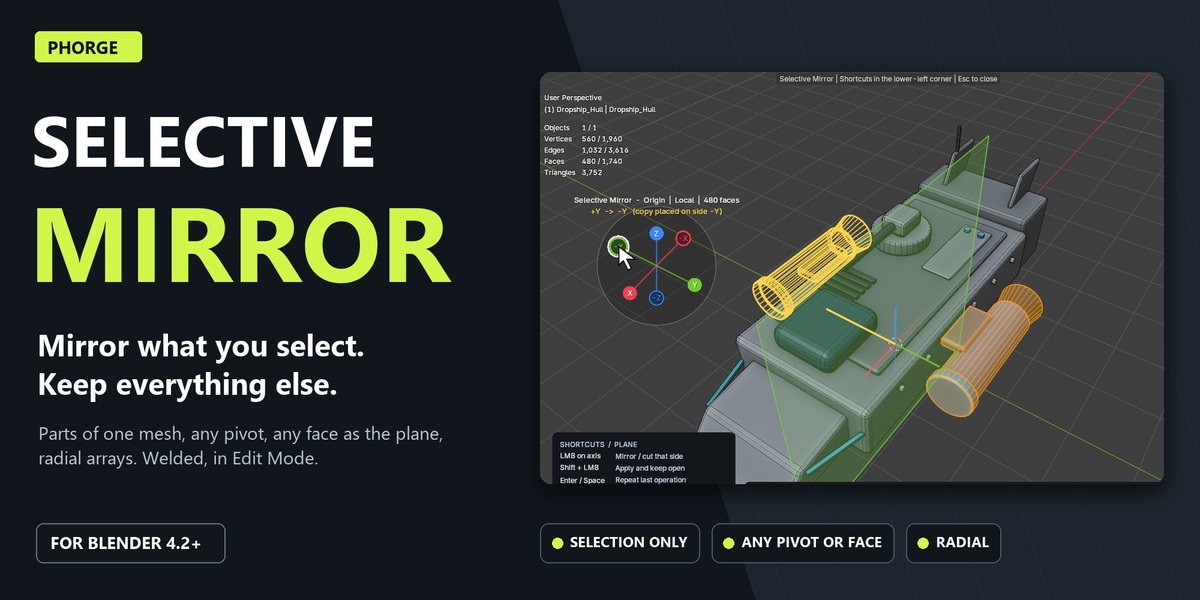
Mirror what you select. Keep everything else.
Blender’s Mirror modifier mirrors a whole object around its origin. Production meshes rarely work that way. A hull built from fifty kitbashed parts, a housing that is deliberately asymmetric, a wheel where only the spokes repeat: you need one detail mirrored, and the rest of the mesh left exactly as it is.
Selective Mirror works on the faces you select in Edit Mode. Mirror an engine pod to the other side of a ship, a vent along an angled panel, or a spoke around a rim, and every other vertex stays where it was. You don’t need to separate parts, add modifiers, apply transforms or move the 3D cursor.
Press Alt+Shift+X and the gizmo opens at your cursor. Hover an axis to preview the copy and the mirror plane, then click. The seam is welded, interior walls are removed and the copy stays selected for the next step. The result is real mesh, and one Ctrl+Z takes it back.
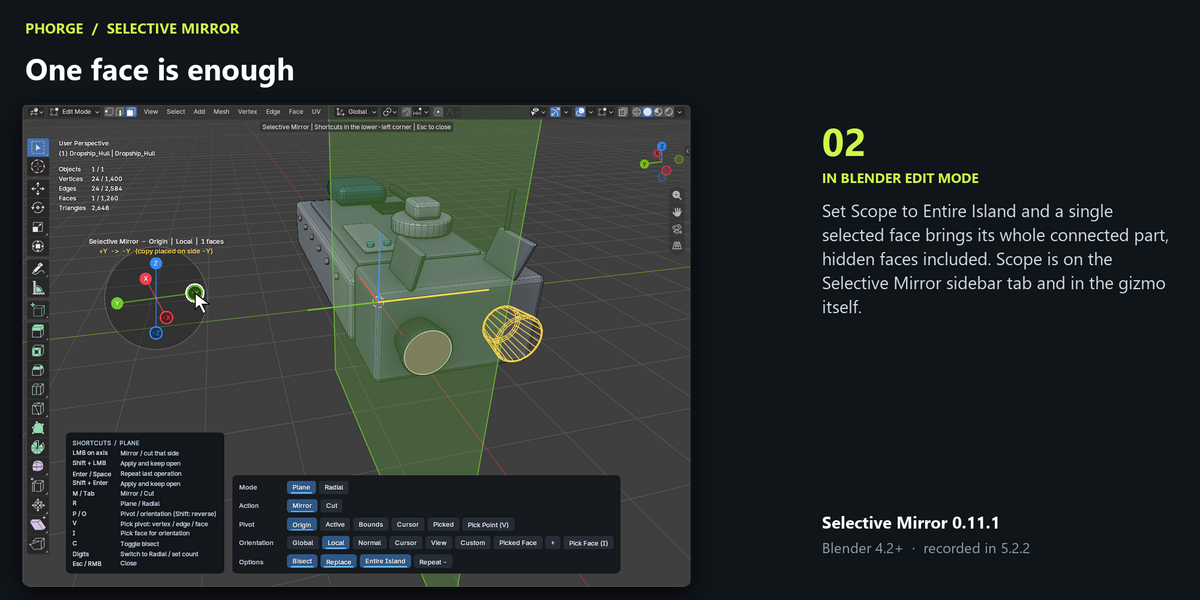
- Selection-based: mirror selected faces or, with Entire Island, the complete parts they belong to.
- Any plane: pivot on a vertex, edge midpoint, face centre or exact surface point; orientation from any face, or Global, Local, Normal, Cursor, View and Custom.
- Cut and rebuild: remove one half, model the other, mirror it back.
- Radial: Array, Cut Wedge and Mirror Segment with 2–128 segments and a live count.
- Clean results: seam snapping and welding, interior wall removal, conformed radial seams. The active element is kept.
See it in action
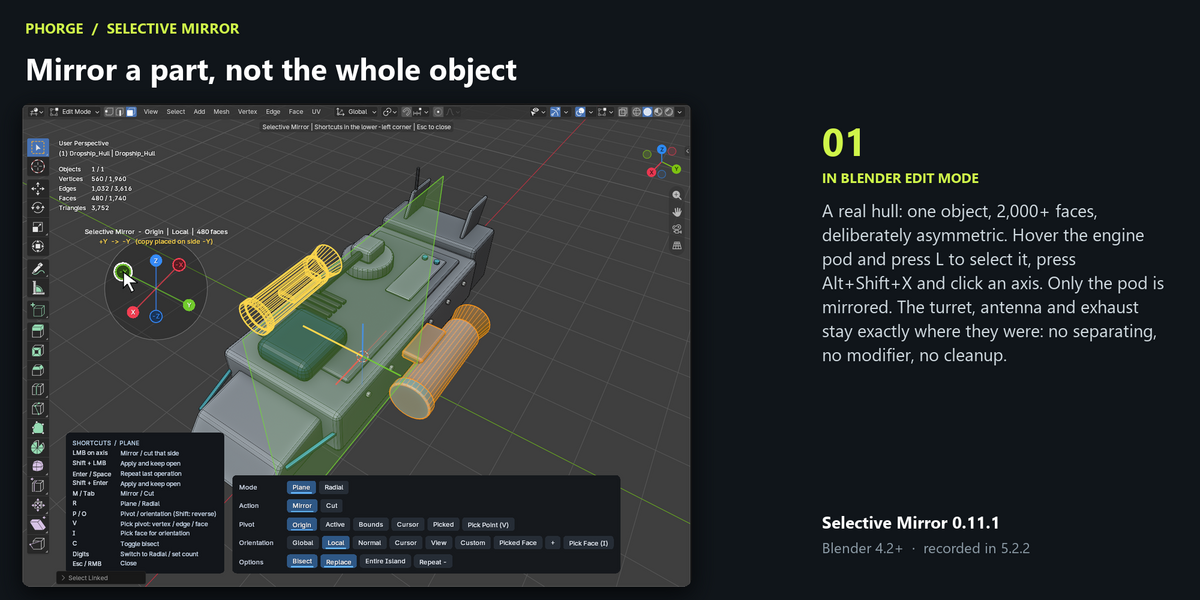
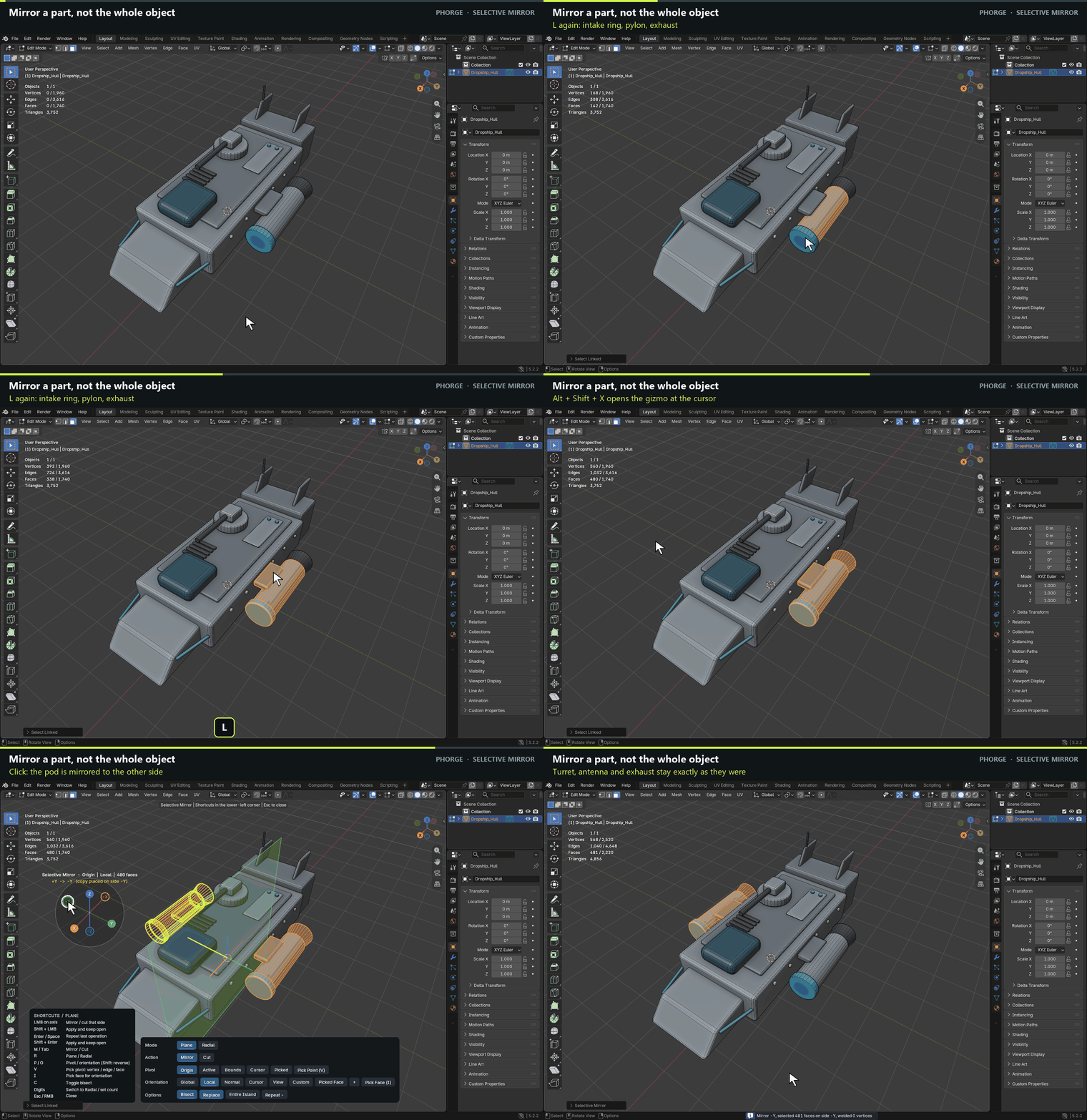
Mirror a part, not the whole object
A real hull: one object, 2,000+ faces, deliberately asymmetric. Only the pod is mirrored. The turret, antenna and exhaust stay exactly where they were: no separating, no modifier, no cleanup.
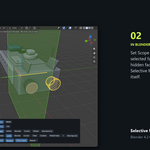
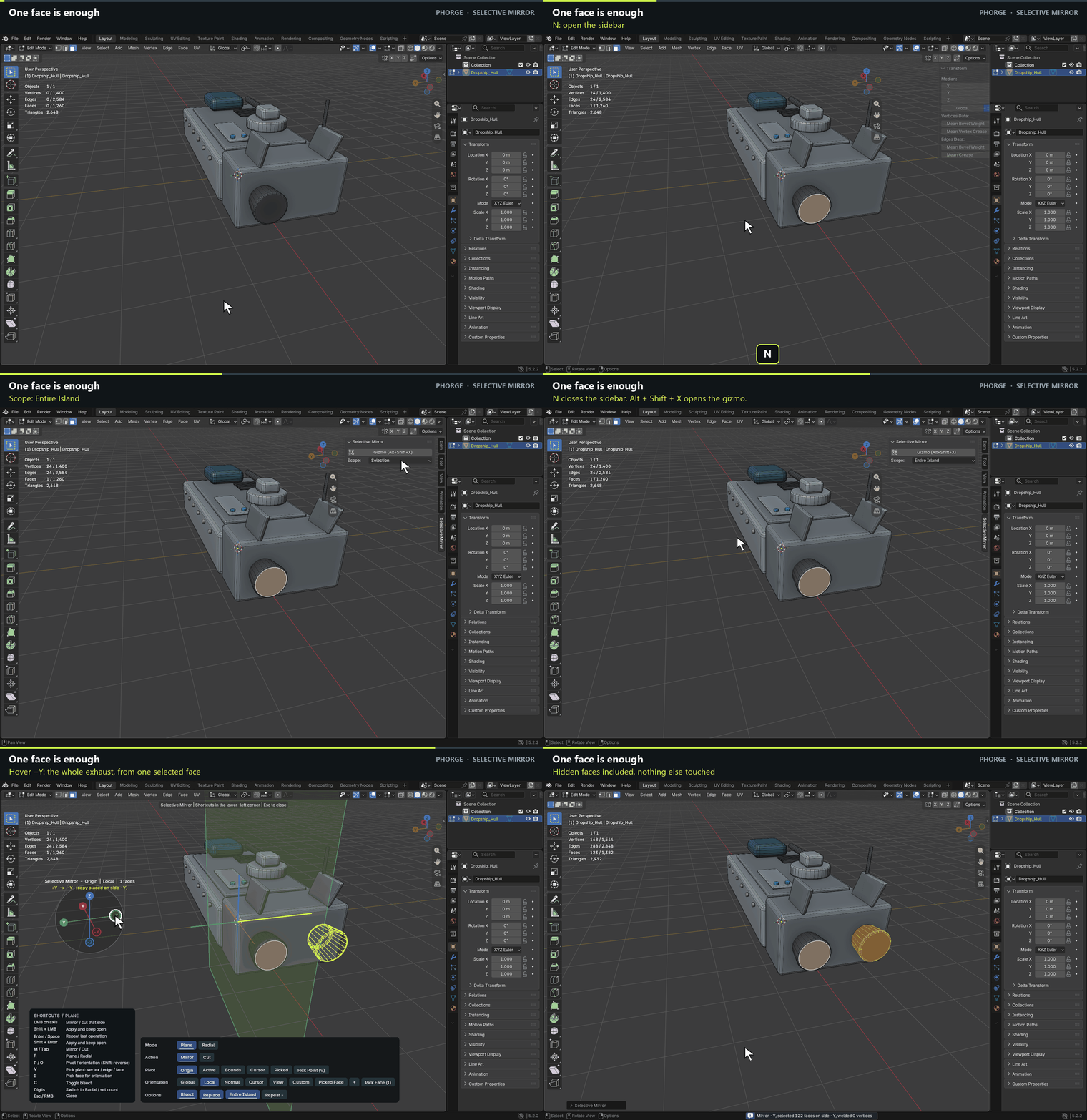
One face is enough
Set Scope to Entire Island and a single selected face brings its whole connected part, hidden faces included. Scope is on the Selective Mirror sidebar tab and in the gizmo itself.
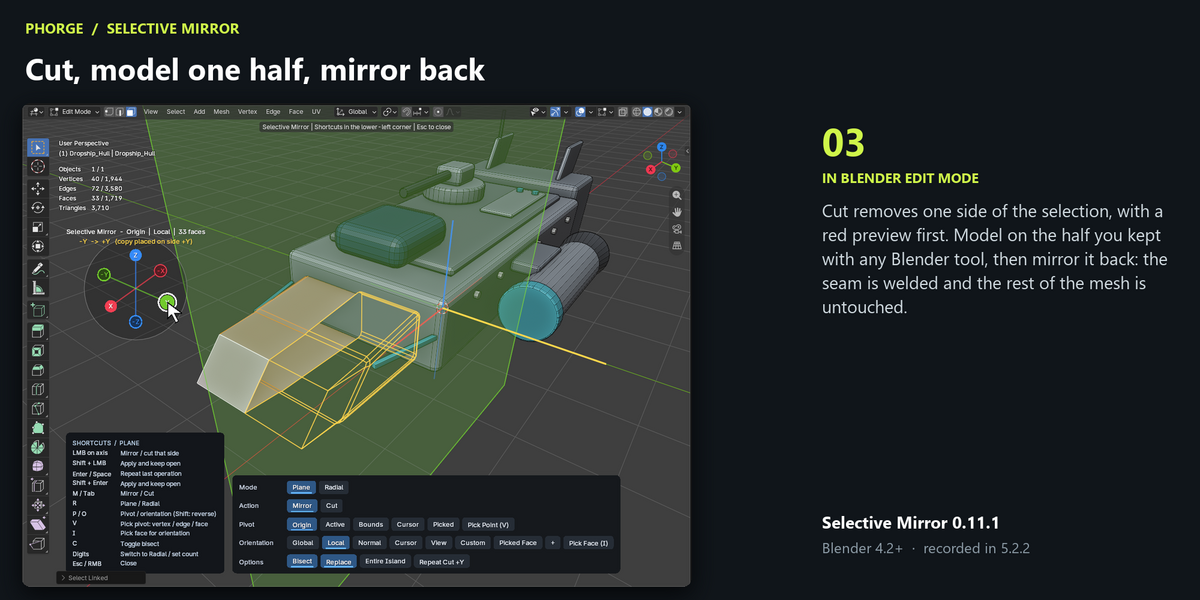
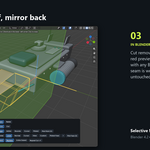
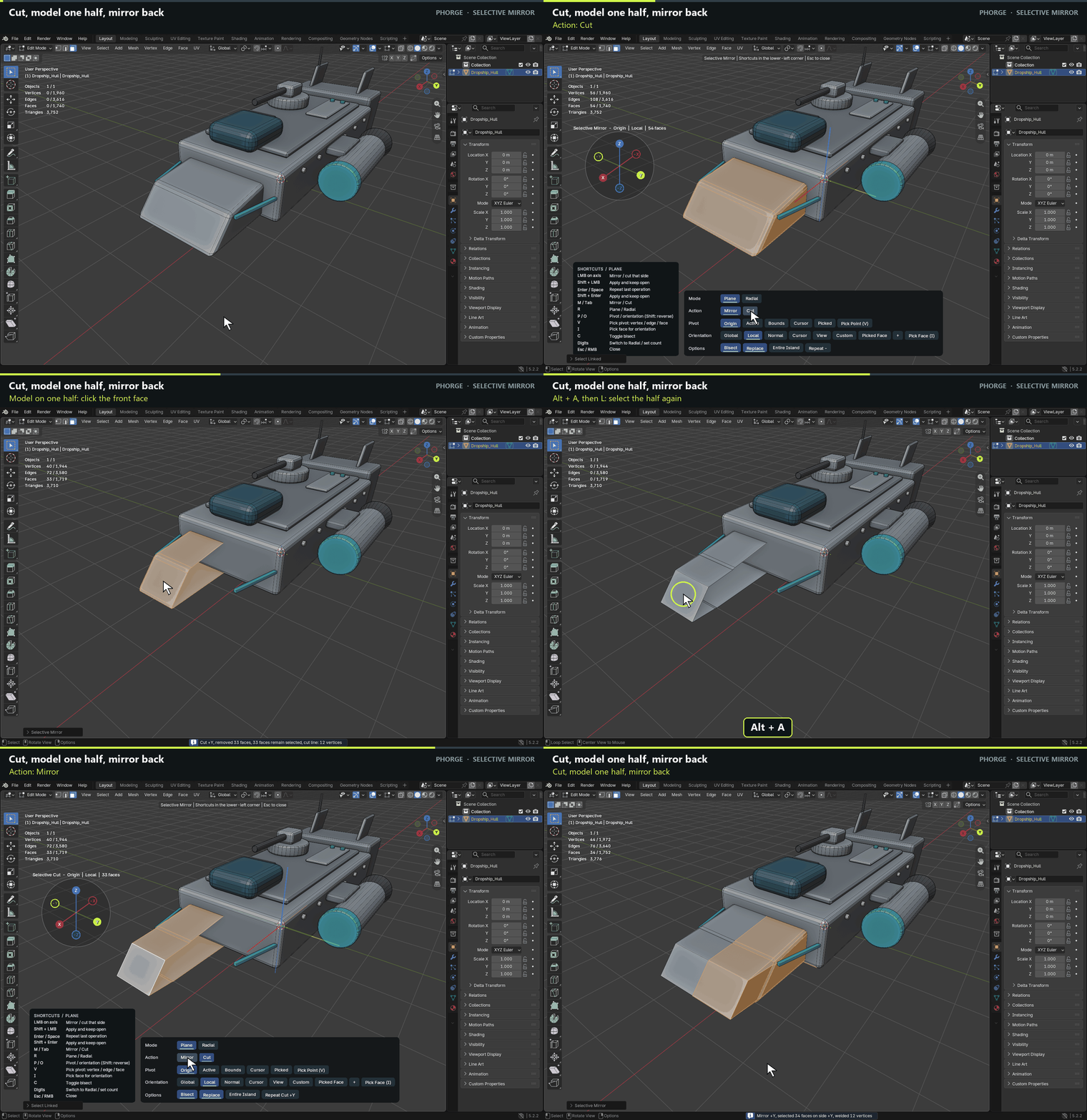
Cut, model one half, mirror back
Cut removes one side of the selection, with a red preview first. Model on the half you kept with any Blender tool, then mirror it back: the seam is welded and the rest of the mesh is untouched.
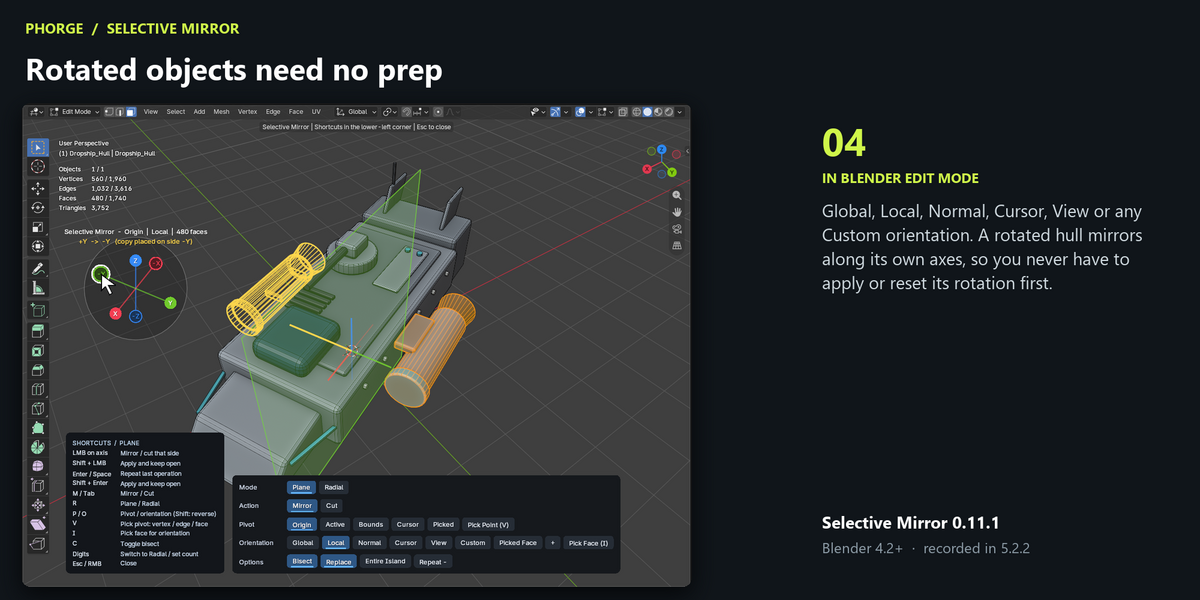
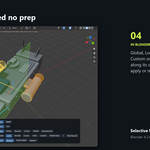
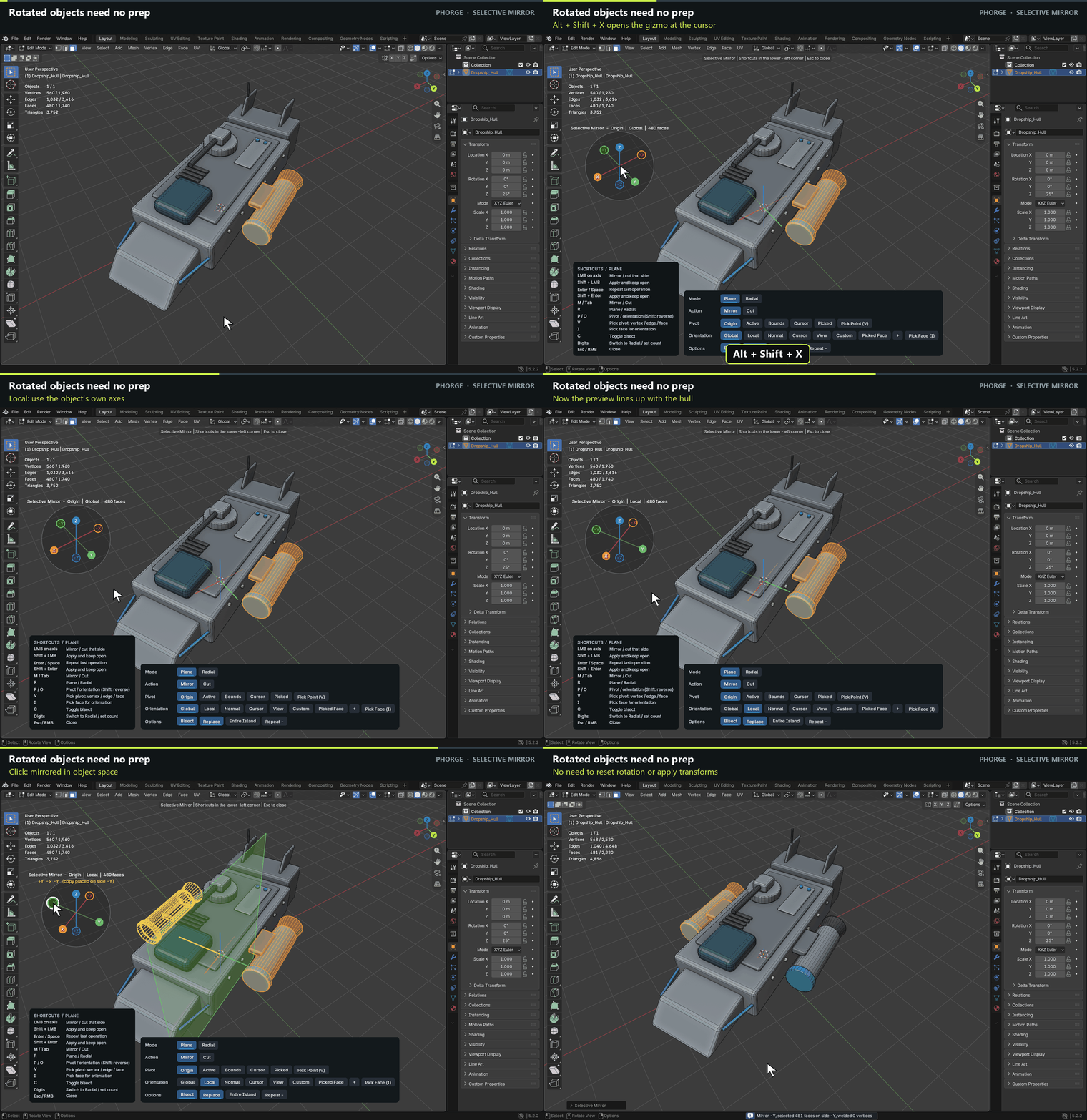
Rotated objects need no prep
Global, Local, Normal, Cursor, View or any Custom orientation. A rotated hull mirrors along its own axes, so you never have to apply or reset its rotation first.
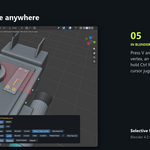
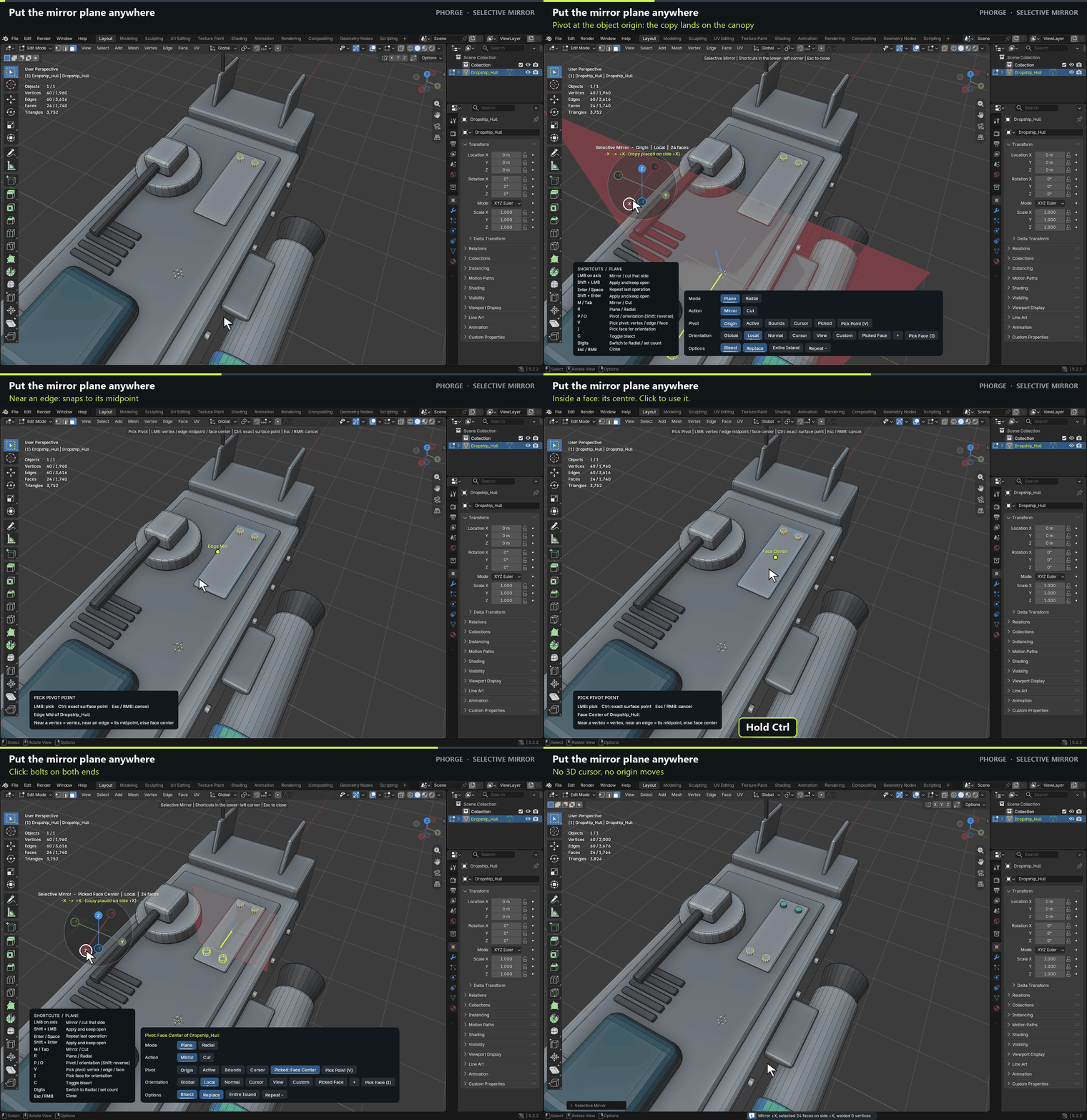
Put the mirror plane anywhere
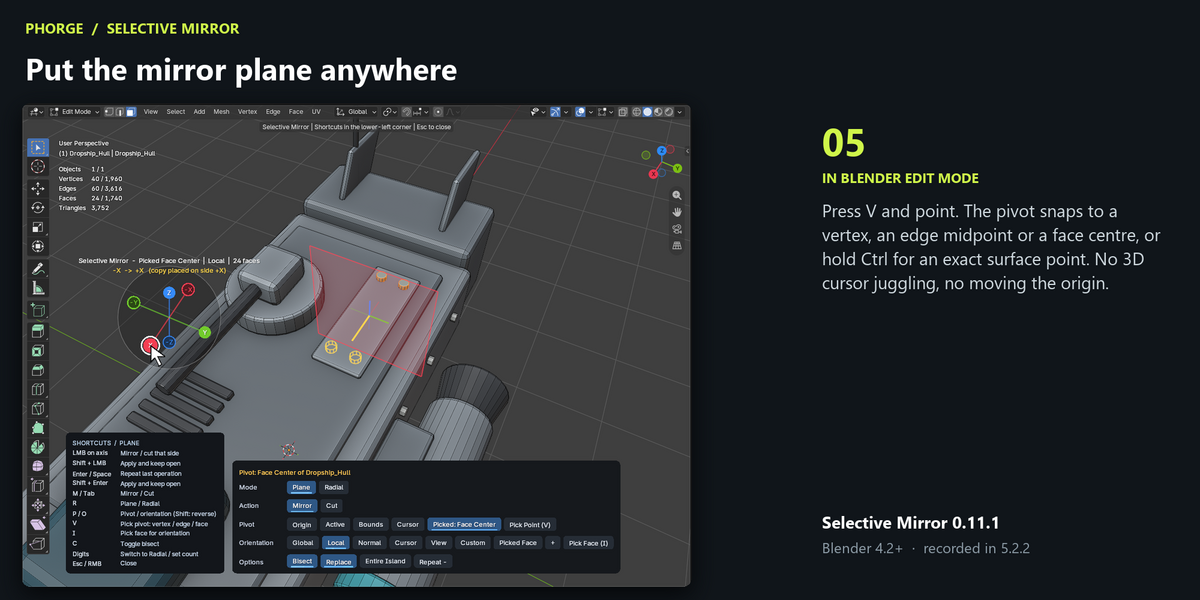
Press V and point. The pivot snaps to a vertex, an edge midpoint or a face centre, or hold Ctrl for an exact surface point. No 3D cursor juggling, no moving the origin.
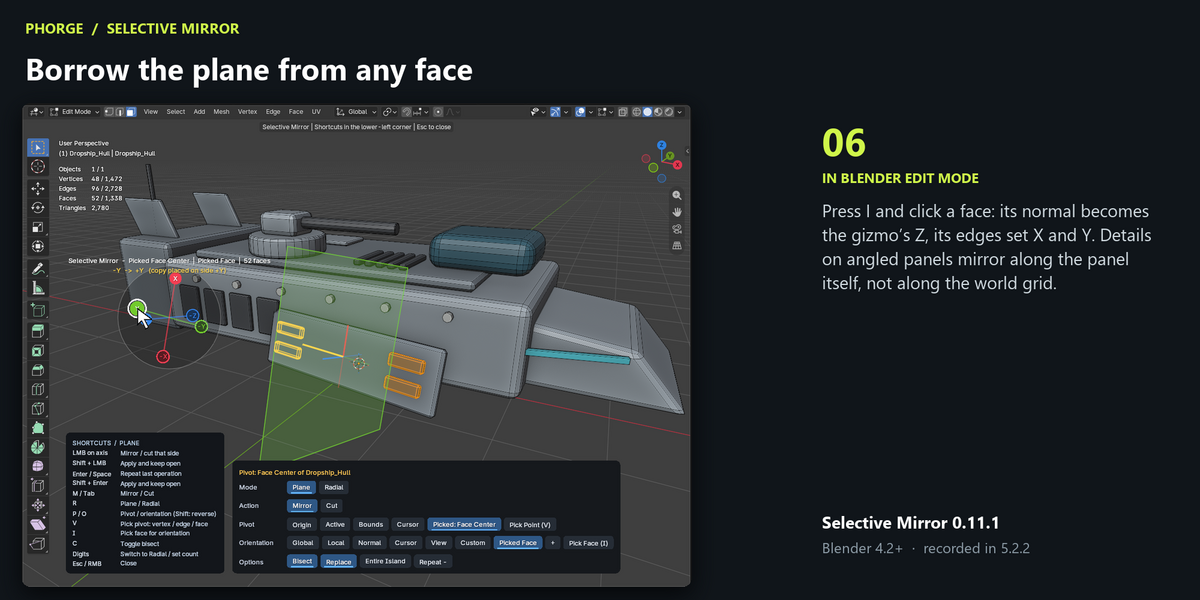
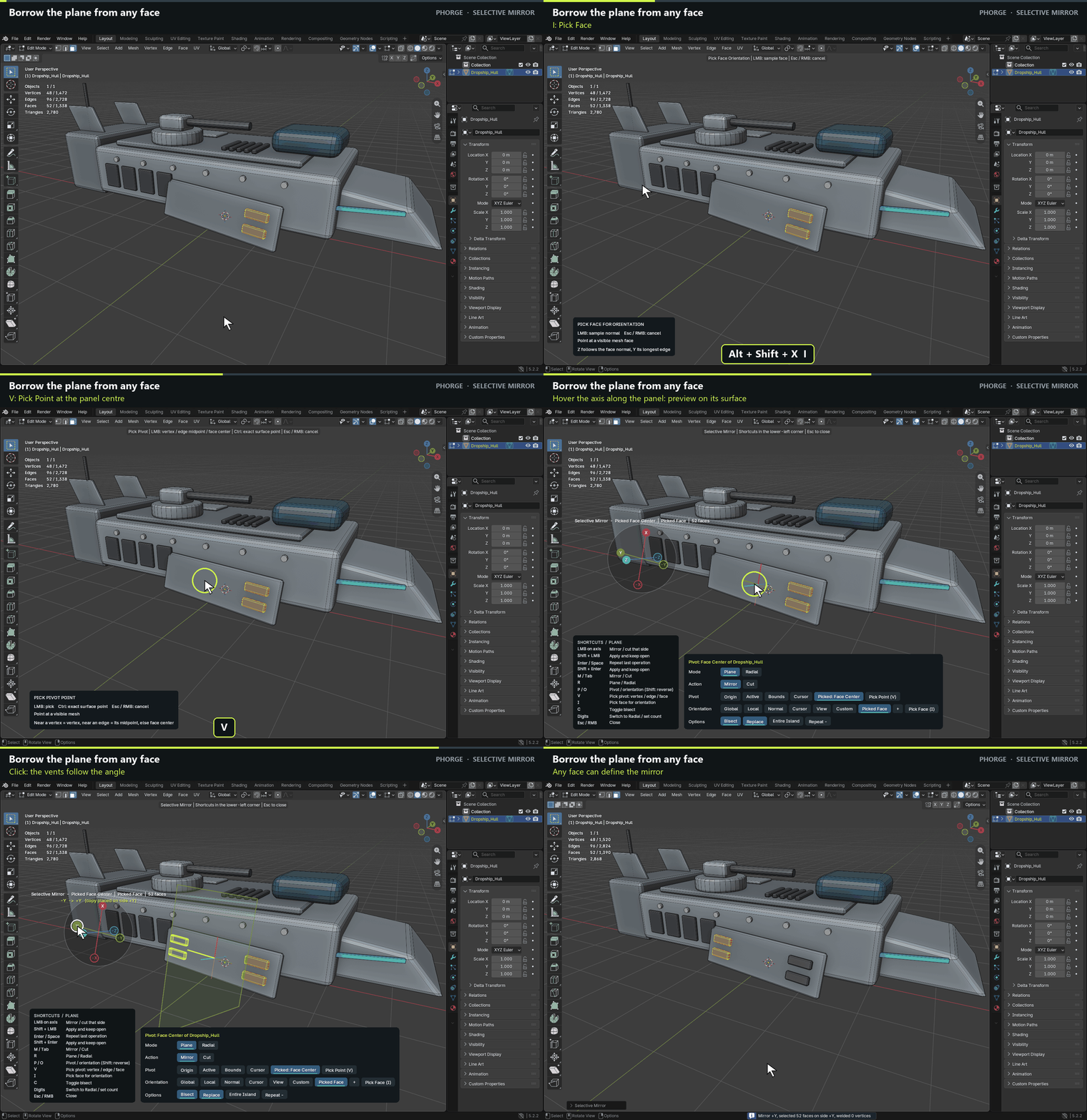
Borrow the plane from any face
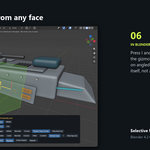
Press I and click a face: its normal becomes the gizmo’s Z, its edges set X and Y. Details on angled panels mirror along the panel itself, not along the world grid.
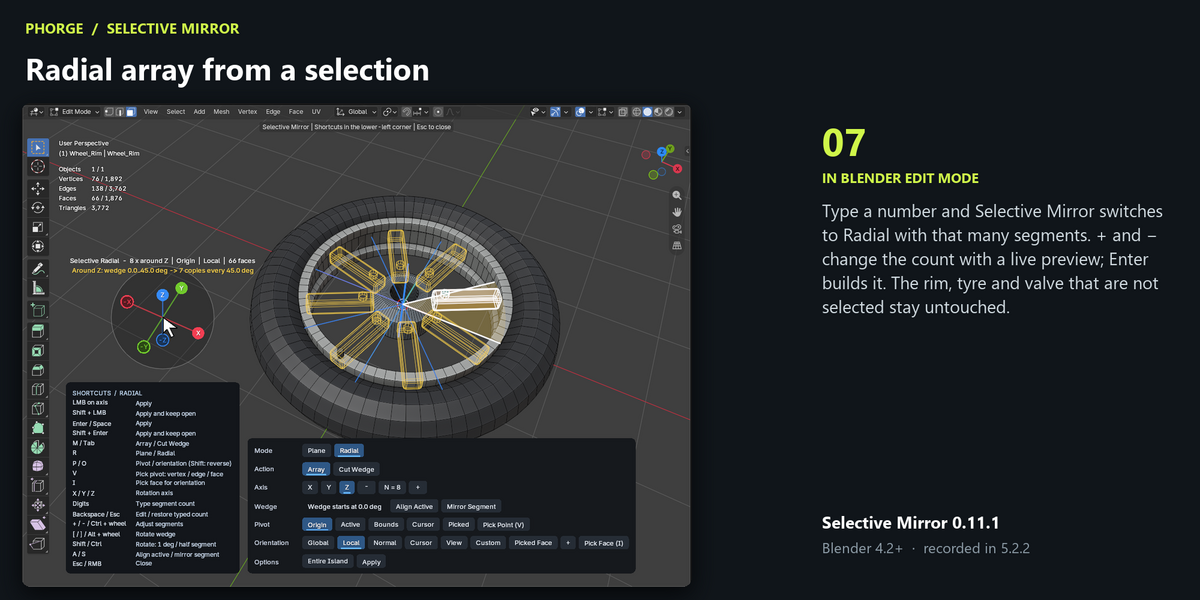
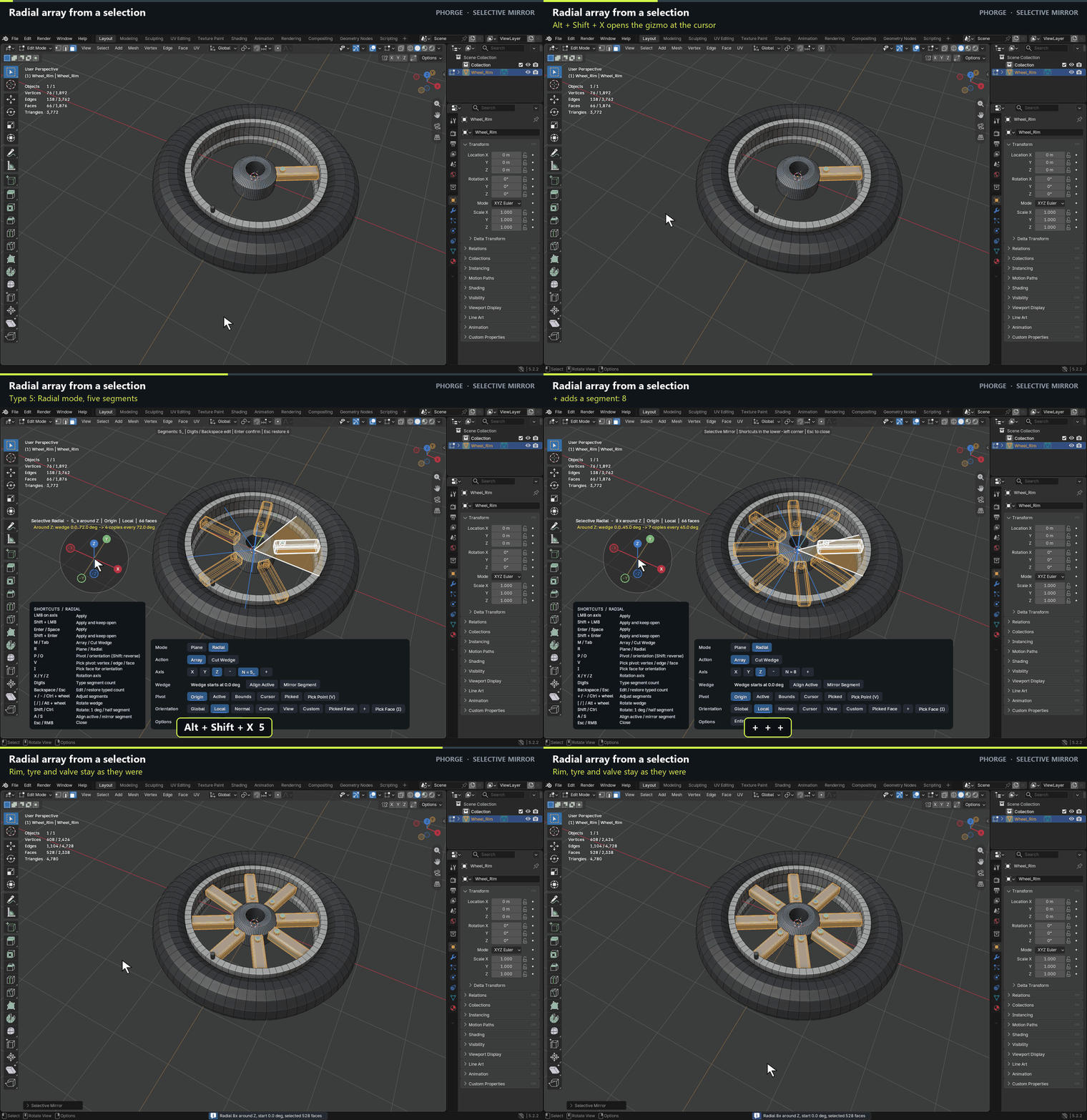
Radial array from a selection
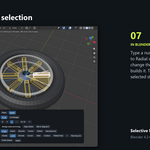
Type a number and Selective Mirror switches to Radial with that many segments. + and − change the count with a live preview; Enter builds it. The rim, tyre and valve that are not selected stay untouched.
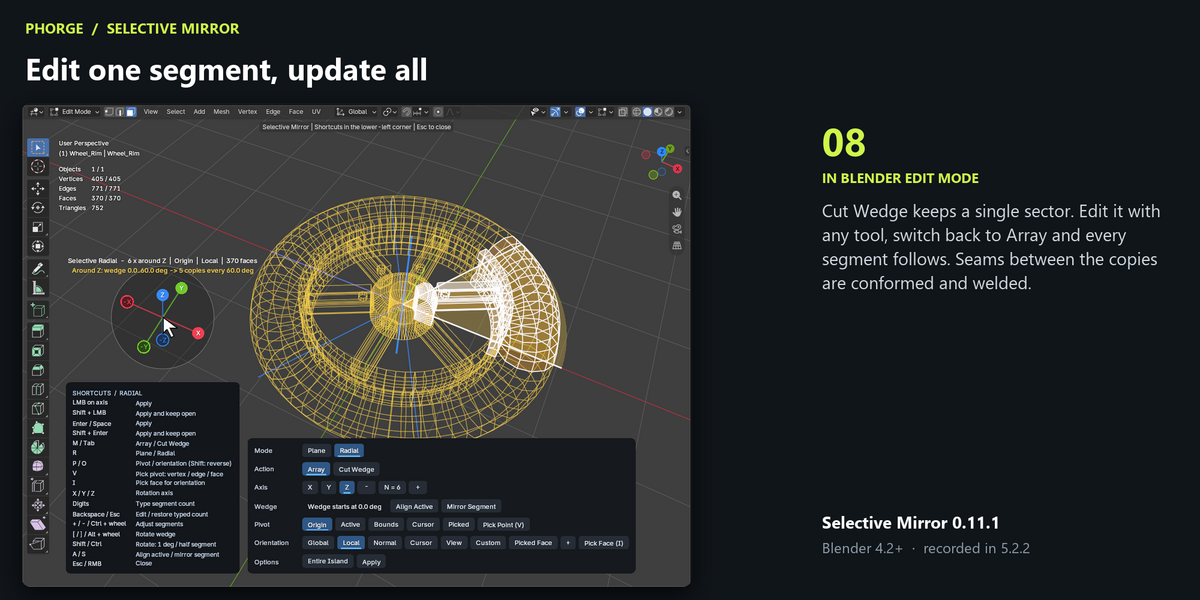
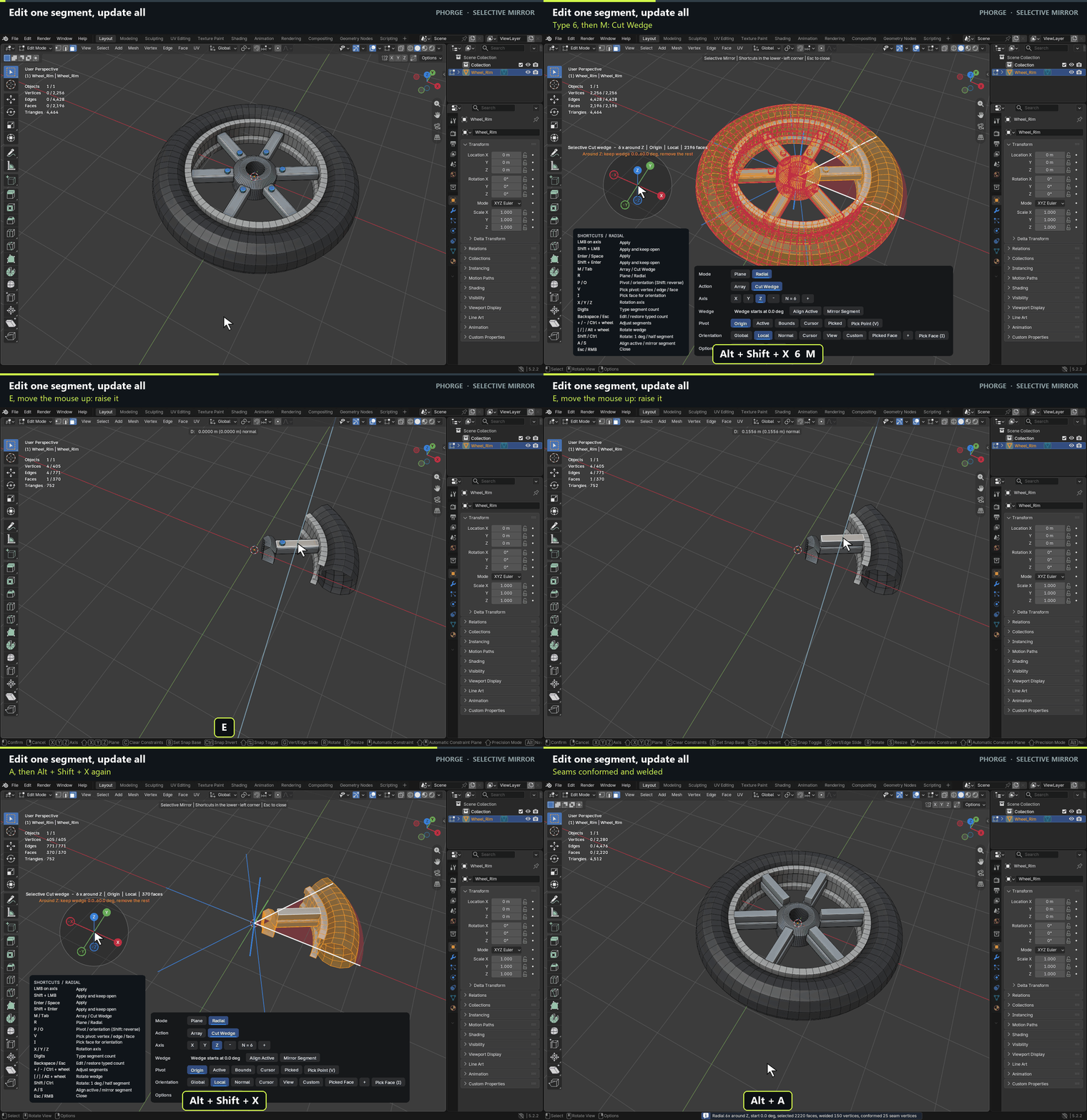
Edit one segment, update all
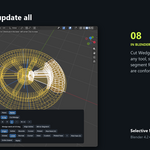
Cut Wedge keeps a single sector. Edit it with any tool, switch back to Array and every segment follows. Seams between the copies are conformed and welded.
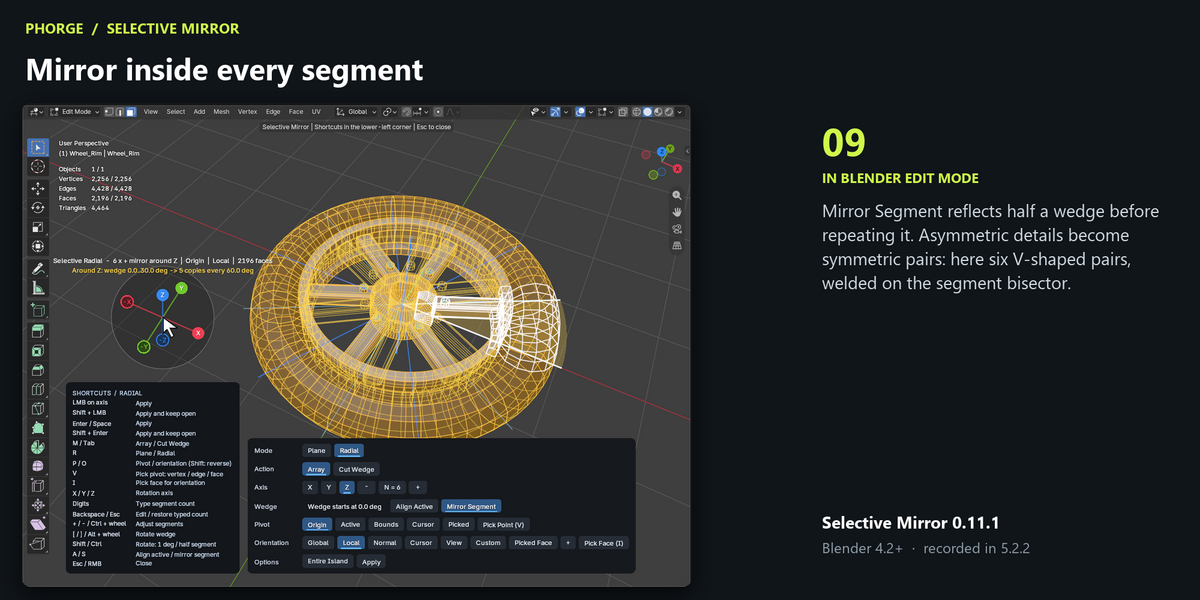
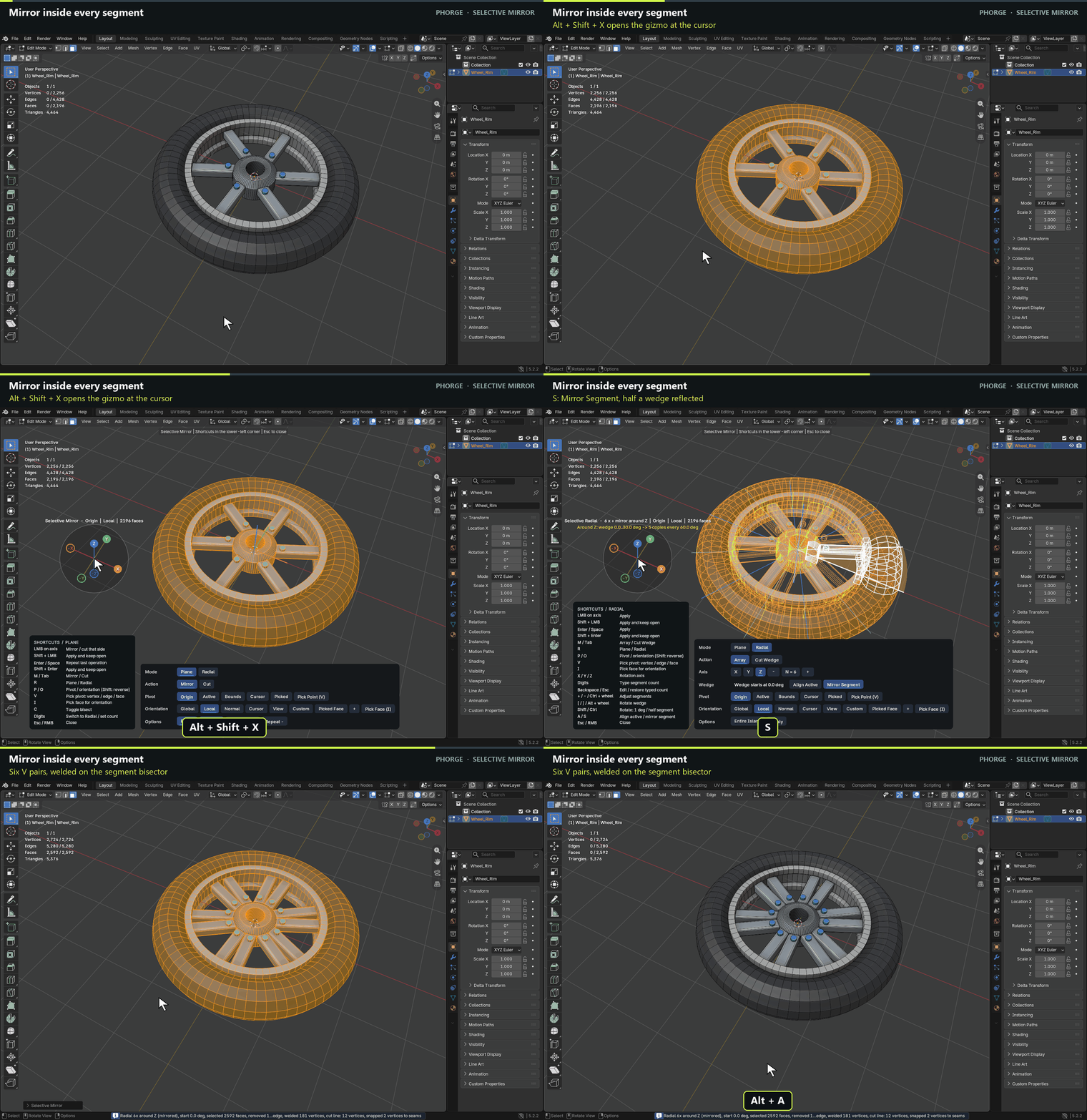
Mirror inside every segment
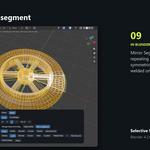
Mirror Segment reflects half a wedge before repeating it. Asymmetric details become symmetric pairs: here six V-shaped pairs, welded on the segment bisector.
0.11.5 – Mirror Guess and Replace Counterpart
Everything below is new since 0.11.1. Existing shortcuts, settings and results of the other tools are unchanged.
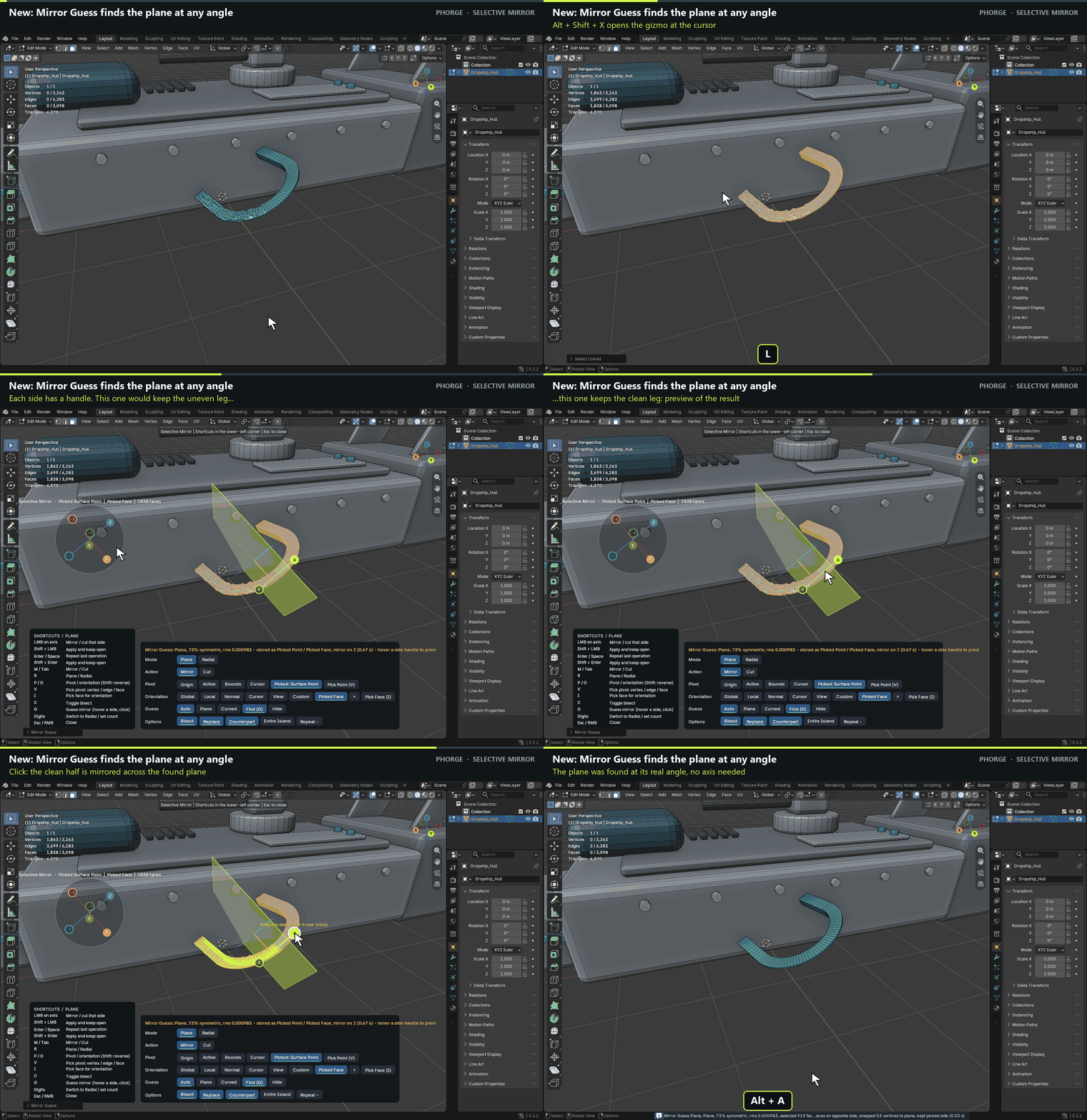
Mirror Guess: find the mirror a part almost has
Scanned and AI-generated parts are often almost symmetric, but their mirror plane rarely lines up with an axis. Select the part, press Alt+Shift+X and then G (Find). Selective Mirror fits the symmetry plane at whatever position and angle it has and draws it. Nothing is changed yet.
Two handles, A and B, sit on the guessed mirror, one for each side. Hover a handle to preview the result of keeping that side, click to apply it. Shift+click applies and keeps the gizmo open.
Only the selection is mirrored, even where the plane passes through other parts of the mesh.
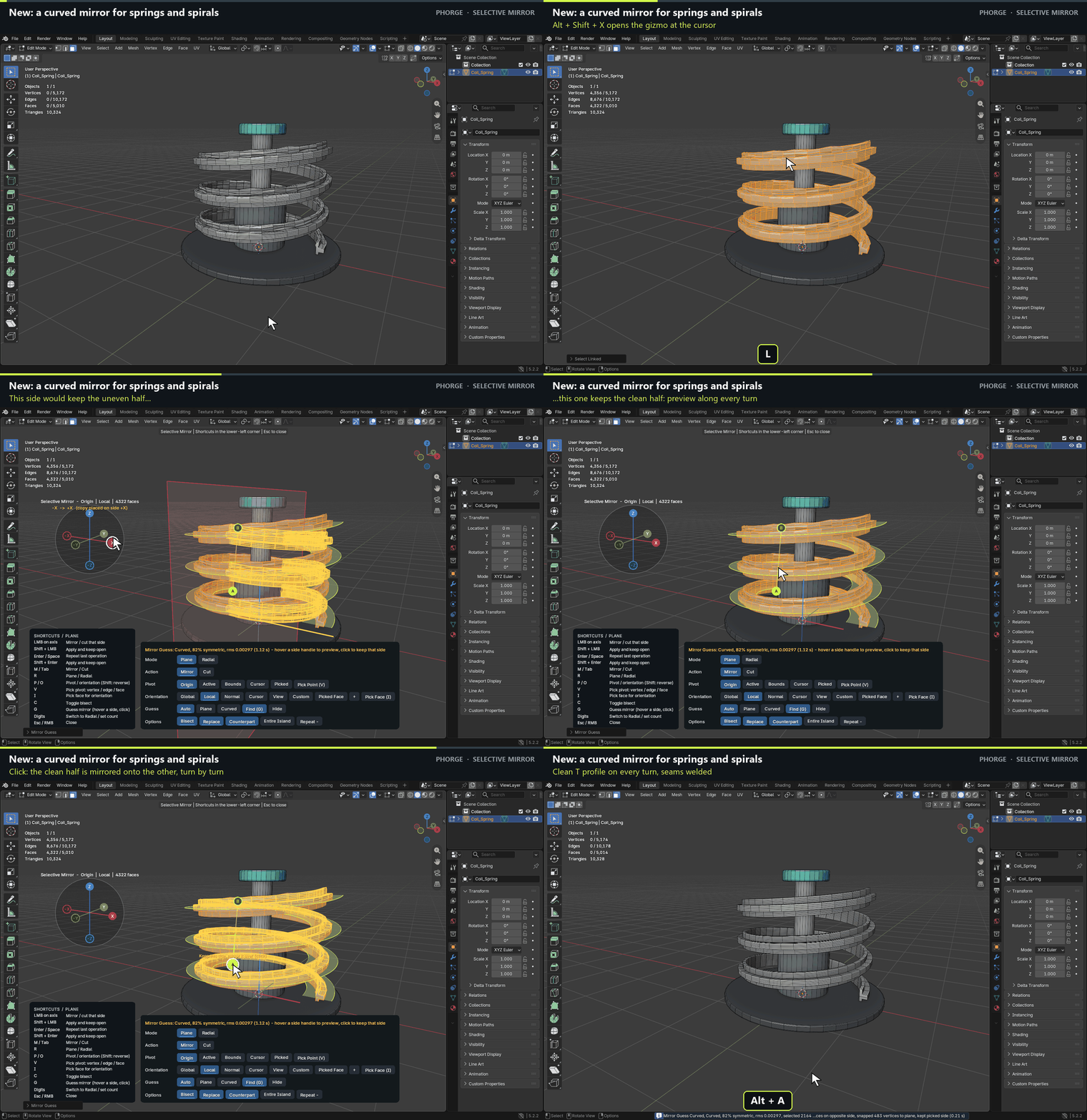
A curved mirror for springs, spirals and bent profiles
A bent part has no flat symmetry plane. The Curved model follows the part instead: it finds the centerline and the line of symmetry in every cross-section, so a spring is mirrored turn by turn and never jumps to the neighbouring coil.
Auto chooses between Plane and Curved; the Guess row of the gizmo (Auto / Plane / Curved) lets you force either one. If only half of a part was modelled and its open edge lies on the mirror, Find mirrors across that open seam.
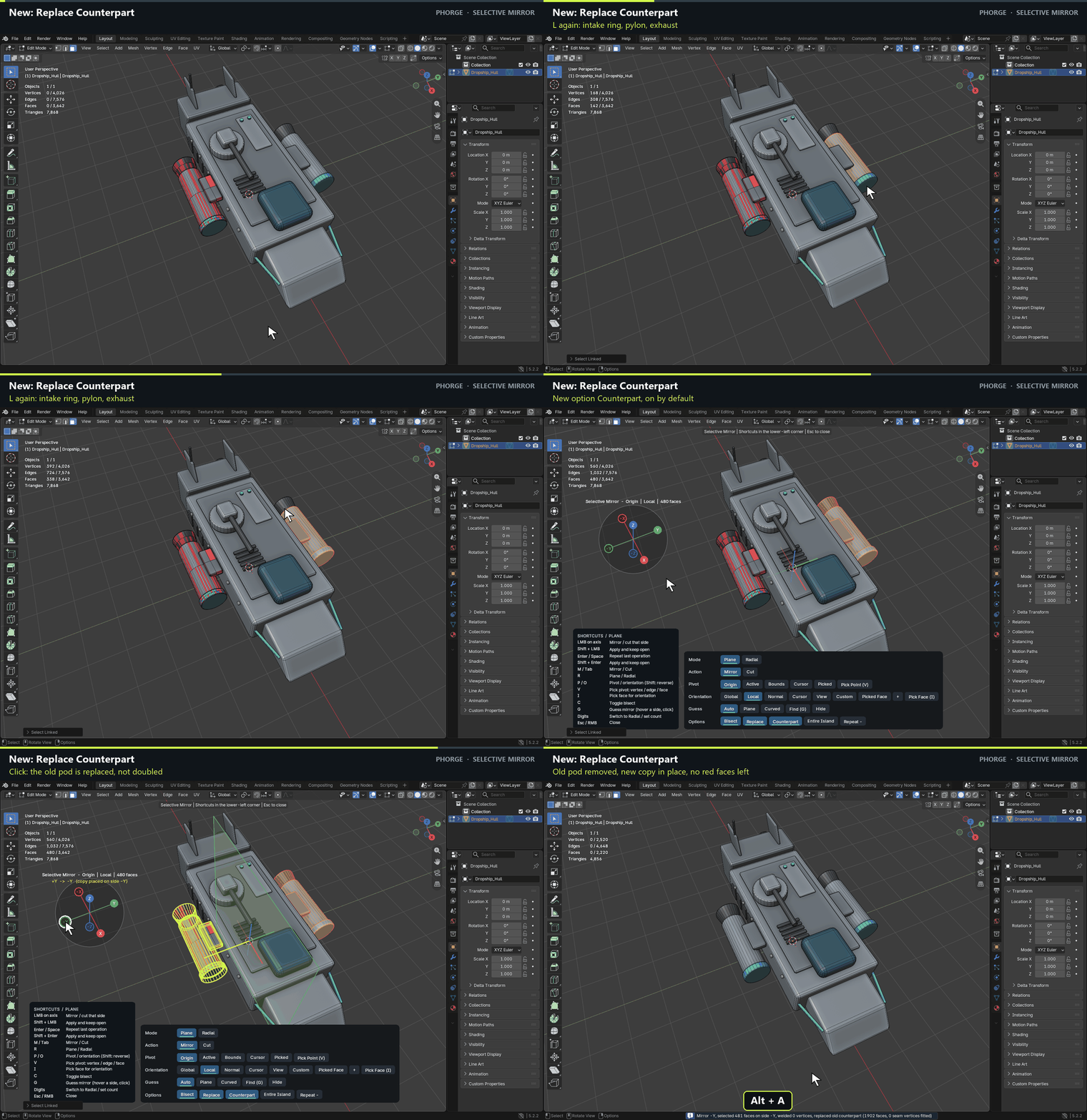
Replace Counterpart: mirror over an old copy
Mirroring onto a place where an older copy of the part already sits used to stack the new copy on top of the old one. With Counterpart on (the default), unselected faces that lie on the mirrored copy are removed first, even when they are denser or have flipped normals.
Where the old copy was joined to the rest of the mesh, the hole is fitted onto the border of the new copy and welded. Faces of other parts that only touch the copy are left alone.
Toggle it in the gizmo Options row or in the sidebar (Replace Counterpart, with Range, default 0.5 % of the selection size).
Also new
Sidebar box Mirror Guess: Auto / Plane / Curved, Guess Mirror opens the gizmo with the guess already shown, Find Only stores a plane as Picked Point + Picked Face so you can mirror on its Z axis. G in the gizmo shortcut card.
Open edges that the selection already had (for example half a model cut on its centre) are reported as copied from the source instead of as a warning.
Fix in 0.11.5: Counterpart no longer removes a face of another part that only lies flat against the copy (such as a rivet cap under a mirrored pylon), which left a hole in that part.
Built for production work
- The modal gizmo opens at the cursor. Its option panel docks at the bottom of the viewport, so the model stays visible.
- Keyboard first: M/Tab Mirror ↔ Cut, R Plane ↔ Radial, P/O cycle pivot and orientation, V/I pick point and face, digits set the segment count, Enter repeats the last operation.
- Shift-click or Shift+Enter applies and keeps the gizmo open, so you can chain operations.
- Pivots: Origin, Active element, Bounds, 3D Cursor and Picked (vertex, edge midpoint, face centre, exact point, also on another object).
- Orientations: Global, Local, Normal, Cursor, View, Custom (with a + button to create one from the selection) and Picked Face.
- Bisect splits faces that cross the plane. Replace removes the target side inside the scope before copying.
- Radial: X/Y/Z axis, [ and ] to rotate the wedge, A to centre the wedge on the active element, S for Mirror Segment. A narrow detail is fitted into the wedge automatically.
- Sidebar tab Selective Mirror with Scope and a gizmo button. In 0.11.1 the button opens the gizmo in the middle of the viewport.
Before you buy
Requires Blender 4.2 or newer and a mesh in Edit Mode. The demonstrations were recorded in Blender 5.2.2. Selective Mirror edits the mesh directly; it is not a live modifier. Radial seams are conformed and welded when the profiles are compatible. When they are not, the tool reports the open edges so you can check them. UVs and other custom data are carried along with the copied faces, but not every combination is guaranteed.
The hull and wheel in the animations were built for the demonstrations and are not included. Install the Extension ZIP with Install from Disk.
Select a part. Pick a plane. Click. Everything else stays as it was.