Shape Falloff - Object-Driven Masks for Geometry & Shaders
 Achat
Achat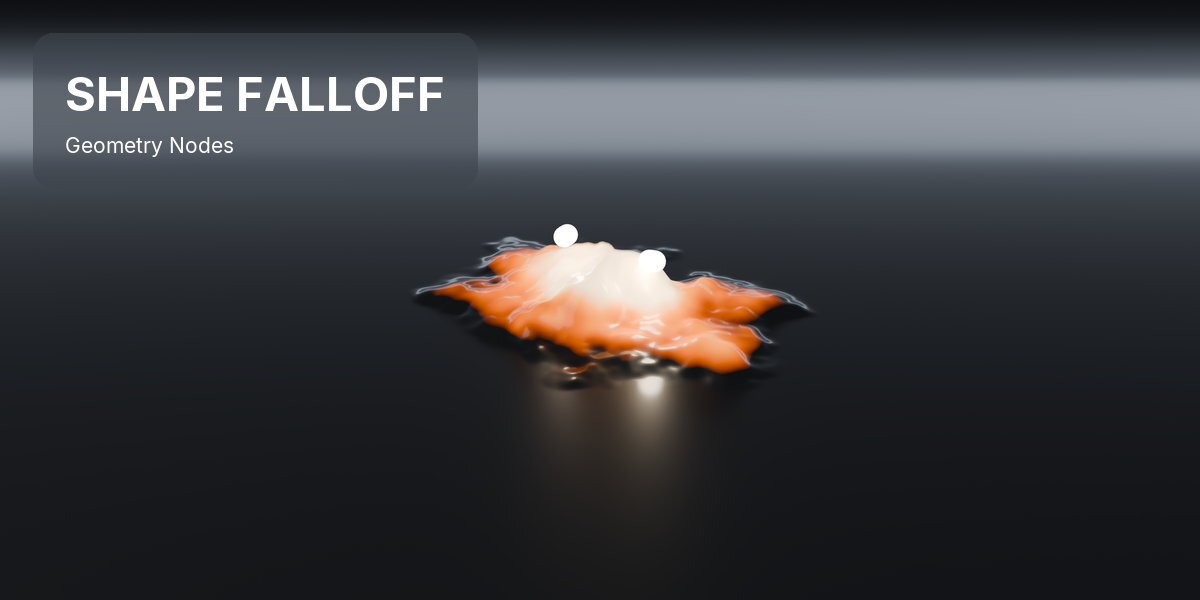
INSTALLATION
Blender 4.2 and newer: Edit > Preferences > Get Extensions > Install from Disk, and pick the downloaded .zip. Enable it, then find the panel in the 3D viewport sidebar (press N).
QUICK START
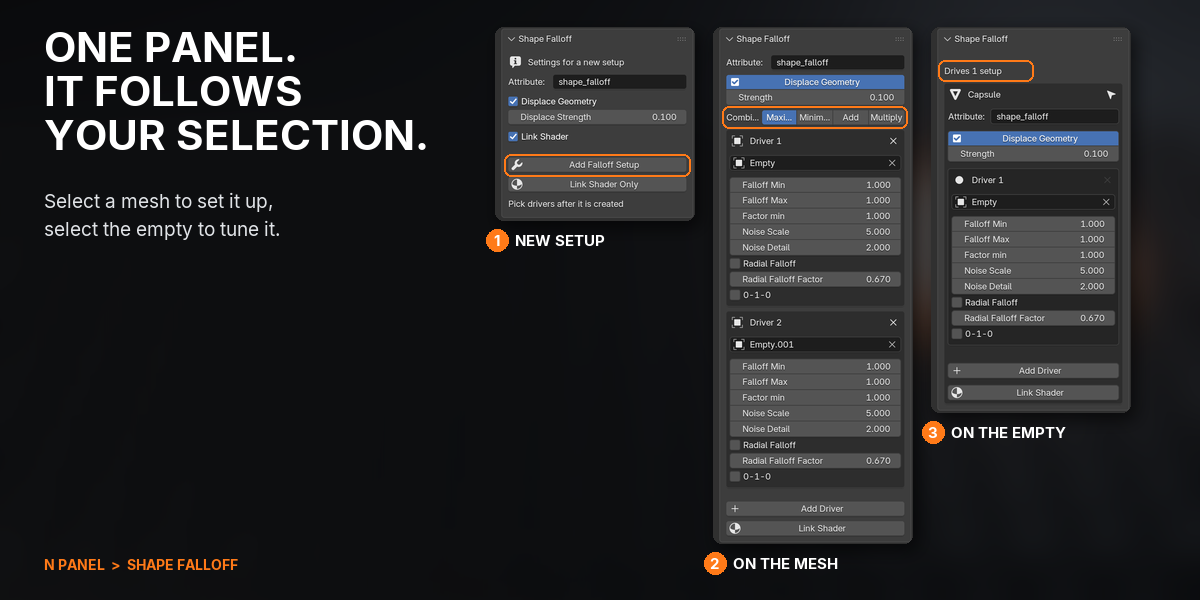
- Open the sidebar in the 3D Viewport (N) and click the Shape Falloff tab.
- Add an empty if the scene has none (Shift+A > Empty > Plain Axes).
- Select a mesh and press Add Falloff Setup.
- In the Driver 1 box, pick the empty. Switch to Material Preview to see the colour.
- Move, scale or rotate the empty: the surface lifts and changes colour where it goes.
- Select the empty to tune the setup from there: Falloff Max widens it, Strength sets the lift.
FEATURES

1MOVE THE EMPTY, THE MASK FOLLOWS

A glowing orb glides over a field of tiles and they swell and heat up where it passes. One mask drives the geometry and the material at once, frame by frame, in EEVEE and Cycles.

2ONE CLICK, THEN PICK AN EMPTY
Select a mesh, press Add Falloff Setup and pick an empty. You get the geometry nodes modifier, the named attribute and a colour ramp in the material, wired and live.

3TUNE IT FROM THE EMPTY
Select the empty and the panel shows every setup it drives, fully editable. Move it, widen the falloff, push harder, all without switching objects or opening a node editor.

4DISPLACEMENT FOLLOWS THE SURFACE
Points move along their own normals, so a tube swells all the way round and a sphere inflates instead of everything sliding upward. Switch it off to drive only the shading.

5SEVERAL EMPTIES, ONE MASK
Add Driver puts another empty into the same mask. Combine them as Maximum for the union, Minimum or Multiply for the overlap, or Add so overlaps build up.

6RING, SWEEP OR STRETCH
Scale the empty unevenly for an ellipse, give it a hard core, turn it into a ring that expands as you scale it, or a sweep that wipes around the empty. Noise breaks up the edge and stays on the surface.
7THE NODE IN ANY TREE
Shift+A drops the same falloff into any geometry nodes tree. Its Result drives anything that takes a factor: instance scale, Set Position, a Mix or a Switch.
8REAL NODES, NOTHING TO APPLY
Everything is ordinary nodes in your file: save it, append it, edit it by hand, and it renders on machines without the add-on. It leaves wired inputs, tuned ramps and linked data alone, and sets up every selected mesh in one click.
GOOD TO KNOW
- The shape comes from the driver's position, rotation and scale: a soft sphere you can stretch and turn. A mesh used as the driver counts only by its transform, not by its shape.
- Radial Falloff is a sweep around the driver's Z axis, like a clock wipe. It ignores distance.
- The edge always carries a little noise. Set Noise Scale to 0 for the cleanest edge; the centre then shifts very slightly.
- Until you pick a driver, the whole mesh reads as inside the mask and lifts by the Strength. Picking the driver fixes it straight away.
- Each new setup needs its driver picked; a selected empty is not assigned for you.
- Add Falloff Setup works on meshes. For curves, point clouds or instances, use the Shape Falloff node in your own tree.
- The mask is stored per vertex, so colour detail follows mesh density. Subdivide for crisp edges.
- Link Shader wires Base Color (or Color). For roughness, emission or a mix factor, add an Attribute node that reads the same name.
- Duplicates made with Shift+D share one setup until you press Make Single User. The panel warns you when that is the case.
SUPPORT
Email [email protected].
Have questions about this product?
Login to message
| Blender Extension Compatible | Yes |
| Published | 1 day ago |
| Blender Version | 4.2 - 5.2 |
| Extension Type | Add-on |
| Render Engine Used | Cycles, Eevee |
| License | GPL |
Discover more products like this
reveal motion graphics proximity falloff effector geometry nodes Shader procedural mograph displacement mask attribute