 Lumitools


My custom bones were detected incorrectly. What should I do?
Open the Custom Rig mapping section and manually choose the correct bone for each body role. Bone names vary widely between rigs, so unusual naming conventions may not be detected automatically.
Does SimpleSkelly require Rigify?
Yes. SimpleSkelly uses Blender’s built-in Rigify system to generate its control rigs.
The add-on will attempt to enable Rigify automatically. When this is not possible, it will tell you that Rigify needs to be enabled through Blender’s preferences.
Can I use SimpleSkelly with an existing skeleton?
Yes. The Custom Rig workflow lets you map the main bones of an existing humanoid armature and generate animation controls over it.
Bone detection is provided as a starting point, but you should verify the assignments before creating the rig.
What is Mecha Bind used for?
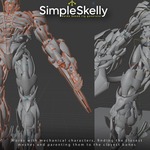
Mecha Bind assigns separate rigid mesh objects to their closest bones. It is designed for robots, mecha, armour and other hard-surface characters made from individual parts.
It is not intended to replace smooth skin weighting for organic characters.
Does SimpleSkelly create the final animation controls?
Yes. The workflow is separated into three stages:
Create Guides → Build Skeleton → Create Rig
This gives you a chance to inspect and correct the skeleton before generating the final control rig.
Does SimpleSkelly work with both bipeds and quadrupeds?
Yes. Select the character type before creating the guides. Each mode generates a guide and skeleton structure suited to that type of character.