 Rasheed's Edit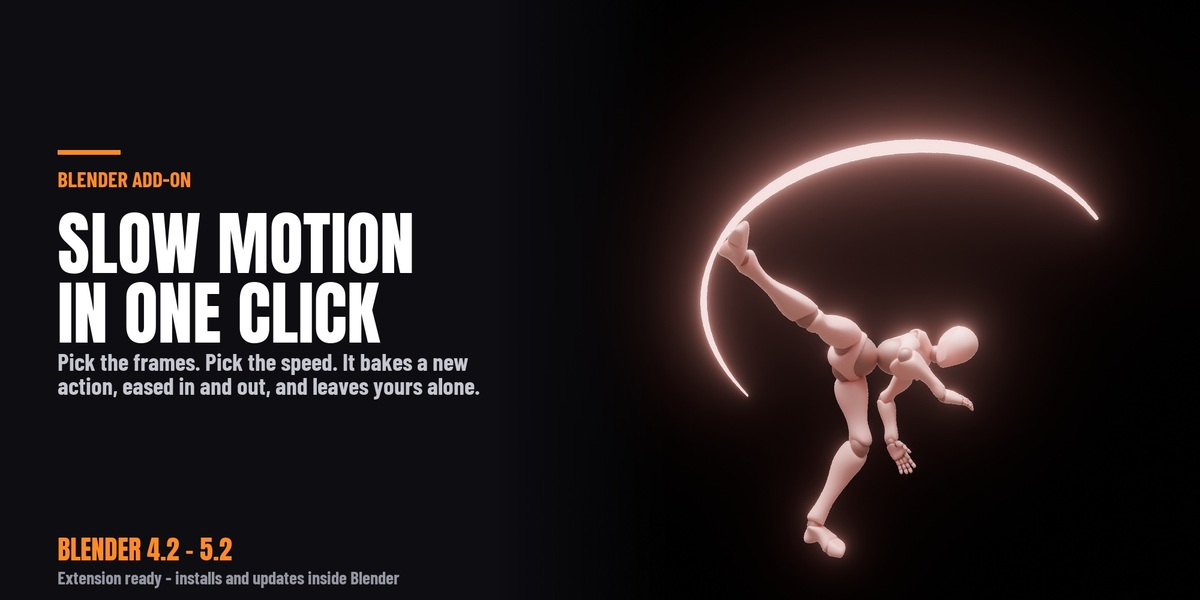



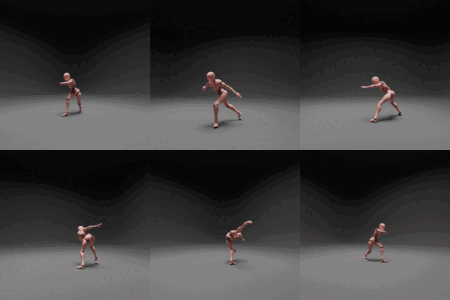


Slow motion that eases in and out, instead of snapping into it.
Pick the frames you want slowed, pick how slow, and press one button. Slow-Mo Generator bakes a new, retimed action and leaves your original animation exactly where it was.
Why not just change the frame rate?
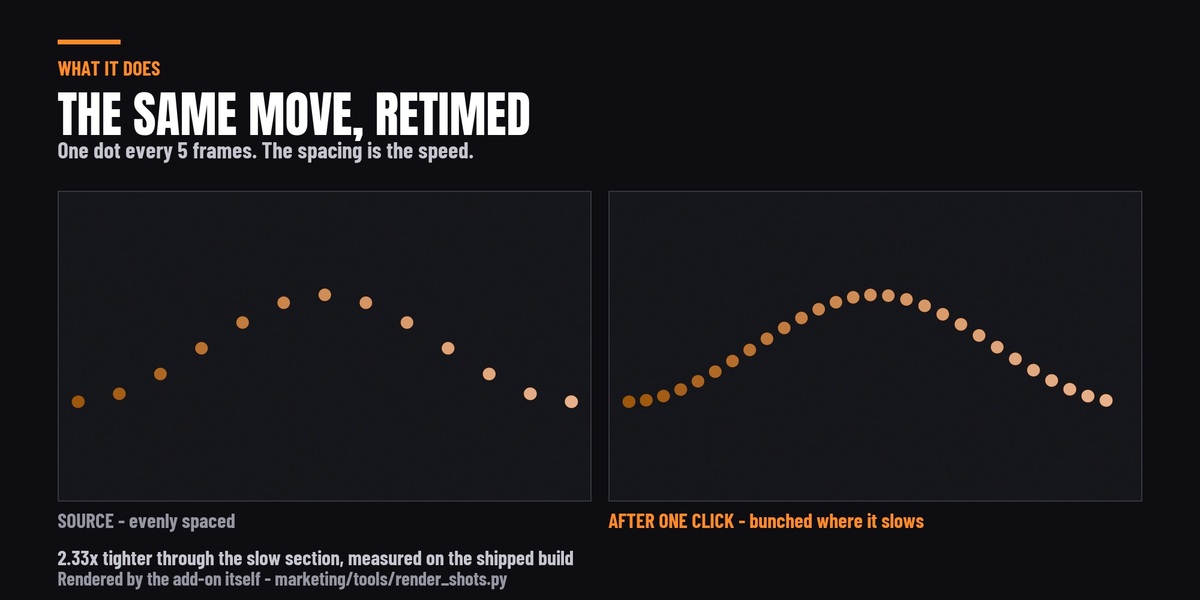
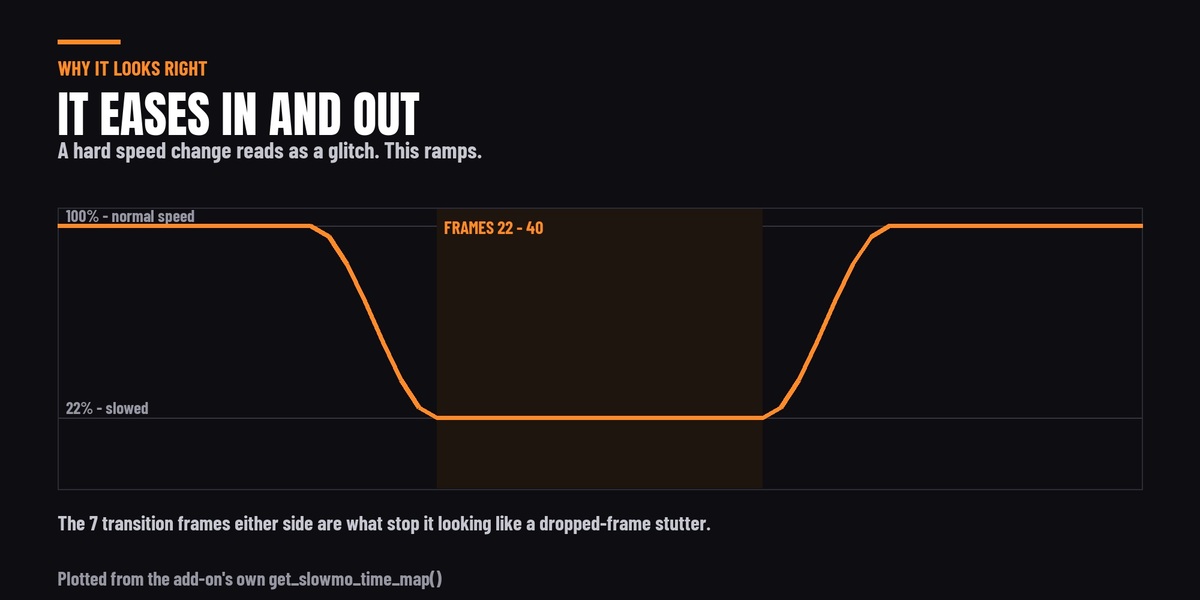
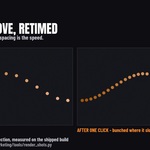
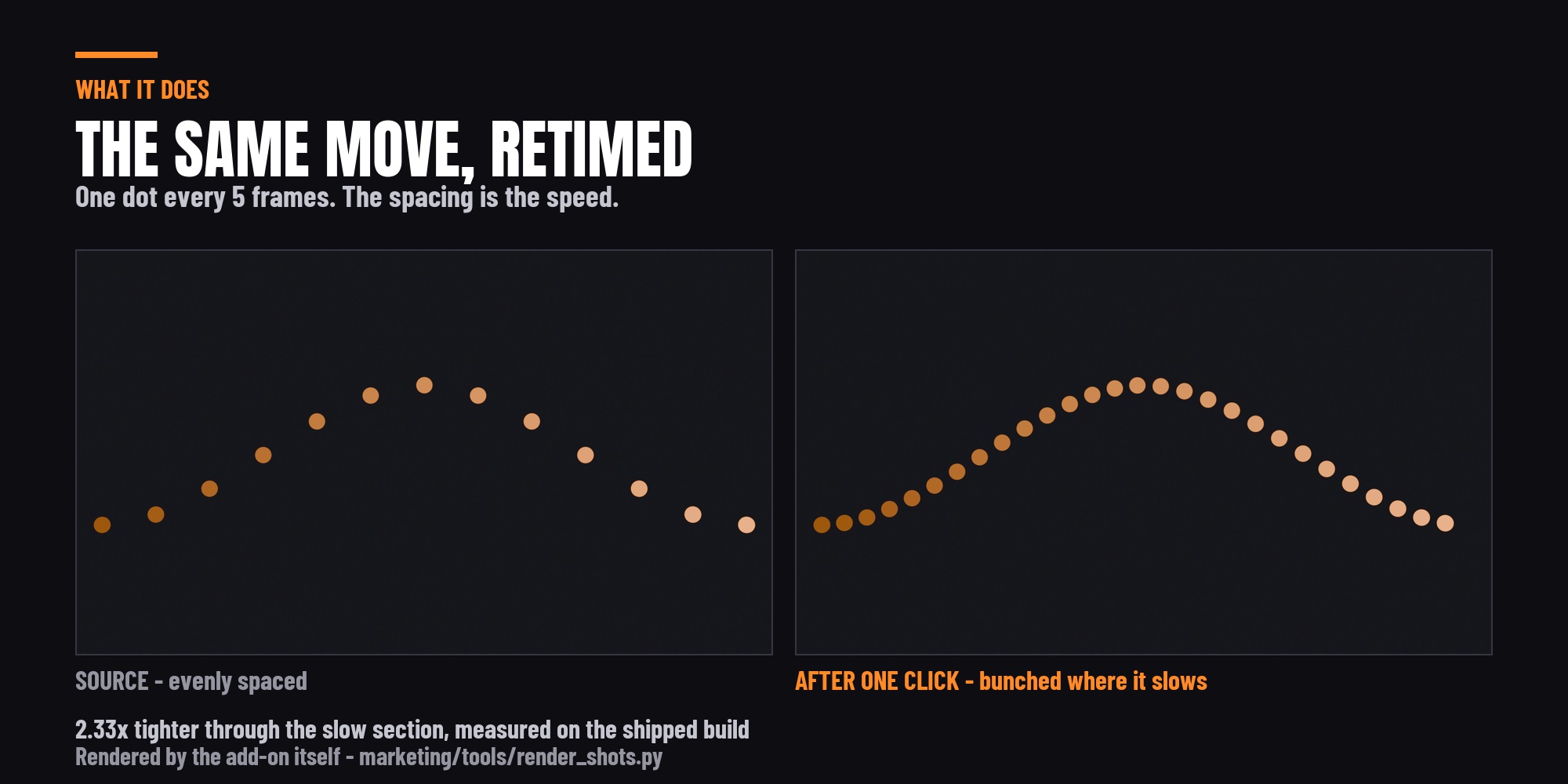
Because changing the frame rate slows the whole shot, and a shot that is slow from beginning to end is not a slow-motion shot - it is a slow shot. What reads as slow motion on screen is the contrast: normal speed, a ramp down, the moment held, a ramp back up.
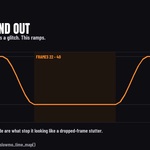
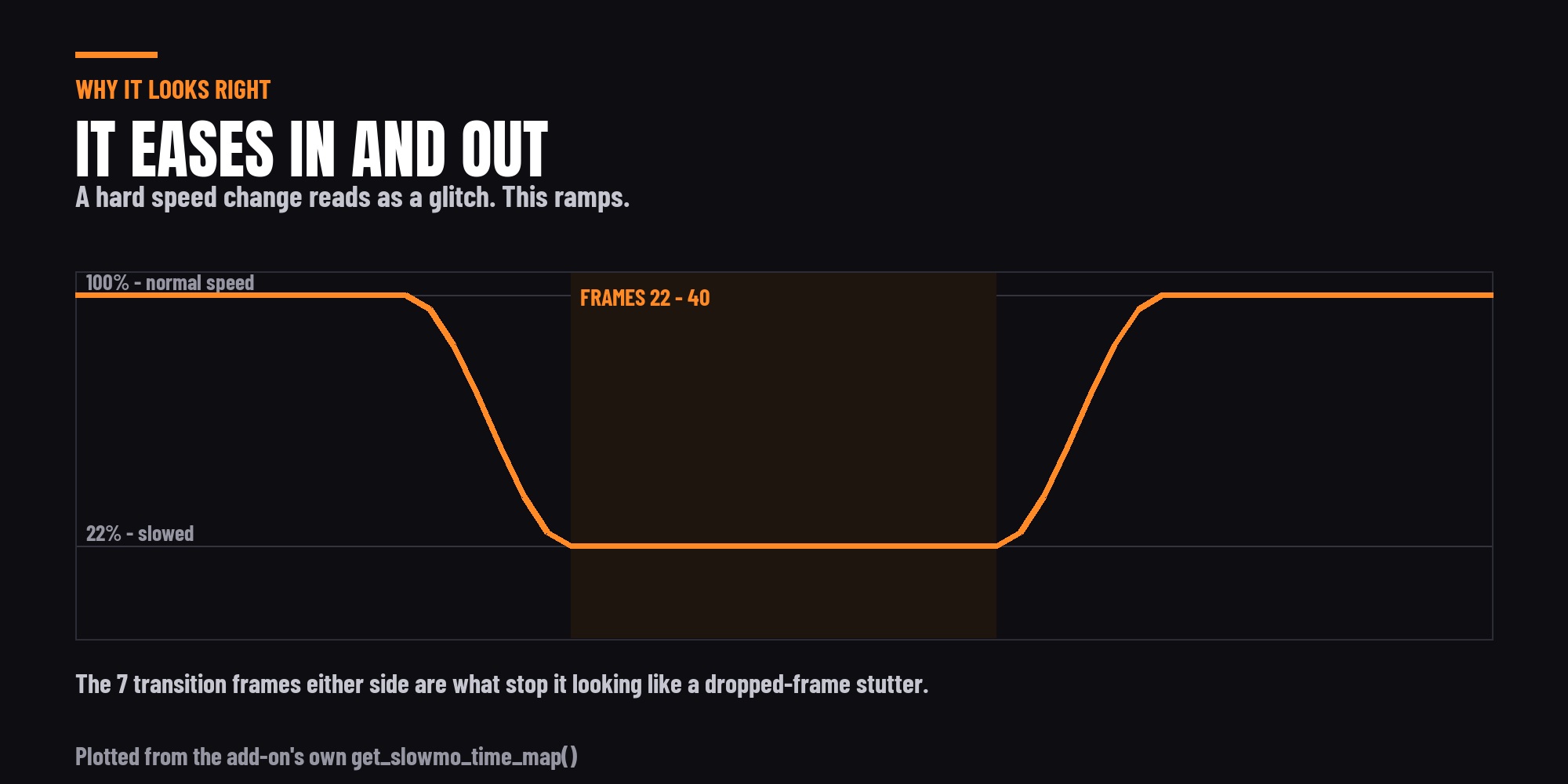
That ramp is the part nobody wants to build by hand. Scaling keys in the Dope Sheet gives you a hard speed change at both ends, which looks like dropped frames rather than like a choice. Slow-Mo Generator eases in and out over a number of frames you choose, using a smoothstep curve, so the speed change has a shape.
What it actually does
It reads the action on your selected object, builds a time map across the frame range, and writes every key to its new position in a fresh action named after the original with _SlowMo on the end. That new action is assigned to the object for you.
Your original action is untouched and still in the file. Switch back to it in the Action editor at any time, or bake again with different settings and compare the two.
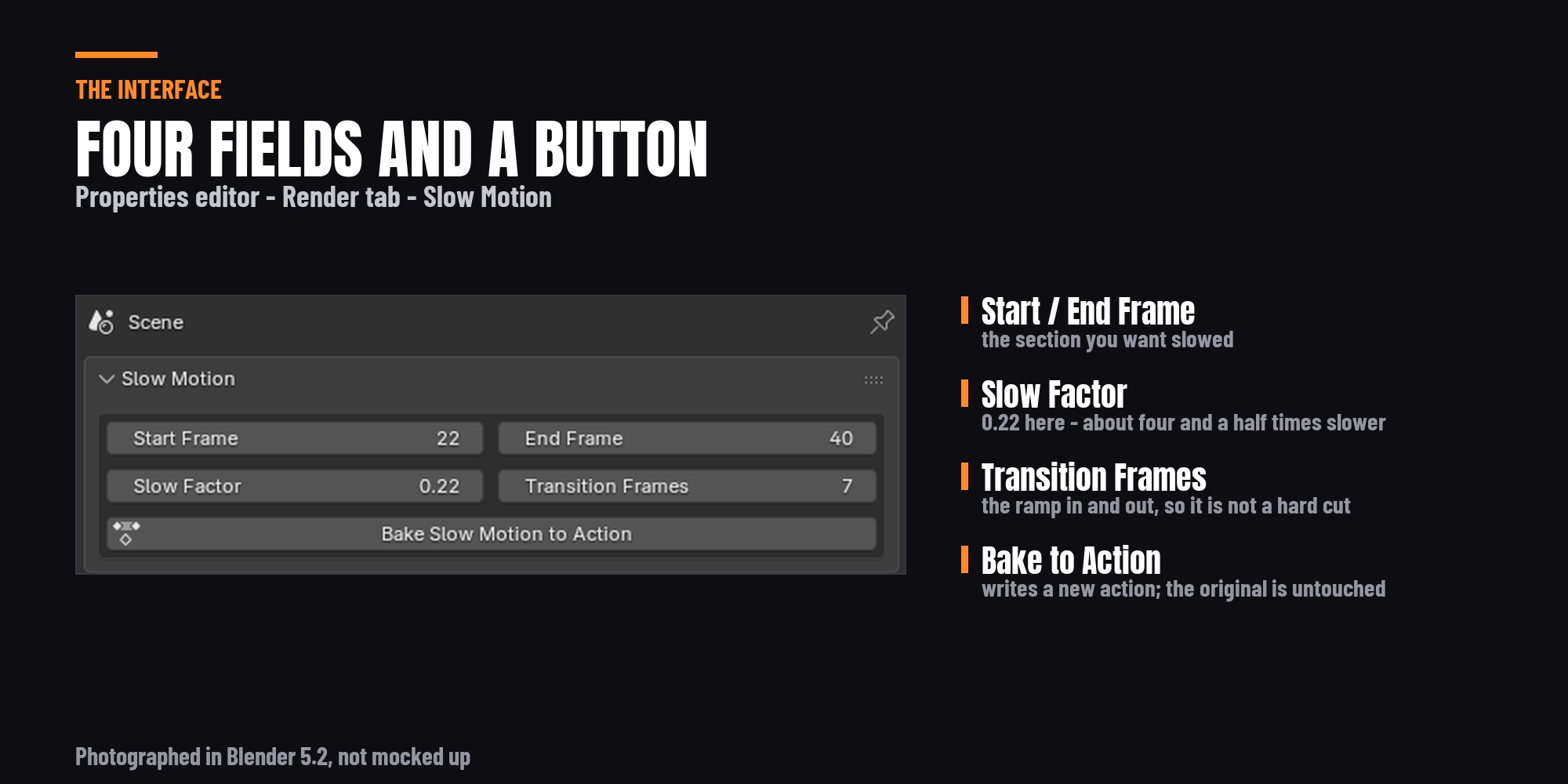
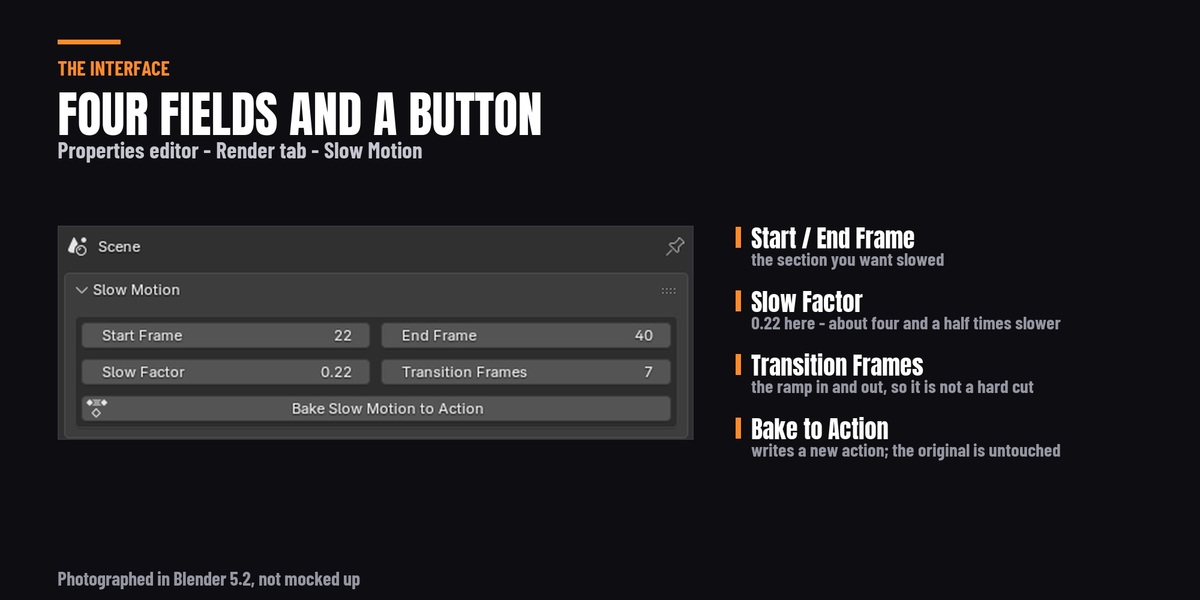
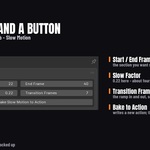
Four controls, one button
- Start Frame / End Frame - the section held in slow motion.
- Slow Factor - how slow. 0.5 is half speed, 0.22 is roughly four and a half times slower. The slider runs from 0.05 to 5.0, so values above 1.0 speed a section up instead.
- Transition Frames - how long the ramp in and out takes. This is the control that decides whether it looks deliberate or broken.
- Bake Slow Motion to Action - writes the new action. Ctrl+Z undoes it.

What it works on
Anything with an action on the object: characters and rigs (the armature's pose animation), cameras, props, lights and empties. A rigged character walk and a camera push are both just F-curves, and both retime.
It is honest about what it does not reach, and those limits are written out in full in the Documentation tab above - worth two minutes before you buy rather than after. The short version: it retimes the selected object's own action, so shape keys, physics simulations and NLA strips are outside its scope.
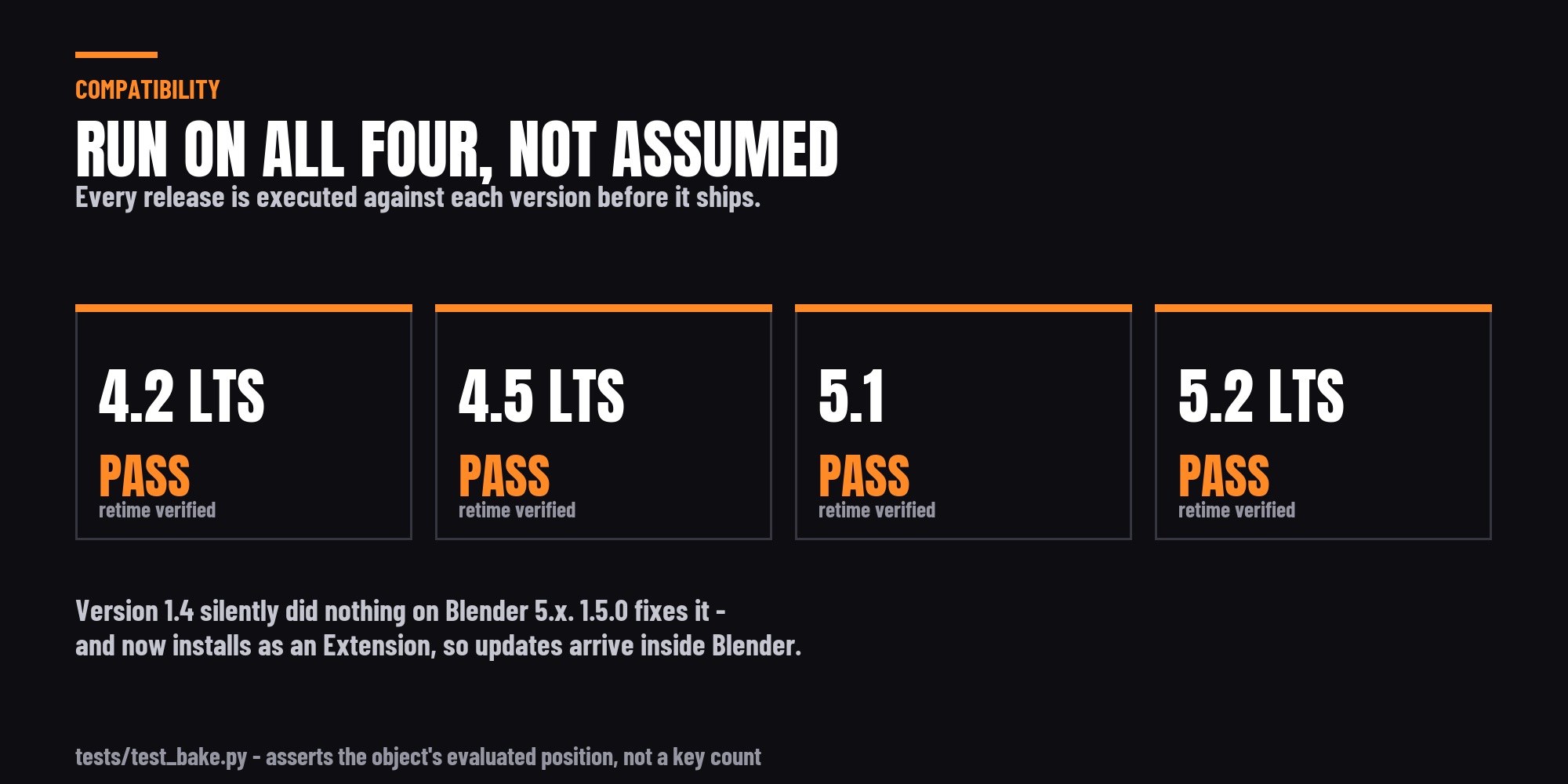
Blender 4.2 through 5.2
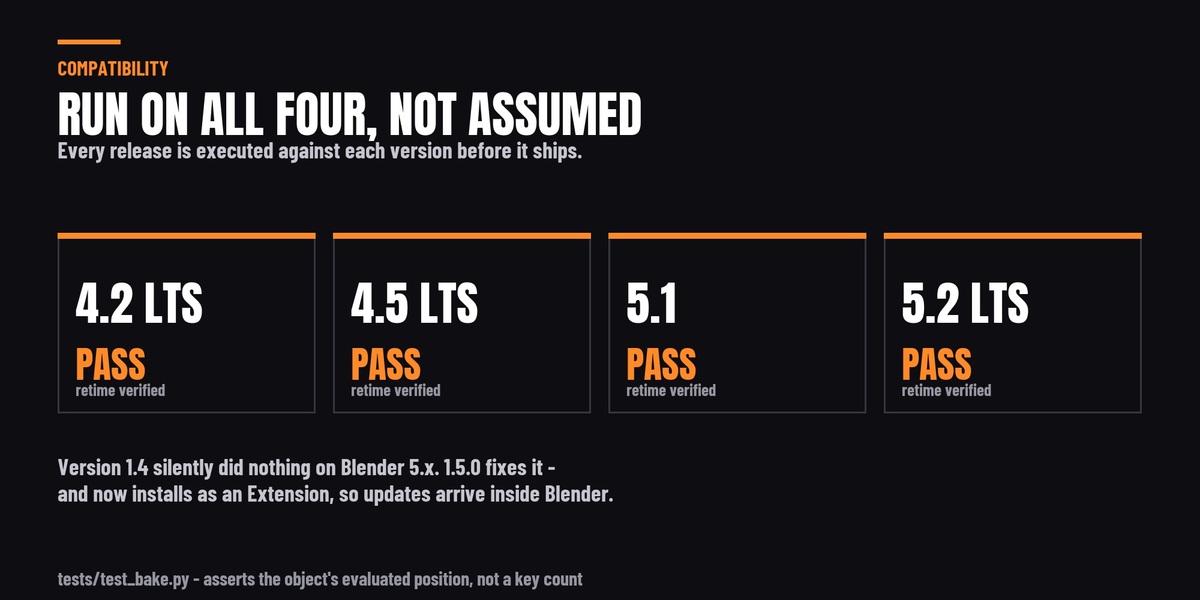
Every release is executed against 4.2 LTS, 4.5 LTS, 5.1 and 5.2 LTS before it ships - actually run, not "should work". The test checks the object's evaluated position on the dependency graph rather than counting keyframes, so it cannot pass on an add-on that quietly does nothing.
That test exists because of a real failure. Blender 5.0 replaced the F-Curve container on Action with slots and channelbags, and version 1.4 silently did nothing at all on Blender 5.x - it reported success and left your animation alone. Version 1.5.0 fixes it. If you are on 5.0 or newer and own an older copy, this update is the reason to install it.
Installs and updates inside Blender
It ships as a Blender Extension. On 4.2 and newer you can drag the zip straight into Blender, and once you have connected Superhive as a remote repository it appears under Preferences → Get Extensions with one-click install - and one-click update whenever a new version is published here. The traditional Install from Disk route still works exactly as before.
Requirements
- Blender 4.2 LTS or newer. Windows, macOS and Linux.
- No network access, no account, no licence key. It works offline.
- Renderer-independent - it retimes animation data, so Cycles, EEVEE and anything else all behave identically.
- Updates are free for life. Questions answered through the Superhive message system.