Slow-Mo Generator - Blender Speed Ramps & Animation Retiming
 Rasheed's Edit





Installing
Blender 4.2 and newer - as an Extension. Drag the zip into a Blender window and confirm. Or Edit → Preferences → Add-ons → the dropdown in the top right → Install from Disk, and pick the zip.
If you have connected Superhive as a remote repository, you do not need the file at all: open Preferences → Get Extensions and Slow-Mo Generator is listed with an Install button, and an Update button whenever a new version is published here.
Older Blender - Preferences → Add-ons → Install, same zip.
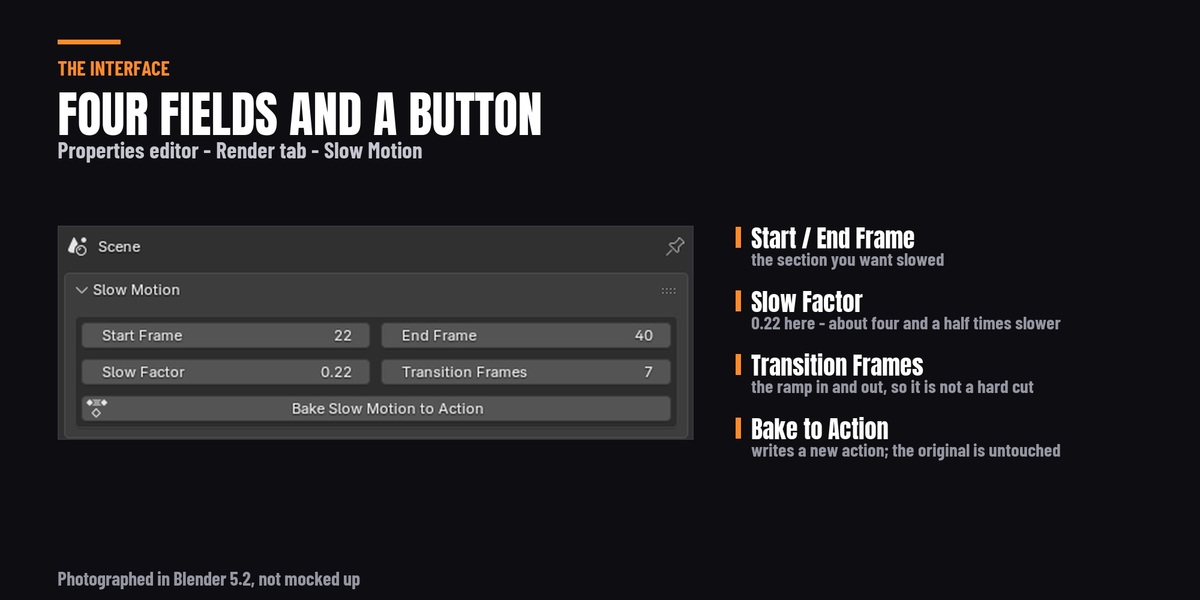
Once enabled, the panel is in the Properties editor → Render tab, named Slow Motion.
Upgrading from version 1.4
Version 1.5 installs as a new add-on rather than replacing 1.4, because the two are packaged differently - 1.4 was a loose script file, 1.5 is a proper extension package. Before installing, go to Preferences → Add-ons, find the old Slow-Mo Generator, disable it and press Remove.
If you skip that step the add-on tells you: the panel shows "Slow-Mo Generator 1.4 is still enabled" until you remove it. Leaving both enabled is not dangerous, but you will have two identical Slow Motion panels and no way to tell which one you are pressing.
Using it
- Select the animated object. For a character, select the armature, not the mesh - the pose animation lives on the armature.
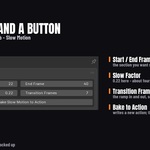
- Set Start Frame and End Frame to the section you want held.
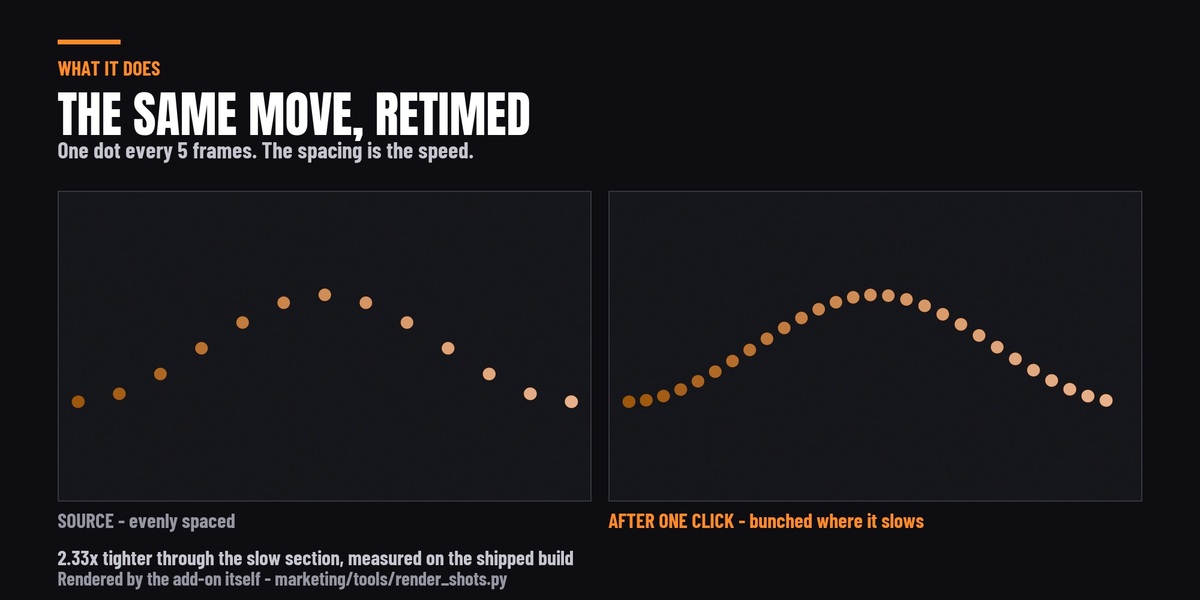
- Set Slow Factor. 0.5 is half speed. 0.22 is about four and a half times slower. Above 1.0 speeds that section up instead.
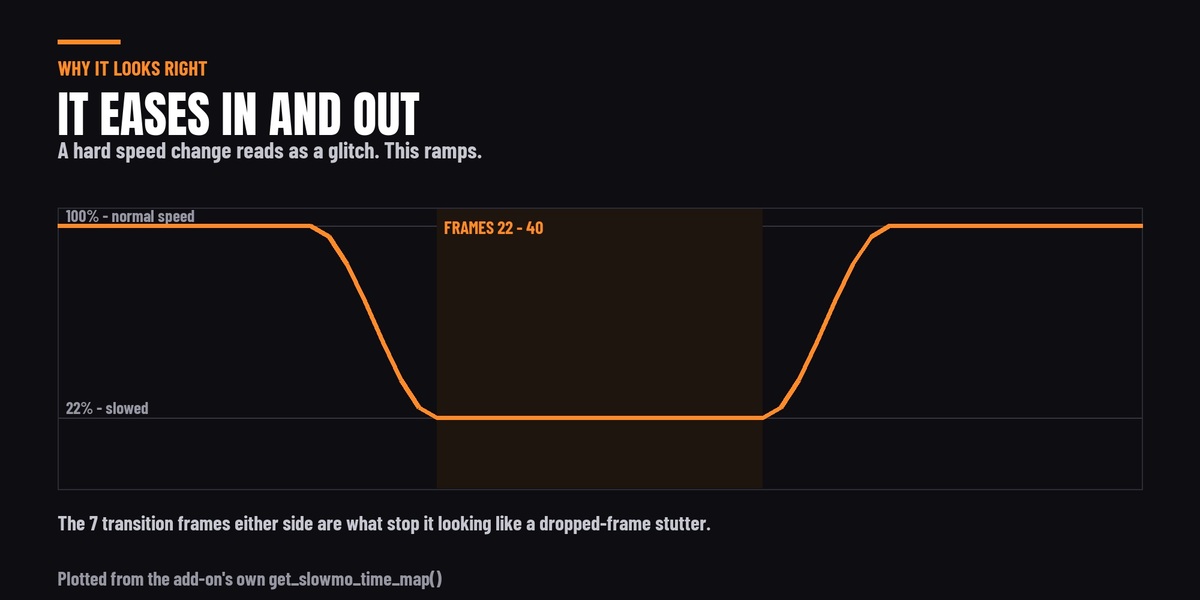
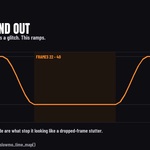
- Set Transition Frames - the ramp in and out. Around 5 to 10 reads as deliberate; 0 gives you a hard speed change, which is usually what you are trying to avoid.
- Press Bake Slow Motion to Action.
A new action appears, named after the original with _SlowMo appended, and is assigned to your object. Ctrl+Z undoes the whole bake. Your original action is still in the file - switch back to it in the Action editor, or in the Dope Sheet's action selector.
Extend your scene's end frame afterwards
This is the one step the add-on does not do for you, and the one that causes the most confusion. A slowed section makes the animation longer. The add-on writes the longer action but deliberately does not touch your scene's frame range, because it has no way of knowing whether your timeline is set by this object or by twenty others.
Measured example: a 61-frame animation slowed between frames 22 and 40 comes back as an action running to frame 65. With the scene still ending at 61, the last four frames simply never play or render, and it looks as though the end of the move has been cut off. Set Output Properties → Frame End to cover the new action length and it is fine.
What it retimes, and what it does not
It retimes the F-curves in the selected object's own action. That covers more than it sounds like: object transforms, camera moves, light properties, and the full pose animation of a rigged character, because pose bone curves live in the armature object's action.
It does not reach:
- Shape key animation. That is stored on the mesh data rather than the object, so the add-on reports "has no animation to retime" on an object animated only by shape keys. A character whose body is rigged and whose face is on shape keys will have the body retimed and the face left at original speed.
- Physics and simulation - cloth, rigid bodies, particles, fluids. Those are solved per frame rather than keyframed, and are not F-curves at all. Bake a simulation to keyframes first if you need it slowed.
- NLA strips. It reads the action currently assigned in Animation Data. Push a strip down to the NLA stack and it is no longer what gets read.
- Child objects. It retimes the object you have selected, one at a time. Parenting does not carry the retime to children with their own animation - run it on each.
- Drivers and constraints. Not keyframes, not touched.
Two things that change in the baked action
- Rotation curves come back with Linear interpolation. Rotation is resampled by evaluating the original curve at each key rather than copying key values, which is what keeps a rotating object from taking the short way round - but it means any easing you had hand-made on a rotation channel is flattened. Location, scale and custom properties keep their original interpolation.
- Bezier handles are not rescaled. Key positions and interpolation mode are carried across; the handles are left to Blender to rebuild. On smooth animation this is invisible. On a curve you have hand-shaped with extreme handles, expect it to have relaxed slightly.
Both are reasons to keep the original action rather than delete it, which is why the add-on never overwrites it.
Blender versions
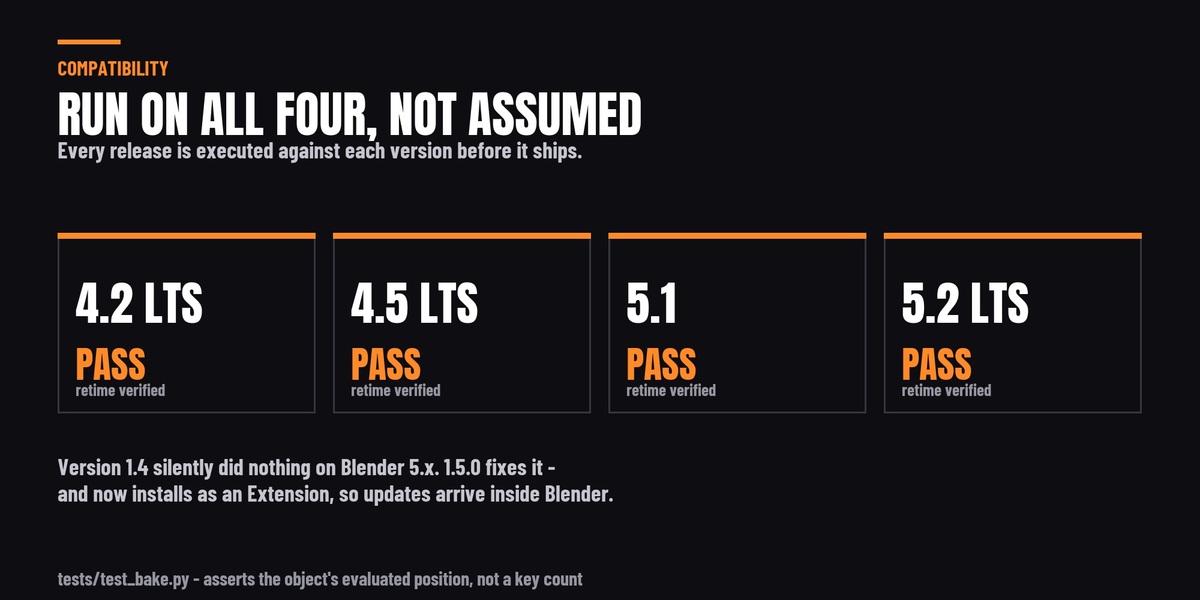
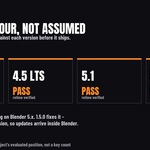
Every release is run against 4.2 LTS, 4.5 LTS, 5.1 and 5.2 LTS before it ships. The test asserts the object's evaluated position on the dependency graph at the retimed frame, rather than counting keyframes, because a keyframe count is satisfied by an add-on that writes keys nothing plays.
Version 1.4 does nothing on Blender 5.0 and newer. Blender 5.0 replaced the F-Curve container on Action with slots and channelbags and 1.4 could not read them, so it reported success and left the animation untouched. 1.5.0 handles both layouts. If you are on 5.x, update.
If something looks wrong
- "has no animation to retime" - the selected object has no action. Select the armature rather than the mesh, or check the animation is keyframes rather than shape keys or a simulation.
- "No F-Curves found" - there is an action, but nothing in it for this object. Usually the wrong object is selected.
- The move looks cut off at the end - the scene end frame needs extending. See above.
- Nothing appears to happen at all - check the add-on version. 1.4 on Blender 5.x behaves exactly like this. The panel in 1.5.0 reports failures to the status bar instead of the console.
- Two Slow Motion panels - version 1.4 is still enabled. Remove it.
Licence and support
GNU GPL v3, as every Blender add-on must be. You may modify and redistribute it under the same licence; the name and branding stay with Rasheed's Edit, so please rename a derivative.
Updates are free for life. Questions through the Superhive message system.
-
$3
Have questions about this product?
Login to message
| Blender Extension Compatible | Yes |
| Sales | 40+ |
| Published | over 1 year ago |
| Blender Version | 4.2 - 5.2 |
| Extension Type | Add-on |
| Render Engine Used | Cycles, Eevee |
| License | GPL |
Discover more products like this
cinematic Retime Slow Motion slowmo keyframes camera animation time-remapping animation action-editor speed ramp VFX animation tools