Softie Collision System
 aflatsprite


Installation:
Download: Grab the latest release package.
Setup: Save the file into your designated Blender Assets folder.
Access: Open Blender; the tool is now available directly in your Asset Library and Modifier list.
1. Collision
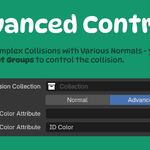
Collision Collection: Selects the object collection used to drive collision effects on the target mesh.
Calculation Mode:
Normal: Evaluates standard collisions based on individual mesh islands.
Advanced: Uses vertex colors on target objects to isolate and separate discrete collision zones.
2. Extras
Default: Standard raycast-based intersection algorithm suited for dense or high-poly geometry.
Boolean: Uses boolean geometry operations for evaluation. Optimized specifically for low-resolution meshes to prevent clipping.
3. Visibility
All: Displays the full combined result of the base mesh and deformation.
Collision Only: Isolates and displays only the geometry affected by collision zones.
Original Only: Displays the original, un-deformed base mesh.
Intersection: Isolates and displays only the intersecting surface boundaries.
4. Interaction
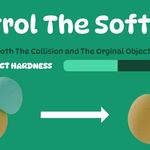
Object Hardness: Adjusts how soft or hard the modfier object is - relative to the collision objects.
Custom Hardness Attribute: create a vertex groups for your collision objects. They will define the hardness of the collision objects and their parts.
Type that vertex group name into the Custom Hardness Attribute modifier input. (Make sure the group name matches between objects).
5. Deformation
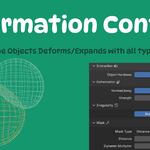
Controls the magnitude and directional bias of surface displacements across the mesh.
Normal/Away: Controls the directional bias of displacement relative to surface normals (pushing outward along normals vs. pushing directly away from the point of impact).
Strength: Sets the global intensity of the surface displacement.
6. Irregularity
None: Applies uniform deformation without procedural noise.
Noise: Blends dynamic procedural noise into the deformation pattern to create organic, irregular denting and impact details.
7. Mask
Restricts the scope and spatial threshold of the deformation effect.
Mask Type: Selects the masking method (e.g., Distance).
Distance: Sets the effective radius around collision targets within which deformation occurs.
Dynamic Multiplier: Scales the distance mask strength based on how much of the object surface has collided.
8. Granular
Original Multiplier: Controls base deformation strength applied to the mesh prior to or outside active collision areas.
Collision Multiplier: Controls the deformation strength multiplier strictly within active collision zones.
9. Smooth
Applies post-evaluation vertex smoothing to clean up pinched geometry and harsh edges.
Iterations: Specifies the number of smoothing passes performed across deformed regions. Higher values produce smoother surface transitions.
Weight: Sets the blend ratio between the smoothed geometry and the raw deformed mesh (0.0 = disabled, 1.0 = fully smoothed). Includes support for vertex weight mapping.
10. Self Collision
Enables self-intersection detection and localized deformation on a single target mesh.
Collision Type: Set to Self.
Controls: Grants access to safety margin adjustments and simplified deformation controls to prevent self-penetration.