 Hatim Dahmouni



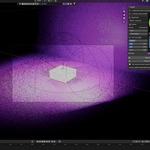
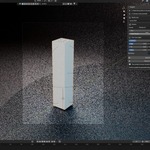
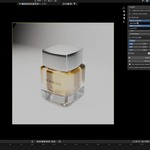
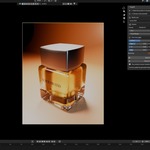
Stop rebuilding the same studio setup for every product.
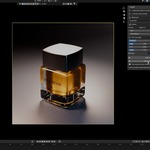
StageKit turns selected product geometry into a clean, editable studio scene without moving or modifying the product. Select one object, several product parts, or the parent Empty and click Build Stage.
STAGEKIT CREATES
• A camera fitted automatically to the complete product
• Auto-scaled key, fill, and rim area lights
• A smooth oversized cyclorama backdrop
• A dedicated studio world
• A separate, organized StageKit collection
• Social-ready output at 100% resolution
THREE STUDIO LOOKS
• Clean Studio - balanced everyday product lighting
• Bright E-commerce - bright neutral catalogue lighting
• Luxury Dark - darker contrast with a stronger rim light
EDIT EVERYTHING LIVE
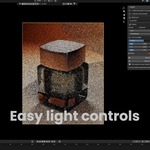
Adjust the camera lens, framing margin, overall light strength, individual key/fill/rim strength, backdrop color, and output format directly from the StageKit panel. Included formats are 1:1, 4:5, 9:16, and 16:9.
NON-DESTRUCTIVE WORKFLOW
StageKit never moves or deletes your product. Remove Stage deletes only StageKit-generated data and restores the previous camera, world, and output resolution. Your render engine and product materials stay untouched.
WHO IT IS FOR
• Product-visualization artists
• Motion designers and Blender generalists
• E-commerce and social-content creators
• Anyone who wants a fast studio starting point without losing editability
COMPATIBILITY
• Tested in Blender 4.2, 5.0, and 5.2
• Works with Cycles and Eevee workflows
• No third-party dependencies, subscriptions, or external services
CURRENT LIMITS
• Does not create or repair product materials
• Does not animate the product or camera
• The included looks are editable starting points, not locked final renders
INSTALLATION
In Blender, open Edit > Preferences > Extensions, choose Install from Disk, select the downloaded ZIP, and enable StageKit if required. Do not unzip the file first.
SUPPORT
For help, contact Hatim Dahmouni through Superhive messages. Include your Blender version, StageKit version, what you selected, and the steps needed to reproduce the issue.
