StepXpert Importer V1.2.1 — Professional Step Importer & Exporter for Blender
 CodeXpert



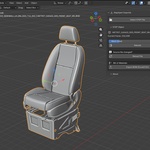
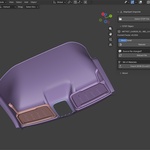

StepXpert 1.2.1: Split Bodies
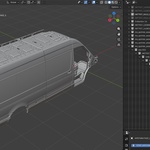
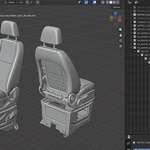
- NEW: Split Bodies (on by default). A part file that holds several bodies (for example CATIA Body.3 and Body.9 under one part) now comes in as one object per body in Separate, As Collections and As Empty Hierarchy modes, not only assemblies. Untick it to keep each part as one object, exactly as in 1.2.0.
- Body names come from the STEP file (for example Part_Body.9); each body keeps its own color.
- Rebuild, Reload, STEP export and Check Face Count follow the setting.
- Mesh quality is unchanged: the same triangles, now on their own objects.
Updating from 1.2.0: install the new zip, then restart Blender once.
StepXpert 1.2.0: the export update
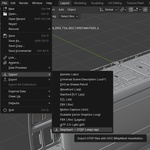
- NEW: STEP export. Your Blender scene can go back to CAD. Untouched STEP parts go back out as their original parametric CAD geometry, at their new position and rotation. Edited and Blender-modelled meshes export as polygonal STEP (closed meshes become solids).
- Smarter meshing: surface accuracy is now checked on every face type, so fillets and blends no longer collapse into flat triangles.
- Repeated parts are meshed once and share a single mesh: faster imports, less memory.
- IGES import with colors and names.
- New Empty Hierarchy mode: assemblies as parented empties, placed exactly as in CAD.
- Rebuild keeps position, rotation and parenting, and can rebuild all selected parts at once.
- BOM: quantities total correctly through nested sub-assemblies; Unicode names come out right.
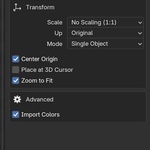
- Real-world size by default: files import in meters, whatever unit they were saved in.
- Fully offline, with a clear message if Blender needs a restart after updating.
Updating from 1.1.x: install the new zip, then restart Blender once.
Legacy release: StepXpert Importer 1.1.1 as originally published.
Have questions about this product?
Login to message
| Blender Extension Compatible | Yes |
| Sales | 10+ |
| Published | 4 months ago |
| Blender Version | 4.2 - 5.2 |
| Extension Type | Add-on |
| Render Engine Used | Cycles, Eevee |
| License | GPL |
Discover more products like this
stepxpert Export import cad step-export step import stp importer step importer stp iges 3d-importer step