Surface Snap Align — Real-Time Surface Snapping for Blender
 Li Shoujing




Installation
- Keep the downloaded ZIP intact; do not extract it.
- Blender 4.0–4.1: go to Edit > Preferences > Add-ons and click Install….
- Blender 4.2–5.1: go to Edit > Preferences > Add-ons, open the top-right menu, and choose Install from Disk.
- Select
Surface_Snap_Align_v4.6.4_Blender_4.0-5.1.zipand enable the add-on. - In the 3D View, press
Nand open the Surface tab.
When upgrading, disable and remove the previous version before installing the new ZIP.
Workflows
1. Smart Slide Snap
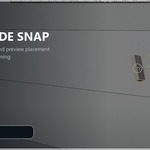
Select the single source mesh in Object Mode and start Smart Slide Snap. Move the pointer over any visible target surface to slide the object in real time. Use the mouse wheel to rotate while maintaining contact, A to cycle candidate base faces, or S to temporarily choose a source face. Left-click confirms the result.
2. Target-Guided Batch Snap
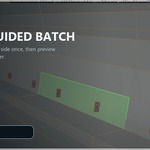
Select the source meshes first, then select the target mesh last so it remains active. Start Target-Guided Batch Snap and hover the intended target side. The green face chooses a common travel direction and physical side; it is not a shared landing point. Each source travels independently from its original position to its own first real target surface and uses the local normal at that hit. Sources without a valid directional hit remain unchanged.
3. Snap Sources to Nearest Surface
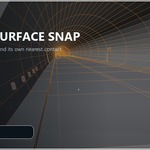
Select the source meshes first and the active target last, then choose Snap Sources to Nearest Surface. Each source finds its own nearest valid outside contact using evaluated mesh geometry rather than object origins or local axes. Use this mode when the intended target side is unambiguous.
Confirm and Cancel
Left-click confirms Smart Slide or the Target-Guided live preview. Right-click or press Esc to cancel and restore the complete original transform of every affected source.
Compatibility and Requirements
- API-compatible with Blender 4.0–5.1.
- Automated runtime tests completed on Blender 4.2.19 LTS and Blender 5.1.0.
- Mesh objects in Object Mode.
- For batch tools, sources first and the target last as the active object.
- Process parent-and-child source hierarchy levels separately.
- English and Simplified Chinese UI.
- Windows, macOS, and Linux; no platform-specific binaries.
Important Limitations
Smart Slide requires a visible target surface reachable by the pointer in the current 3D View. Surface Snap Align is a placement and alignment tool, not a Boolean or complete collision solver. Inspect complex concave, non-manifold, or intentionally intersecting results.
Have questions about this product?
Login to message
| Published | about 2 months ago |
| Blender Version | 4.0 - 5.1 |
| Extension Type | N/A |
| Render Engine Used | Cycles |
| License | GPL |

Discover more products like this
alignment modeling blender addon surface-snap hard surface object placement Workflow kitbash