Surface Snap Align — Real-Time Surface Snapping for Blender
 Li Shoujing



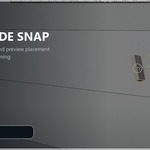
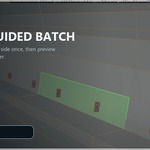
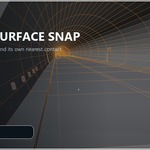

What is the difference between the two batch tools?
Snap Sources to Nearest Surface finds an independent nearest valid outside contact for every source. Target-Guided Batch Snap uses a hovered green face only to choose a common direction and physical side; each source keeps its lateral placement and lands on its own first real target surface. A directional miss remains unchanged.
What happens if I cancel an operation?
Right-click or press Esc to cancel Smart Slide or Target-Guided Batch Snap. Surface Snap Align restores the complete original transform of every affected source.
Are there object or mode restrictions?
Use mesh objects in Object Mode. For batch snapping, select the source meshes first and the target mesh last so it is active. Process parent-and-child source hierarchy levels separately.
Which languages and operating systems are supported?
English and Simplified Chinese are included, and the UI follows Blender’s language setting. The Python-only add-on works on Windows, macOS, and Linux.
Which Blender versions are supported and tested?
Surface Snap Align is API-compatible with Blender 4.0–5.1. Automated runtime tests were completed on Blender 4.2.19 LTS and Blender 5.1.0; these are the only versions marked as Tested.
Have questions about this product?
Login to message
| Published | about 2 months ago |
| Blender Version | 4.0 - 5.1 |
| Extension Type | N/A |
| Render Engine Used | Cycles |
| License | GPL |

Discover more products like this
hard surface kitbash surface-snap alignment Workflow blender addon modeling object placement