Synctools Pro For Zbrush
 blenderVfxMaster


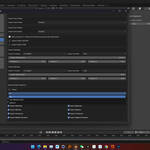
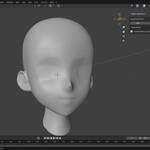
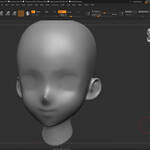
SyncTools for ZBrush
🌍 Multi-DCC Platform Support
The SyncTools series extends support to major digital content creation software, including:
✅ SyncTools for Maya (Released)
✅ SyncTools for 3ds Max (Released)
✅ SyncTools for Houdini (Released)
✅ SyncTools for Cinema 4D (Released)
✅ SyncTools for Rhino (Released)
✅ SyncTools for Marvelous Designer (Released)
✅SyncTools for Unreal Engine (Released)
✅ SyncTools for Substance Painter (Released)
🛠 SyncTools for Unity (In Development)
✅ SyncTools for Zbrush (Released)
All plugins utilize a unified data exchange protocol, enabling lossless asset conversion across platforms and true multi-software collaborative workflows.


ZBrush Support
Recommended Configuration:
-
Recommended Version: ZBrush 2023 (or higher)
-
Minimum Compatible Version: ZBrush 2022
-
Supported Operating Systems: Windows (64-bit), macOS (64-bit)
Features
SyncTools for ZBrush supports bi-directional import/export for the following 3D resource types:
-
3D Model Geometry
-
Subtool Structure
-
FBX Format Data Transfer
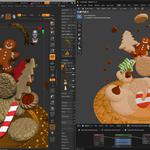
The plugin synchronizes resources using Copy and Paste operations, significantly simplifying workflows across multiple ZBrush windows or projects.
Installation Guide
-
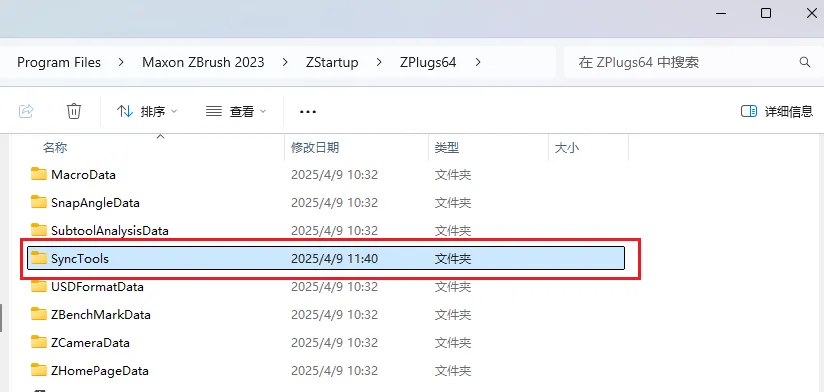
Copy the following files into the ZBrush installation directory under
ZStartup/ZPlugs64/SyncTools/(create the folder if it does not exist): -
Restart ZBrush, and the plugin will automatically load.
How to Use

-
Open Plugin Panel:
Alt + Shift + P
Key Shortcuts:
-
Copy (Copy): Copies the currently selected Subtool geometry
Shortcut:Alt + Shift + C -
Paste (Paste): Pastes the geometry into the current ZBrush scene
Shortcut:Alt + Shift + V
Notes
-
The plugin automatically creates temporary files in the background for data exchange.
-
Ensure sufficient disk space (recommended at least 500MB).
-
Always save your work before using the plugin to avoid unexpected data loss.
-
Copy must be performed before pasting.
Common Issues & Solutions
Plugin Panel Not Displaying
-
Ensure the plugin files are correctly placed in the
ZPlugs64/SyncToolsdirectory. -
Check your ZBrush version (minimum required: 2023).
-
Restart ZBrush completely.
Copy Failures
-
Ensure a Subtool is selected for copying.
-
Check that there is sufficient disk space.
-
Ensure Subtool names do not contain special characters (* ? / \ | " < > :).
Paste Failures
-
Ensure a copy operation has been performed first.
-
Check if the message "Buffer is empty!" appears on the interface.
-
Verify that temporary files exist in the specified system path.
Data Compatibility
Supported Data Types:
-
✔ Fully Supported:
-
Basic geometry mesh
-
Subtool structure
-
FBX format data
-
Vertex positions and topology
-
-
⚠ Partially Supported:
-
UV mapping data
-
Polygon group information (PolyGroups)
-
Vertex color data (Polypaint)
-
-
✖ Not Supported:
-
ZBrush materials
-
Polygon group shading
-
Brush strokes
-
Layer information
-
Dynamic Subdivision settings
-
Important Notes
-
Data Format: Standard FBX format is used for data transfer, ensuring broad compatibility.
-
Temporary File Management: The plugin automatically creates and deletes temporary exchange files—no manual intervention required.
-
Naming Convention: Avoid using special characters in filenames to prevent copy/paste failures.
-
System Requirements: The plugin only supports 64-bit operating system environments.
Conclusion
SyncTools for ZBrush provides a simple and efficient way to quickly transfer 3D model data between different ZBrush instances or projects. With a one-click copy-and-paste process, it significantly enhances the convenience and productivity of multi-window and cross-project workflows.
This plugin follows the GPL open-source license and will continue to be updated and optimized. If you encounter any issues or have feature suggestions, please feel free to contact us!
-
$12
1 seat. For individual creators or small commercial projects.
-
$28.80
Up to 3 seats / single studio team. Save 20% vs buying 3 individual licenses.
-
$144
15+ seats / company-wide. Save 20% vs buying 15 individual licenses.
Have questions about this product?
Login to message
| Sales | 30+ |
| Rating | 3 ratings |
| Published | over 1 year ago |
| Blender Version | 3.6 - 5.2 |
| Extension Type | N/A |
| License |
Discover more products like this
windows ZBrush 2022 ZBrush Add-on ZBrush Tools Copy Paste Plugin Cross-Project Workflow 3D Geometry ZBrush 2023 Time-saving productivity tools 3D Art 3D Model Transfer Subtools Blender Market ZBrush Integration ZBrush Users 3D Resources zbrush ZBrush Plugin 3D Design macos 3D workflow 3D software Workflow Optimization obj file 3d modeling 3D artists synctools digital-art