TexForge Pro - Advanced Texture Management
 RealDevCode



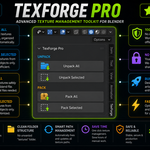
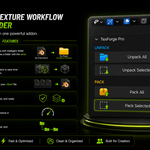
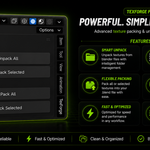
Manage, pack, and unpack your Blender textures with a simple workflow designed to keep your projects clean and organized.
Installation
- Open Blender.
- Go to Edit → Preferences.
- Open the Add-ons section.
- Click the Install button.
- Select the TexForge Pro ZIP file.
- Find TexForge Pro in the Add-ons list and enable it.
- Save your preferences so the addon remains enabled when Blender starts.
If an older version is already installed, remove it before installing the new version to help avoid conflicts.
Access TexForge Pro
- Open the N Panel in the 3D Viewport.
- Open the TexForge tab.
- Use the Pack and Unpack tools from the panel.
TexForge Pro works directly inside Blender, so your texture workflow stays in one place.
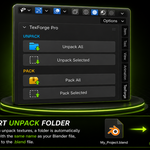
Unpack All
- Save your .blend file first.
- Open the TexForge tab in the N Panel.
- Click Unpack All.
TexForge Pro creates a texture folder using the name of your saved .blend file and places the unpacked textures inside it.
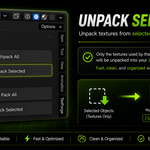
Unpack Selected
- Select the mesh objects you want to work with.
- Open the TexForge tab in the N Panel.
- Click Unpack Selected.
TexForge Pro unpacks only the image textures used by the selected objects.
Pack All
- Open the TexForge tab in the N Panel.
- Click Pack All.
TexForge Pro packs available image textures into your Blender file. Textures that are already packed are skipped.
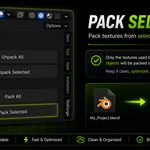
Pack Selected
- Select the mesh objects you want to work with.
- Open the TexForge tab in the N Panel.
- Click Pack Selected.
TexForge Pro packs only the image textures used by the selected objects into the Blender file.
Basic Workflow
| 01 SaveSave your .blend file. | 02 SelectSelect objects if needed. | 03 Pack / UnpackChoose the operation. | 04 ContinueKeep working in Blender. |
Important Notes
Save Your .blend File First
Always save your .blend file before using the unpack tools.
Project Texture Folder
Unpack operations create folders near your .blend file using the project filename.
Compatibility
Blender 4.2 - 5.2 LTS
Have questions about this product?
Login to message
| Blender Extension Compatible | Yes |
| Dev Fund Contributor | |
| Published | about 2 months ago |
| Blender Version | 4.2 - 5.2 |
| Extension Type | Add-on |
| Render Engine Used | Cycles, Eevee |
| License | GPL |
Discover more products like this
texture organizer file management Texture Management textures asset management Workflow texture tools pack textures project-management blender addon unpack textures texture