TexForge Pro - Advanced Texture Management
 RealDevCode



What does TexForge Pro do?
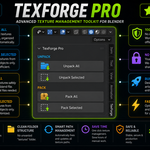
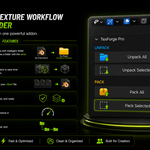
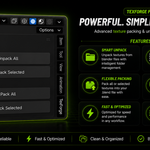
TexForge Pro provides a simple way to pack and unpack Blender textures while keeping your project files clean and organized.
Where are unpacked textures placed?
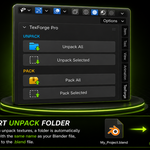
TexForge Pro creates a texture folder using the name of your saved .blend file and places the unpacked textures inside it.
Can I unpack textures from selected objects?
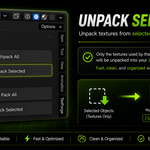
Yes. Select the mesh objects you need and use Unpack Selected to unpack only the textures used by those objects.
Can I pack textures from selected objects?
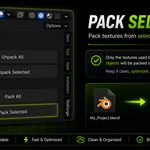
Yes. Pack Selected packs only the textures used by your selected mesh objects into the Blender file.
Can I pack all textures at once?
Yes. Use Pack All to pack the available image textures into your Blender file. Textures that are already packed are skipped.
Which Blender versions are supported?
TexForge Pro supports Blender 4.2 - 5.2 LTS.
Have questions about this product?
Login to message
| Blender Extension Compatible | Yes |
| Dev Fund Contributor | |
| Published | about 2 months ago |
| Blender Version | 4.2 - 5.2 |
| Extension Type | Add-on |
| Render Engine Used | Cycles, Eevee |
| License | GPL |
Discover more products like this
texture tools blender addon Workflow file management unpack textures project-management texture organizer textures texture Texture Management asset management pack textures