 Skava
Skava
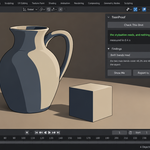
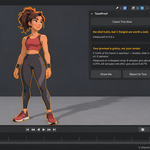
ToonProof — documentation
Version 1.0.0. Blender 4.2 and newer, tested live on 4.2.9, 5.1.0 and 5.2.0. The add-on lives in the 3D viewport sidebar under the tab Toon Fix.
Installation
Nothing is downloaded and no external Python packages are installed: everything the add-on needs ships inside the archive.
- Keep the downloaded archive zipped. Do not unpack it.
- In Blender open Edit, then Preferences, then Add-ons.
- Press the arrow button in the top right corner of that window and choose Install from Disk. On Blender 4.0 and 4.1 the same button is called Install.
- Pick the archive from your purchase page.
- Tick the checkbox next to the add-on name.
Press N in the 3D Viewport to open the sidebar; a tab named Toon Fix appears down its right edge. The same instructions ship inside the archive as README.txt, and the full GPL-3.0 licence text as LICENSE.txt.
To remove it: Edit, Preferences, Add-ons, untick ToonProof, then press the arrow button and choose Remove. Snapshots live inside your own .blend files and are not touched.
The order of work
- Check This Shot. Set the shot up the way you would render it and press the button. Nothing is changed; the frame is only measured. You get a list of findings, each with a number and what it means.
- Snapshot The Look. This records the settings the look depends on, inside the blend file, so it survives saving and reopening.
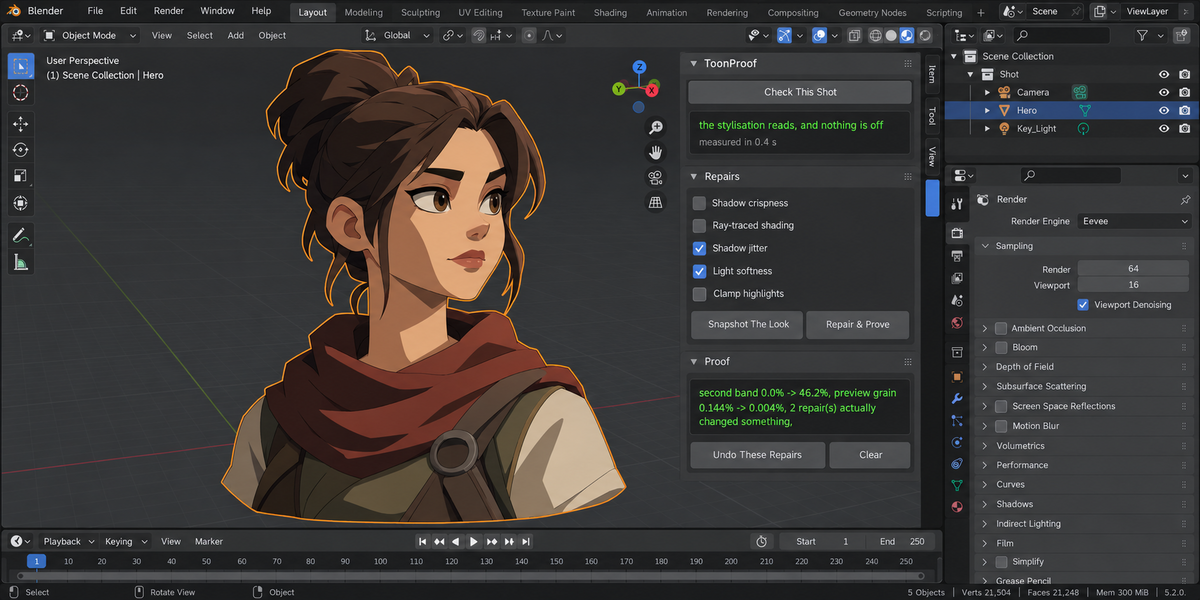
- Repair & Prove. The repairs you ticked are applied and the same measurement runs again. The verdict prints both numbers side by side.
- Undo These Repairs puts the settings back the way the snapshot found them.
What is measured
Bands. The probe frame is rendered with a transparent film, so the object is its own mask. Colours on the object are grouped into bands and the share of each is reported. Bands are grouped by distance, not by rounding: rounding split one flat fill into three near-identical shades and produced a second band of 15.5 percent in a scene with no light at all.
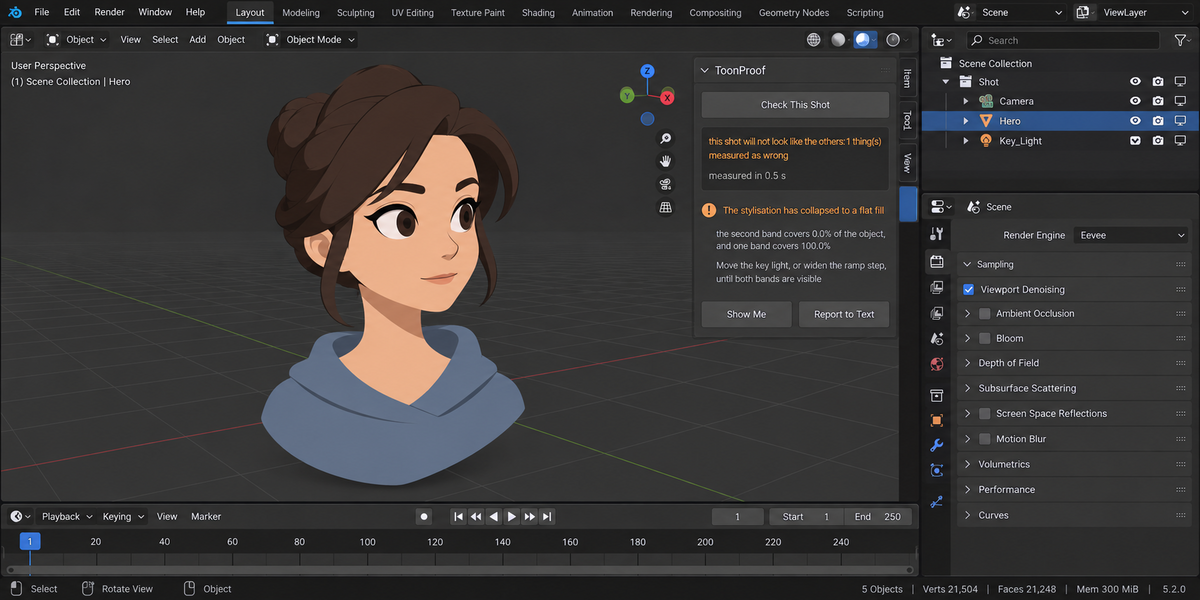
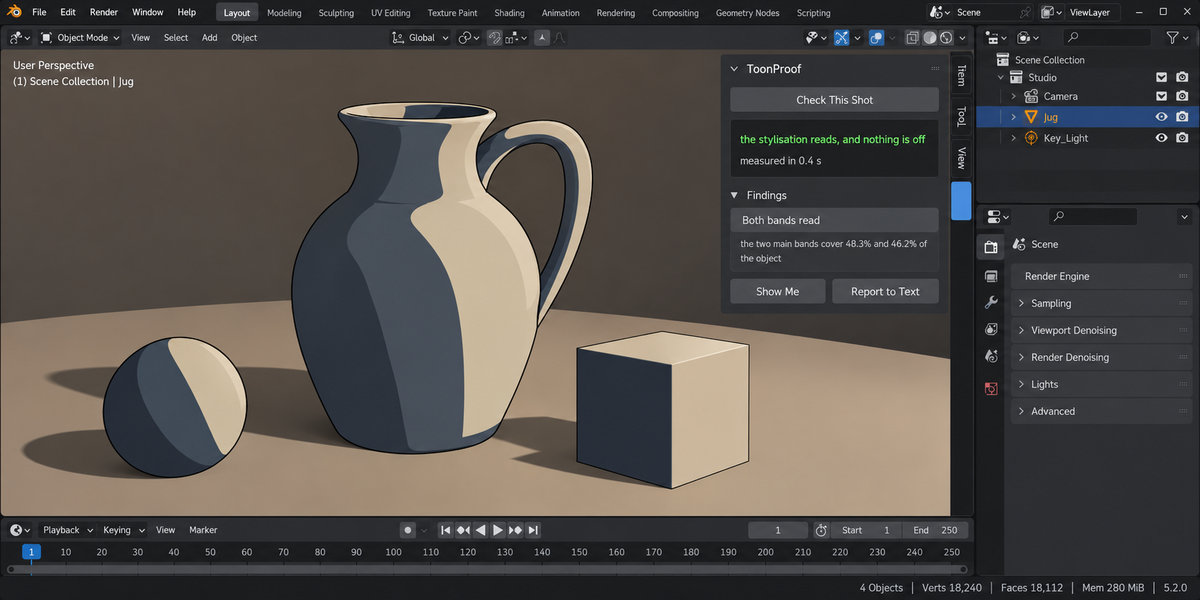
Measured on a stepped ramp: at the working light the two bands cover 48.3 and 46.2 percent; at a weak light the second band is 0.0 percent and one band covers the whole object; on a flat surface the same, 100 and zero. At a strong light both bands still read, 82.0 and 13.2 percent, and nothing is reported. The threshold under which a second band counts as collapsed is yours to set.
Engine. Shader To RGB is an EEVEE node; Cycles does not evaluate it at all. The add-on finds those nodes, and when the scene is set to Cycles it renders the same frame in both engines and reports the share of the object that differs.
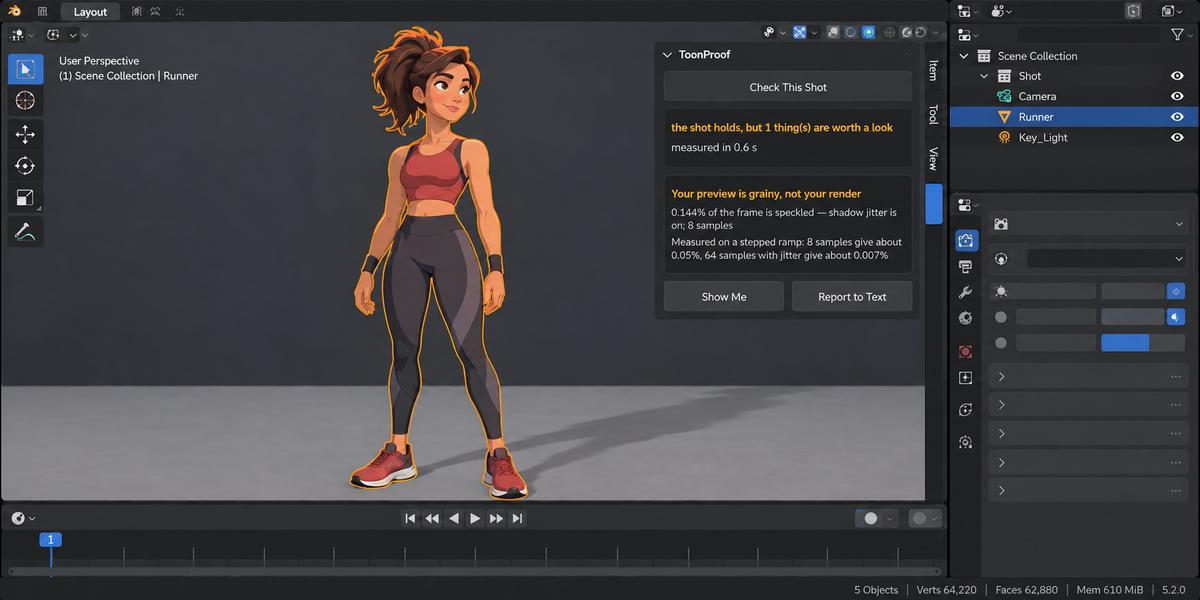
Preview grain. A pixel counts as a speck when it stands out from the median of its 3×3 neighbourhood while that neighbourhood is flat. The second condition matters: without it every band edge lands in the findings and the add-on shouts at a correct frame. Measured on a stepped ramp with a soft shadow: 0.144 percent of the frame at one sample, 0.004 percent at sixty-four, 0.005 percent on a clean frame. The grain is measured at your own sample count.
When it refuses, and why that is not a pass
- No camera. There is nothing to render, so there is nothing to prove.
- The object is barely in frame. Below half a percent of the frame, bands cannot be read.
- The ramp is a smooth gradient. Bands cannot be counted on it. This is read from the material's ramp interpolation rather than guessed from the frame: measured, pixels between bands run 2.6 to 5.4 percent on a stepped ramp and 2.2 to 10.3 percent on a gradient, so the frame cannot tell them apart.
- The snapshot belongs to another scene, or the lights changed since it was taken. Named, with what changed.
Every refusal is reported as could not be checked, which is kept apart from checked and fine everywhere, including the return code of a pipeline run.
The five repairs
Shadow crispness raises the shadow ray and step counts. Honest limit: the artefact on faces perpendicular to the light cannot be removed, only softened.
Ray-traced shading turns ray tracing on and Fast GI off. Bands get cleaner, lighting gets poorer; the cost is measured by the repeat measurement rather than guessed.
Shadow jitter turns the jitter off. This is the main cause of a grainy preview. The property is named differently across Blender versions, so the add-on looks for each known name and says plainly when this build has none.
Light softness reduces the radius of the lights that are causing the grain, and names them before it does.
Clamp highlights limits surface brightness, which saves a band that a highlight has punched through.
A repair that changed nothing prints zero and is not counted as applied. Counting intentions instead of changes is how a tool ends up reporting five repairs and no difference.
The undo
Success is judged by comparing the whole fingerprint of the scene before and after, not by counting attempts. If something could not go back it is named: change a lamp's type after taking the snapshot and the report says that one setting is still different and which one it is.
Whole delivery
The same check runs across a folder of blend files, each in its own background Blender, so your open scene is untouched. From a pipeline:
blender --background --factory-startup --python-expr "import toon_proof; toon_proof.proofkit_cli()" -- --folder /shots --report toon_proof.html
Return codes: 0 nothing to report, 1 something to look at, 2 a real problem, 3 the check could not run.
What it does not do
It gives no shaders and no styles — that is a different kind of product. It does not draw outlines, does not transfer normals, and does not clean flicker out of a finished sequence. It does not promise a grain-free final render: at sixty-four samples the grain is already 0.004 percent of the frame, and claiming to remove that would be selling a number that is nearly zero to begin with.
Changelog
1.0.0 — first release. Band measurement, engine check, preview grain, five repairs with an undo judged by fingerprint, and the whole-delivery run.
Have questions about this product?
Login to message
| Published | about 8 hours ago |
| Blender Version | 4.2 - 5.2 |
| Extension Type | N/A |
| Render Engine Used | Cycles, Eevee |
| License | GPL |