 Loops3D


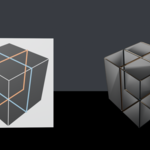
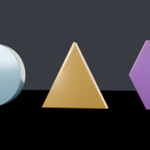
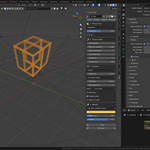
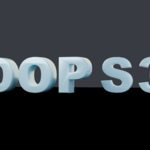
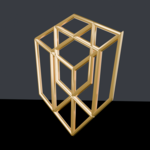
Trace Forge turns a flat image into real 3D geometry, without tracing curves by hand. Drop in a logo, a silhouette, a sticker or any reference image, and get a clean extruded mesh with correct holes, real-world dimensions and a ready PBR material. It lives in the N sidebar of the 3D View.
WHAT IT DOES
Three ways to select the shape. Threshold by luminance for dark artwork on a light background, by color with an adjustable tolerance for a specific brand color, or by the alpha channel for PNGs with transparency. An Ignore brightness option picks up a shape even when it carries a gradient from light to dark, and a minimum brightness control keeps a halo-tinted background out of the trace.
Clean results, not jagged pixels. Edge cleanup averages the image before thresholding to kill JPEG noise, hole closing fills pinholes and nicks along the border, and a Douglas-Peucker simplify slider lets you decide how many vertices the outline actually needs. A minimum area filter throws away speckles, so a scanned logo does not become fifty tiny islands.
Solid faces or an outline. Build a filled, extruded mesh, or trace only the contour with a controlled thickness, which is what you want for neon signs, wire logos and inlays.
Real-world scale from the start. Set the width in meters and choose whether that width refers to the traced shape itself or to the full image. Add depth, add a bevel with a segment count, and place the result on the floor plane or standing on the front plane.
One object or many. Split parts gives you a separate object per disconnected shape, each keeping its own holes, so every letter of a wordmark comes out as its own mesh, ready to animate.
Material included. The add-on can read the dominant color straight from your artwork and build the PBR material for you, or you set the base color, roughness and metallic yourself.
Re-trace without starting over. Every generated object remembers the settings that made it. Load those settings back into the panel, change one value and re-trace in place. Presets cover the common cases so you are not tuning sliders from zero every time.
WHAT IT IS GOOD FOR
Brand logos for stands, packaging and product shots. Signage and lettering. Decals turned into real geometry so they catch light instead of sitting flat on a texture. And turning client-supplied artwork, which is almost never a clean vector file, into something you can actually model with.
REQUIREMENTS
Blender 4.2 or newer. No external dependencies: it uses only Blender's own Python and the NumPy that ships with Blender. Single-file add-on, installs in seconds.