 Loops3D


INSTALLATION
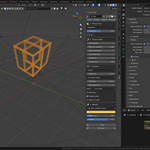
Edit > Preferences > Add-ons > Install, pick the .py file, then enable "Trace Forge - Image to 3D Mesh". The panel appears in the 3D View sidebar (press N) under the Trace tab. Requires Blender 4.2 or newer. No extra dependencies.
QUICK START
1. Load your image into Blender first: Image Editor > Open, or drag it into the file browser field in the panel.
2. Pick the image in the panel and choose how to detect the shape: Brightness for dark artwork on a light background, Color for a specific brand color, Alpha for a transparent PNG.
3. Set the width in meters and the depth. Press Trace.
4. Adjust and press Re-trace. Your object keeps its settings, so you never start over.
SETTINGS THAT MATTER MOST
Threshold: the cut-off between shape and background. Move it first when the result comes out too fat or too thin.
Minimum area: raise it when small speckles from a scanned or compressed image become unwanted islands.
Edge cleanup and Hole closing: raise both by one or two pixels on JPEG artwork with visible compression noise.
Simplify: higher values mean fewer vertices on the outline. Keep it low for tight curves, raise it for hard-edged logos.
Subsampling: raise it on very large images if tracing feels slow, then lower it back for the final trace.
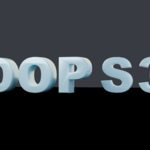
Split parts: turn it on to get one object per disconnected shape, holes included. This is how you get each letter of a wordmark as its own mesh.
TIPS
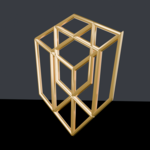
For a logo that will be extruded on a stand wall, trace on the front plane (XZ) so it comes out standing rather than lying on the floor.
If the background carries a halo that gets picked up, raise the minimum brightness value instead of moving the threshold.
If your artwork has a gradient from light to dark, enable Ignore brightness so the shape is detected by hue alone.
SUPPORT
Questions and bug reports through the Superhive message system on this product page. Include the source image and your panel settings, that is usually enough to reproduce the issue.
Have questions about this product?
Login to message
| Published | about 2 months ago |
| Blender Version | 4.2 - 5.2 |
| Extension Type | N/A |
| Render Engine Used | Cycles, Eevee |
| License | GPL |
Discover more products like this
pbr-material alpha to mesh mesh-generator Image to Mesh packaging Logo to 3D signage vectorize product-visualization logo extrude image trace lettering