Trick Damage
 Paulo Antunes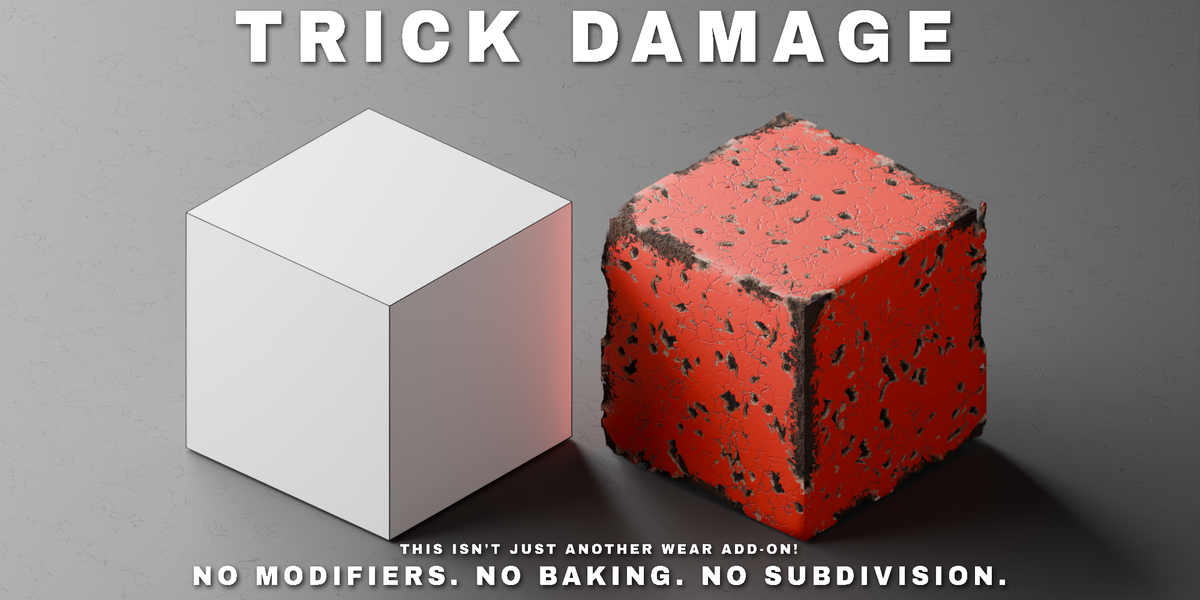



Installation
- Preferences > Get Extensions > dropdown arrow > Install from Disk.
- Pick the
trickdamage-.zipyou downloaded. - The panel appears in the 3D Viewport sidebar (press N) under the Trick Damage tab.
Quick start
- Select one or more mesh objects.
- Pick a preset (or leave "Custom") and click Apply Trick Damage. The first Apply takes a few seconds — the shader is a ~1500-node group being built. It's built once and shared by every object after that, so every following Apply is instant. Changing Ray March Quality is the only thing that rebuilds it.
- Tweak the sliders. With Live Update on, changes show up immediately in the rendered viewport; otherwise click Update.
- Remove restores the original material, any time.
Two buttons live in the panel header: Randomize All (rolls a fresh, usable look into every damage setting on one click) and Show/Hide (toggles between the original and damaged material without losing your settings).
Panel reference
| Section | Controls |
|---|---|
| Damage | Overall strength, edge coverage, chip depth, ignore object scale |
| Edge Detection | Inside AO distance/samples, optional Bevel node, contrast, falloff, Bleed |
| Contact Damage | Distance, Bias, Boost, Contact Only, Ignore Self, its own crater layer |
| Vertex Detection | Corner-specific wear: distance, samples, boost, Corners Only |
| Orientation | Impact direction (X/Y/Z) and Threshold |
| Chips | Scale, detail, distortion, chunkiness, variation, softness, rim, seed |
| Face Holes | Two independent crater layers, each with scale, size, depth, Pierce |
| Depth (illusion) | Chip depth, bump, parallax, cavity darkening, occlusion, Ray March Quality |
| Inner Material | Colour, rim colour, roughness, metallic of the exposed material |
| Silhouette | Transparency cutout, fake bevel radius, round shading |
Requirements
- Blender 4.2 or newer.
- Cycles only. The Bevel node, Inside AO and Ray Portal BSDF the effect is built on are ray-tracing features. EEVEE renders the material without the effect, not a weaker version of it.
- The result does not export or bake to other renderers or game engines — see the note on the product page.
Things worth knowing before you dig in
- One normal map per material. If different BSDFs in the material use different Normal Map nodes, the addon can't pick one — those BSDFs show the damage's colour without its relief. The panel flags this and clears once you point every BSDF at one Normal Map node.
- AO Samples is the main quality/speed knob. 128 is clean; 32 costs about half. Ray March Quality's Preview/Draft tiers do this for you, for navigating a heavy scene.
- Rays Near Edges Only (on by default) saves ~31% of render time for a 0.15/255 mean difference — free money, on unless an edge somewhere comes out undamaged.
- Contact Damage updates live: moving, rotating, scaling or animating either object updates the wear automatically, no bake or click needed.
- Ignore Object Scale (on by default) reads the object's scale in the shader and cancels it, so chips and holes stay the size the sliders say regardless of unapplied, non-uniform, inherited or animated scale.
- On open/non-manifold meshes, lower Backface as Interior so backfaces aren't painted with the inner material.
- User presets are plain, shareable
.jsonfiles in/scripts/presets/trick_damage/.
$7.98
Have questions about this product?
Login to message
| Blender Extension Compatible | Yes |
| Published | 4 days ago |
| Blender Version | 5.2 |
| Extension Type | Add-on |
| Render Engine Used | Cycles |
| License | GPL |

Discover more products like this
non-destructive chipped edge weathering aging Shader procedural edge wear bevel Damage Material Cycles battle damage