 KacaDev


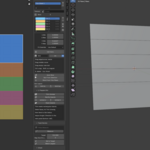
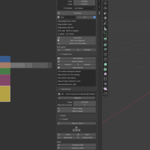
Trim mapping without the fiddling.
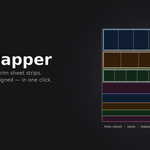
Trim Mapper snaps UV islands onto trim sheet strips — scaled, padded and aligned — so mapping a pillar, a crate or a wall panel is a click instead of a nudge-and-squint session.
Rebuilt around Blender's conventions rather than ported from elsewhere. Slots live on the Scene, so they save with your .blend and travel with the file.
Define your strips however suits you
- Drag them on the texture. Edit Slots lets you drag edges, corners and whole slots directly over your trim sheet in the UV editor. Snap to a pixel grid — 64px by default — with the grid drawn while you work.
- Auto Slice for evenly divided sheets.
- Slot From Selection — select UVs already sitting on a strip and capture that rectangle.
-
SVG In / Out. Block the sheet out in Illustrator, Inkscape, Affinity or
Figma, then load the rectangles straight in. Export the other way to hand a
layout to a texture artist. Any vector editor's
elements work.
Prep UVs that are ready to map
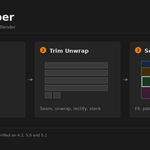
- Trim Unwrap — seam by angle, unwrap, rectify to a rectangle, orient and stack, in one click. Handles closed loops: a round pole or a pipe gets cut open automatically so it can unroll flat.
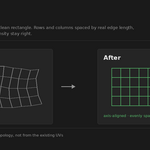
- Rectify rebuilds an island from the mesh's own quad topology rather than from whatever the unwrap produced. That means it fixes the cases that defeat UV-space methods — a bore or a pipe that unwrapped into an unusable blob becomes a clean rectangle, because the tool reads the geometry, not the mess.
- Unfold U / Unfold V — axis-constrained unfold, the Maya/RizomUV move. Straighten one axis and leave the other exactly where you put it.
- Stack Islands — a single sorted column at a shared scale, so you can see how many shells you have and how they compare.
Keep texel density honest
Measure the selection's density, set it to a target in px/unit (fractional values welcome — 5.12 px/unit is a real number), or match every island to the largest. Rows and columns are spaced by real world edge length, so proportions and density come out right rather than merely straight.
Assign, in bulk
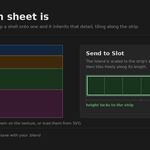
- Send to Slot with fit modes: Height, Width, Inside, Cover, Stretch.
- Assign by Size — matches on strip height, which is what actually identifies a trim strip. It tells you which slot it chose, and warns when two slots score within 5% of each other.
- Assign by Order and Assign by Material — name a slot after a material and map a whole asset in one click.
- Distribute U — trim tiles horizontally, so U is a free axis. Randomise it and a dozen shells sharing a strip stop wearing the same scuff in the same place. No extra texture, no change to texel density.
- Unstack Islands — pull overlapping shells into a readable column.
Check your work
Blender's own UV stretch overlay surfaced where you need it, plus a one-click reversible checker material — it records your material assignment first and puts it back exactly, including object-linked slots.
Compatibility
Blender 4.2 LTS and newer. Verified on 4.2.9 LTS, 5.0.1 and 5.1.1 — not assumed. Ships as a proper Blender Extension.