Trim Mapper
 KacaDev


Q: Will it mess up my UVs if I don't like the result?
A: Ctrl+Z. Every tool is a normal Blender operator with undo, and most have a
redo panel so you can adjust the result without re-running.
Q: Does it work on several objects at once?
A: Yes, multi-object Edit Mode is supported.
Q: Can I share a trim sheet layout with my team?
A: Export it as SVG and anyone can open it — in Blender, or in Illustrator,
Inkscape, Affinity or Figma. Import works the same way round.
Q: Does it set texel density?
A: Yes. Measure a selection in px/unit, set it to a target, or match everything
to your largest island.
Q: Does it handle cylinders and pipes?
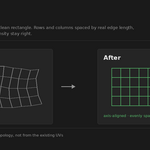
A: Yes — that's the case most tools stumble on. A closed tube can't lie flat
without a cut; Trim Mapper finds the loop, opens it, and straightens the result
into a clean rectangle.
Q: Do I have to unwrap first, or can it do that too?
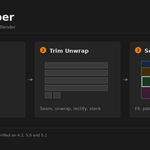
A: Either, but be clear on what you're getting. The unwrapping tools here are
deliberately simple — they handle poles, beams, planks, panels and pipes. This
is a mapping tool, not a UV suite. For anything beyond that I'd recommend
unwrapping with tools built for the job — Blender's own seams and unwrap, Zen
UV, TexTools, RizomUV — and then using Trim Mapper to do the mapping. They work
together fine; nothing is stored on your mesh.
Q: Does it work with Zen UV, TexTools, or Blender's own UV tools?
A: Yes. Trim Mapper reads and writes plain UVs and stores nothing on your mesh,
so Mark Seam, Unwrap, Stitch, Rip, Pin and any UV addon work alongside it. Use
whatever you already use to cut the model, then map with this.
Q: Can I use my existing trim sheets?
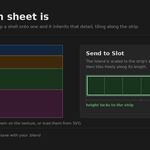
A: Yes. Load the texture, then mark the strips — drag them on the image, slice
the sheet evenly, or import the rectangles from an SVG if the sheet was designed
in a vector editor.
Q: Which Blender versions does it support?
A: 4.2 LTS and newer. Tested on 4.2 LTS, 5.0 and 5.1.
Q: What's a trim sheet, and is this for me?
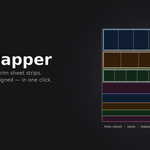
A: A texture made of horizontal strips of reusable detail — panel lines, bolts, pipes, edge wear. You map geometry onto a strip instead of giving every asset its own texture. It's how most game environments get detail affordably. If you build hard-surface or environment art, this is for you. If you unwrap organic models, it isn't.
Have questions about this product?
Login to message
| Blender Extension Compatible | Yes |
| Published | 3 months ago |
| Blender Version | 4.2 - 5.1 |
| Extension Type | Add-on |
| Render Engine Used | Cycles, Eevee |
| License | GPL |
Discover more products like this
unwrap SVG rectify texel density uv uv mapping game-art Trim Sheet