Trim Mapper
 KacaDev


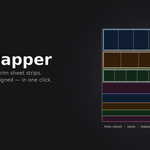
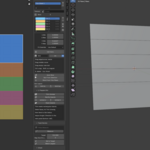
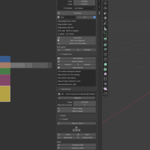
Trim mapping without the fiddling.
Trim sheets are how hard-surface artists get detail cheaply: paint a strip once, reuse it across an entire environment. The tedious part is the mapping — line each shell up with the right strip, at the right scale, without stretching it.
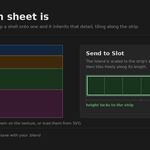
Trim Mapper does that in one click. Select an island, pick a strip, done — scaled to fit, aligned, tiling correctly along the strip.
Define your strips however suits you
- Drag them on the texture. Edit Slots lets you drag edges, corners and whole rectangles directly over your trim sheet in the UV editor, with snapping to a pixel grid so strips land on clean boundaries.
- Auto Slice for evenly divided sheets.
- Slot From Selection — select UVs already sitting on a strip and capture that rectangle.
- SVG In / Out. Block the sheet out in Illustrator, Inkscape, Affinity or Figma, then load the rectangles straight into Blender. Export the other way to hand a layout to whoever paints the texture.
Prep that produces mappable islands
Trim mapping needs rectangular islands, so there's enough here to get you there on straightforward shapes:
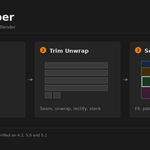
- Trim Unwrap — seam, unwrap, straighten, orient and stack, in one click. Round poles and pipes are cut open automatically so they unroll flat.
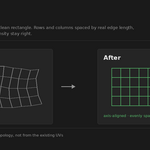
- Rectify rebuilds an island from the mesh's quad grid instead of nudging the UVs you already have. That means it straightens the awkward cases — bores, pipes, anything that unwrapped into a mess — where UV-space methods give up.
- Unfold U / Unfold V — axis-constrained unfold, the Maya and RizomUV move. Straighten one direction, leave the other alone.
- Stack Islands — a sorted column at a shared scale, so you can see what you're working with.
A note on unwrapping. These are deliberately simple unwrapping tools — they cover poles, beams, planks, panels and pipes. Trim Mapper is a mapping tool, not a UV suite, and I'd genuinely recommend doing your unwrapping with proper tools built for it — Blender's own seams and unwrap, Zen UV, TexTools, RizomUV, whatever you already trust. Cut the model well with those, then bring it here to map. Nothing is stored on your mesh, so they all work alongside each other.
Texel density that stays honest
Measure any selection in px/unit, set it to a target, or match everything to the largest island. Fractional targets work — 5.12 px/unit is a real number. Islands are spaced by true edge length, so proportions survive the mapping.
Built for whole assets, not one island at a time
- Assign by Size sends each island to the strip it fits, and tells you which one it chose.
- Assign by Material — name a slot after a material and map an entire asset in a click.
- Distribute U breaks up repetition: trim tiles sideways, so nudging each shell along its strip stops every pipe on the model wearing the same scuff in the same place. Free — no extra texture, no density change.
- Unstack, Flip, Rotate for the rest.
Check before you commit
Blender's UV stretch overlay where you need it, plus a one-click checker material that restores your materials exactly when you're done.
Fits your existing workflow
Slots live on the Scene, so they save with your .blend. Nothing is stored on your mesh, so Blender's own UV tools — and any addon you already use — work right alongside it.
Blender 4.2 LTS and newer. Ships as a proper Blender Extension.
Have questions about this product?
Login to message
| Blender Extension Compatible | Yes |
| Published | 3 months ago |
| Blender Version | 4.2 - 5.1 |
| Extension Type | Add-on |
| Render Engine Used | Cycles, Eevee |
| License | GPL |
Discover more products like this
unwrap Trim Sheet game-art rectify uv uv mapping texel density SVG