Turntable Viewport
 CGJackB


What is the best use case for Lite?
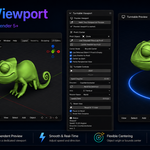
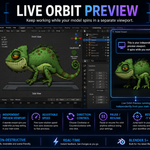
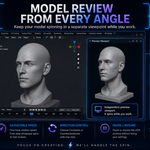
Lite is best for modeling, sculpting, asset review, and keeping a live rotating preview visible while you work.
Is this destructive to my scene?
No. The add-on does not create animation keyframes, does not rotate your object, and does not modify your camera setup.
What version of Blender is required?
Turntable Viewport Lite requires Blender 5.0 or newer.
Does Lite export videos or GIFs?
No. Lite is focused on the live independent viewport preview. Export features are included in Turntable Viewport Pro.
Can I choose what the preview centers on?
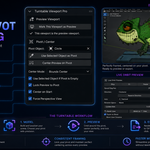
Yes. You can assign a pivot object and choose between Object Origin or Bounds Center for more stable framing.
Can I control the turntable speed?
Yes. You can adjust the speed in degrees per second, change direction, pause, resume, and reset the view.
Do I need two viewports open?
Yes. The add-on is designed to mark one 3D Viewport as the preview viewport while you continue working in another viewport.
Does Turntable Viewport Lite rotate my object?
No. Turntable Viewport Lite rotates the preview viewport view, not the object, camera, or scene. Your model stays untouched.
Have questions about this product?
Login to message
| Blender Extension Compatible | Yes |
| Dev Fund Contributor | |
| Published | 5 months ago |
| Blender Version | 5.0 - 5.1 |
| Extension Type | Add-on |
| License | GPL |

Discover more products like this
3d viewport blender 5 Modeling tools 3d tools turntable object preview Blender Add-on sculpting tools viewport orbit Asset Preview Workflow model preview