 MNC Development


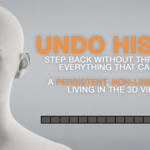
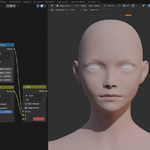
Your history stops disappearing.
Step back without throwing away everything that came after.
A persistent, non-linear timeline living in the 3D viewport — click or drag along the timeline to reach any earlier state, and come back to the latest one.
Blender's undo is linear and disposable. Step back, make one change, and everything that came after is gone — and the whole stack disappears the moment you reopen the file.
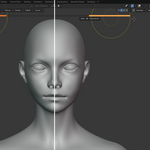
Undo History replaces that with a timeline you can actually navigate. Every significant change adds a segment to a bar across the top of the 3D viewport. Click a segment to restore that state instantly, or drag along the bar to scrub through your work in real time. Moving backwards never destroys what came after, so you can compare two versions of a sculpt, a material or a node setup and return to either one.
It takes up almost nothing.
The bar lives inside the viewport itself — no side panel, no floating window, no working area lost. There is no list, no text, no thumbnails: only the chronology of your states.
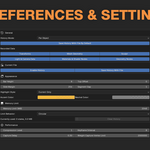
Hovering a segment reveals its date and time, and nothing more. Height, position, margins, colours and highlight style are all configurable.
Each category can be switched on or off independently, so the history stores only what matters to your workflow.
| Transforms | Mesh geometry |
| Sculpting | Light & camera settings |
| Materials & shader node trees | Geometry Nodes modifiers & trees |
Give every object its own independent timeline, with the bar following the active object — or keep one shared timeline for the entire file.
You set the budget.
Set a memory budget in megabytes and decide what happens when it is reached: a circular buffer that quietly recycles the oldest states, or a hard stop until you clear the history.
States are stored as compressed sparse deltas against periodic full snapshots, so memory follows what actually changed rather than the size of your mesh.
A single command wipes the history and frees its memory without touching your model.
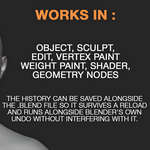
The history can be saved alongside the .blend file so it survives a reload, or left out to keep file sizes down — set per file, with a global default for new projects.
| NATIVE UNDO | WITH UNDO HISTORY |
| Step back, make one change, and everything after it is gone | Move back and forward freely — later states are never destroyed |
| The stack disappears the moment you reopen the file | History can be saved alongside the .blend and survive a reload |
| One linear stack for everything in the file | A timeline per object, or one shared across the file |
| Two versions of a sculpt can never coexist | Compare two versions and return to either one |
Works in Object, Sculpt, Edit, Vertex Paint, Weight Paint, Shader, Geometry Nodes, and runs alongside Blender's own undo without interfering with it.
Going back should never cost you what you already made.